
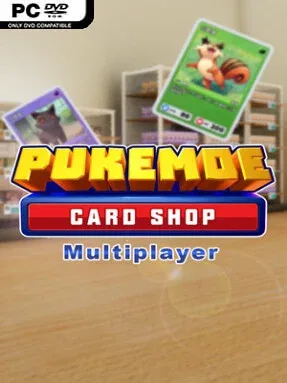
Game Overview
A cluttered little storefront becomes the center of a relaxed trading-card hustle, where every display rack, booster pack, and lucky pull can push your collection forward. Card Shop Simulator Multiplayer blends shop management with the familiar excitement of cracking open packs in search of elusive Pukémoe cards. Its tone stays light and playful, but chance always hangs over the experience: a rare card, hidden item, or valuable win can completely change the direction of a session. The focus is less on high-pressure business spreadsheets and more on the satisfying routine of building a shop that feels like your own.
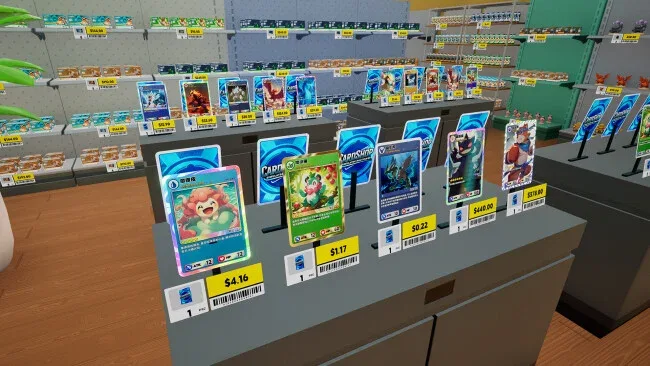
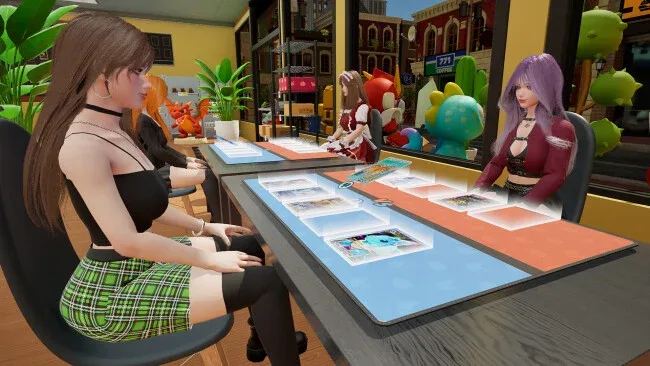
Running the store means arranging shelves and packs to create a practical, inviting layout while steadily expanding the selection available to customers. Pack openings form the core reward loop, as you chase rare additions for your personal binder and decide which cards are worth keeping, using, or risking. Card battles against NPC opponents and other players add a competitive layer, with matches allowing you to wager cards and potentially claim new prizes through smart play and a little nerve. Outside the shop, the surrounding streets provide diversions through hidden treasures, surprise activities, and secrets that make wandering away from the counter worthwhile.
What separates it from a straightforward retail sim is the way collecting, battling, exploration, and luck all feed into one another. A fortunate pull can strengthen your deck, a battle victory can improve your collection, and a random street discovery can give a quiet shop day an unexpected purpose. Multiplayer makes it especially appealing for friends who enjoy showing off collections or putting prized cards on the line, while solo players still have NPC battles and scavenging to keep the loop moving. Fans of trading-card collecting and accessible shop simulators will find an easygoing alternative to more demanding management games, particularly if they enjoy the pack-opening thrill found in collectible card games.
Screenshots
Installation
- Select the <strong>Download</strong> button at the top of this page to open UploadHaven.
- On UploadHaven, wait for any countdown, then select <strong>Free Download</strong>. Optional: UploadHaven Pro for faster downloads.
- When complete, extract the archive to a <strong>Card Shop Simulator Multiplayer</strong> folder using 7-Zip.
- Open the extracted folder and start the game normally.
- For errors, check <strong>Setup Guide & Troubleshooting</strong> below. Keep your security software enabled.
System Requirements
- OS: Windows 10
- Processor: Intel i5 9600K
- Memory: 8 GB RAM
- Graphics: GeForce GTX 1660
- DirectX: Version 11
- Storage: 10 GB available space
Setup Guide & Troubleshooting
How do I fix missing DLL errors for Card Shop Simulator Multiplayer (v0.223)?
After extracting Card Shop Simulator Multiplayer (v0.223), navigate to the _Redist or _CommonRedist folder inside the game directory and install DirectX, Vcredist, and any other dependencies included.
What should I do if the downloaded file is corrupted?
The full archive is 1.41 GB — make sure your download completed fully before extracting. Use 7-Zip to extract the files. If you still see a "file corrupted" error, re-download and try again.
Why should I run the game as administrator?
Right-click the game executable and select "Run as Administrator" to avoid save file issues and permission errors. This is especially important on the first launch.
How do I update my GPU drivers for this game?
Card Shop Simulator Multiplayer (v0.223) requires a GeForce GTX 1660 or equivalent. Update your NVIDIA or AMD drivers to the latest version for the best performance.
The game won't launch — what should I try?
This game requires Version 11. Try running in compatibility mode, install the latest DirectX runtime, or install the All-in-One VC Redist Package.
My antivirus is blocking the game — is it safe?
Antivirus false positives are common with pre-installed games. Temporarily pause your antivirus during extraction to prevent it from quarantining game files. You can re-enable it after the extraction completes.