
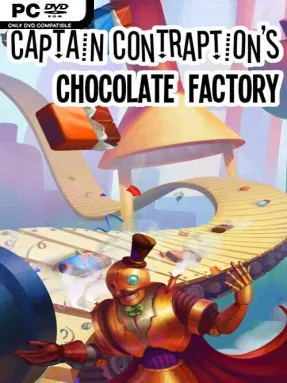
Game Overview
A candy factory becomes a physics sandbox where every nut, splash of chocolate, and lump of caramel can turn into either a production breakthrough or a gloriously sticky disaster. Captain Contraption's Chocolate Factory is a lighthearted automation puzzler built around assembling strange machines that transform raw ingredients into confectionery. Its cheerful premise hides a satisfyingly technical challenge: you are not simply placing buildings on a grid, but engineering chain reactions that need to work reliably. The tone stays playful throughout, with food colouring, flying ingredients, and Rube Goldberg-style production lines providing plenty of visual comedy.
Players use a straightforward set of mechanical tools to move, launch, smash, mix, and sort ingredients through each stage of chocolate production. One puzzle might ask you to fire nuts into a vat of melted chocolate, while another demands that caramel is broken into manageable pieces without scattering half the batch across the room. Because the entire process follows simulated physics, every conveyor setup, launcher angle, collision, and timing choice has visible consequences, making failures easy to diagnose and successes deeply rewarding. Levels support multiple solutions, encouraging you to first build a functioning machine and then return to reduce its complexity, increase efficiency, or create a more absurdly elaborate design.
The strongest appeal comes from the freedom to solve a fixed problem in your own way, closer to the open-ended construction of Crazy Machines or the factory tinkering of Infinifactory than a rigid logic-puzzle campaign. Watching a well-tuned contraption repeatedly process ingredients delivers the same hypnotic satisfaction as seeing a compact Factorio line finally run without interruption. A full level editor lets players create automation challenges using the same accessible tools found in the main game, while Workshop sharing and per-level leaderboards give inventive builders reasons to keep refining their work. It suits newcomers who enjoy intuitive physics experimentation, but optimization-minded puzzle veterans get the most from chasing cleaner, faster, and more ingenious chocolate-making machines.
Screenshots
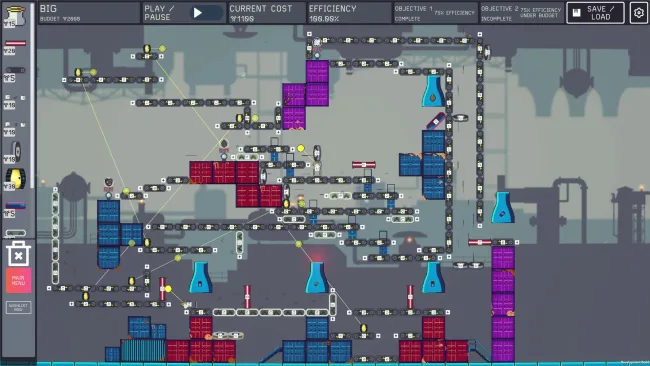
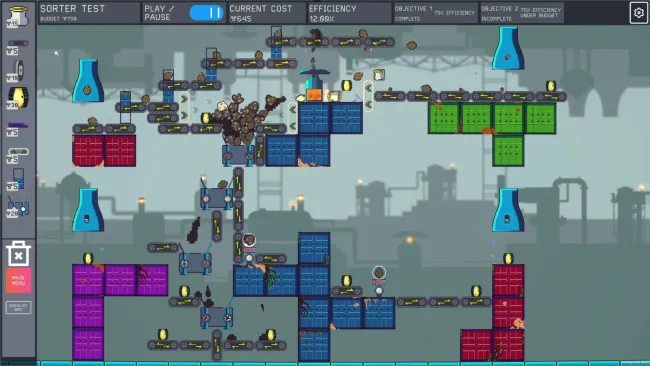
Installation
- Select the <strong>Download</strong> button at the top of this page to open UploadHaven.
- On UploadHaven, wait for any countdown, then select <strong>Free Download</strong>. Optional: UploadHaven Pro for faster downloads.
- When complete, extract the archive to a <strong>Captain Contraption's Chocolate Factory</strong> folder using 7-Zip.
- Open the extracted folder and start the game normally.
- For errors, check <strong>Setup Guide & Troubleshooting</strong> below. Keep your security software enabled.
System Requirements
- Requires a 64-bit processor and operating system
- OS: Windows 10
- Processor: Quad Core 2.40Ghz+
- Memory: 4 GB RAM
- Graphics: Intel(R) HD Graphics 520
- DirectX: Version 9.0
- Storage: 3 GB available space
Setup Guide & Troubleshooting
How do I fix missing DLL errors for Captain Contraption’s Chocolate Factory (v1.22)?
After extracting Captain Contraption’s Chocolate Factory (v1.22), navigate to the _Redist or _CommonRedist folder inside the game directory and install DirectX, Vcredist, and any other dependencies included.
What should I do if the downloaded file is corrupted?
The full archive is 1.16 GB — make sure your download completed fully before extracting. Use 7-Zip to extract the files. If you still see a "file corrupted" error, re-download and try again.
Why should I run the game as administrator?
Right-click the game executable and select "Run as Administrator" to avoid save file issues and permission errors. This is especially important on the first launch.
How do I update my GPU drivers for this game?
Captain Contraption’s Chocolate Factory (v1.22) requires a Intel(R) HD Graphics 520 or equivalent. Update your NVIDIA or AMD drivers to the latest version for the best performance.
The game won't launch — what should I try?
This game requires Version 9.0. Try running in compatibility mode, install the latest DirectX runtime, or install the All-in-One VC Redist Package.
My antivirus is blocking the game — is it safe?
Antivirus false positives are common with pre-installed games. Temporarily pause your antivirus during extraction to prevent it from quarantining game files. You can re-enable it after the extraction completes.