
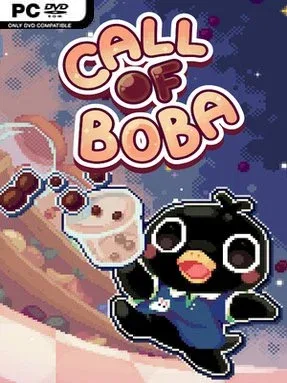
Call of Boba Cover Art

Call of Boba

INDIE 345.04 MB v0.0.2.7

Game Overview

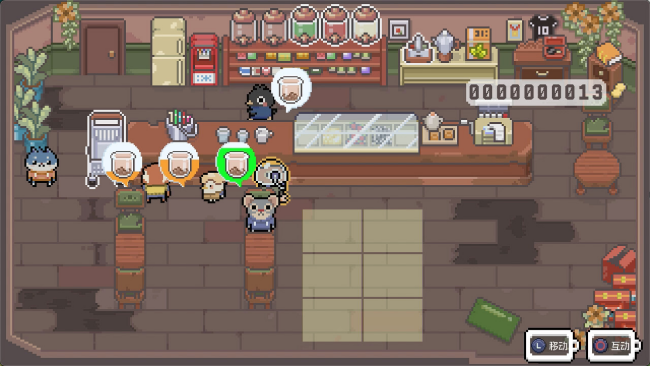
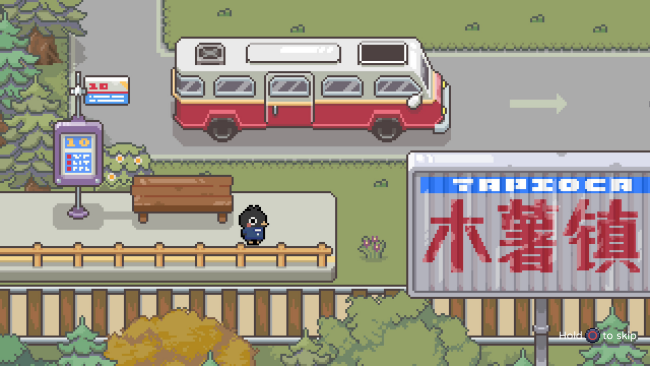
A fading tea shop and a town with a dangerous after-hours secret give Call of Boba its appealing mix of cozy management and light action-adventure. By day, the focus is on helping a local business recover its reputation through increasingly inventive bubble tea creations and better service for the community. Once night arrives, the gentle small-town mood gives way to a stranger, more threatening side of the setting, where boba-inspired tools become weapons against roaming enemies. The result is a colorful indie experience that balances wholesome routines with a little supernatural danger.

Much of the game revolves around serving customers, improving the shop’s output, and turning combat rewards into fresh ideas for new drinks. Battles use the player’s collection of “Bobas” as offensive tools, so fighting is tied directly to the café’s progression rather than feeling like a completely separate activity. Town errands, short mini-games, and fishing provide breaks from both shopkeeping and combat, while conversations with residents reveal more about the town and open up relationship paths. Romance is part of the package as well, letting players spend time with NPCs and potentially build a more personal connection alongside their business ambitions.

Call of Boba stands out through its willingness to combine several familiar comfort-game formats: café simulation, social life, fishing, quests, and nighttime monster encounters. Its central idea has some of the everyday-life appeal of Stardew Valley, though its boba-themed combat and shop focus give it a more playful identity of its own. Players who enjoy steadily improving a home base, meeting a memorable cast, and having optional activities always waiting around town are likely to get the most from it. It suits newcomers to life sims thanks to its approachable premise, while genre veterans may appreciate the unusual balance between making drinks, dating townsfolk, and battling after dark.

Installation

  1. Click the green button below to be redirected to UploadHaven.
  2. Wait 15 seconds, then hit “Free Download.” (Free downloads may be slower — upgrade to UploadHaven Pro for faster speeds.)
  3. Once downloaded, right-click the .zip file and choose “Extract to Call of Boba.” (You’ll need 7-Zip for this.)
  4. Open the extracted folder and run the game as administrator.
  5. Enjoy! 🎮 If you see missing DLL errors, check the <strong>_Redist</strong> folder inside and install what’s needed.

System Requirements

  • OS *: Windows Vista or greater
  • Processor: 2 Ghz
  • Memory: 4 GB RAM
  • Graphics: 256 mb video memory, shader model 3.0+
  • DirectX: Version 10
  • Storage: 200 MB available space

Setup Guide & Troubleshooting

How do I fix missing DLL errors for Call of Boba (v0.0.2.7)?

After extracting Call of Boba (v0.0.2.7), navigate to the _Redist or _CommonRedist folder inside the game directory and install DirectX, Vcredist, and any other dependencies included.

What should I do if the downloaded file is corrupted?

The full archive is 345.04 MB — make sure your download completed fully before extracting. Use 7-Zip to extract the files. If you still see a "file corrupted" error, re-download and try again.

Why should I run the game as administrator?

Right-click the game executable and select "Run as Administrator" to avoid save file issues and permission errors. This is especially important on the first launch.

How do I update my GPU drivers for this game?

Call of Boba (v0.0.2.7) requires a 256 mb video memory, shader model 3.0+ or equivalent. Update your NVIDIA or AMD drivers to the latest version for the best performance.

The game won't launch — what should I try?

This game requires Version 10. Try running in compatibility mode, install the latest DirectX runtime, or install the All-in-One VC Redist Package.

My antivirus is blocking the game — is it safe?

Antivirus false positives are common with pre-installed games. Temporarily pause your antivirus during extraction to prevent it from quarantining game files. You can re-enable it after the extraction completes.

Need more help? Browse our FAQ & Troubleshooting Guide for solutions to common issues.
Looking for something else? Explore all games on Steam Unlocked