
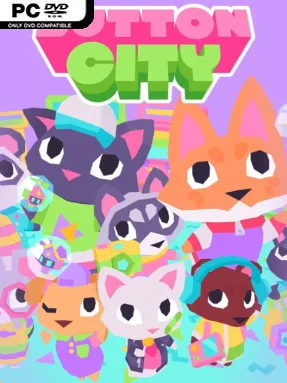
Game Overview
A tiny pastel town becomes the stage for a surprisingly heartfelt fight to save its neighborhood arcade. You play Fennel, a shy fox who has only just arrived in Button City, where a chance visit to the arcade leads to new friends, local secrets, and a looming threat from the money-minded Peppermint Pepperbottom. The stakes stay family-friendly, but the story treats childhood friendships, change, and community with genuine warmth. Its low-poly diorama look gives every street, shop, and character the feel of a lovingly made 1990s toy set.
Most of the adventure revolves around talking to townsfolk, following story leads, hunting down items, and solving simple environmental puzzles to help the arcade crew. Side quests send Fennel around town for charmingly odd jobs, while dialogue and character interactions steadily build the relationships at the center of the campaign. The arcade itself offers several playable minigames, including the competitive robot battler Gobabots, the rhythm-focused Prisma Beats, and the racer rEVolution Racer; improving at them unlocks rewards, modes, and useful progress. Combat is not the point here, so expect a relaxed, guided narrative adventure rather than a demanding action game, with costumes and room decoration providing extra collectible-focused goals.
Button City stands out through its sincere affection for arcade culture without turning nostalgia into its only idea. The visual style is bright, chunky, and immediately readable, while the animal cast brings enough personality to make even brief errands feel worthwhile. Its minigames add welcome variety, though players looking for deep systems or punishing arcade challenges may find them lightweight beside dedicated rhythm, racing, or fighting games. Fans of A Short Hike, Night in the Woods, or cozy story-led adventures will likely appreciate its gentle humor and emotional core, and it is especially easy to recommend to newcomers who want a short, cheerful game with real heart.
Installation
- Click the green button below to be redirected to UploadHaven.
- Wait 15 seconds, then hit “Free Download.” (Free downloads may be slower — upgrade to UploadHaven Pro for faster speeds.)
- Once downloaded, right-click the .zip file and choose “Extract to Button City.” (You’ll need 7-Zip for this.)
- Open the extracted folder and run the game as administrator.
- Enjoy! 🎮 If you see missing DLL errors, check the <strong>_Redist</strong> folder inside and install what’s needed.
System Requirements
- Requires a 64-bit processor and operating system
- OS: Windows 7
- Processor: Intel i5 Quad-Core
- Memory: 4 GB RAM
- Graphics: Intel HD 4000
- Storage: 1 GB available space
Setup Guide & Troubleshooting
How do I fix missing DLL errors for Button City (v1.0.5.1)?
After extracting Button City (v1.0.5.1), navigate to the _Redist or _CommonRedist folder inside the game directory and install DirectX, Vcredist, and any other dependencies included.
What should I do if the downloaded file is corrupted?
The full archive is 484.72 MB — make sure your download completed fully before extracting. Use 7-Zip to extract the files. If you still see a "file corrupted" error, re-download and try again.
Why should I run the game as administrator?
Right-click the game executable and select "Run as Administrator" to avoid save file issues and permission errors. This is especially important on the first launch.
How do I update my GPU drivers for this game?
Button City (v1.0.5.1) requires a Intel HD 4000 or equivalent. Update your NVIDIA or AMD drivers to the latest version for the best performance.
The game won't launch — what should I try?
Try running in compatibility mode, install the latest DirectX runtime, or install the All-in-One VC Redist Package.
My antivirus is blocking the game — is it safe?
Antivirus false positives are common with pre-installed games. Temporarily pause your antivirus during extraction to prevent it from quarantining game files. You can re-enable it after the extraction completes.