
Game Overview
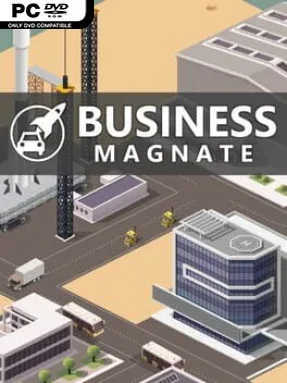
Building an industrial empire from a single product idea is the central appeal of Business Magnate, a focused indie tycoon sim about turning designs into market-leading machines. Rather than limiting you to one sector, it lets you chase success through automobiles, smartphones, computers, aircraft, ships, trucks, military hardware, and even rockets. The tone is more spreadsheet-minded than cinematic, centering on planning, efficiency, and the satisfaction of watching a well-managed company expand. Ambition scales quickly: a profitable first venture can become the foundation for several businesses operating under your control.
Each company begins with a choice of industry and product direction, such as combustion, electric, or hybrid vehicles. From there, you design goods, research improved components and new product categories, arrange production, and decide how aggressively to promote what you make. Offices, warehouses, and manufacturing facilities form the practical backbone of your operation, while employee management adds another layer to the constant balancing act between growth and cost. The main loop revolves around reading the market, improving your products, maintaining supply, and converting production capacity into sales before competitors or poor decisions drain your budget.
What makes Business Magnate appealing is the breadth of industries packed into a relatively straightforward management format. Running several firms at once creates room for players who enjoy building a diversified corporate portfolio instead of perfecting only one car company or tech brand. Its product-design emphasis gives it a more hands-on flavor than a purely passive economic simulator, even if the presentation remains rooted in menus and management decisions. Fans of accessible business games such as Game Dev Tycoon or the broader industry simulations of the Software Inc. school should find its structure familiar, while players seeking deep city building, cinematic storytelling, or intense real-time competition may want something more elaborate.
Installation
- Click the green button below to be redirected to UploadHaven.
- Wait 15 seconds, then hit “Free Download.” (Free downloads may be slower — upgrade to UploadHaven Pro for faster speeds.)
- Once downloaded, right-click the .zip file and choose “Extract to Business Magnate.” (You’ll need 7-Zip for this.)
- Open the extracted folder and run the game as administrator.
- Enjoy! 🎮 If you see missing DLL errors, check the <strong>_Redist</strong> folder inside and install what’s needed.
System Requirements
- OS: Windows 7
- Processor: 2 GHz dual core
- Memory: 1 GB RAM
- Graphics: Hardware accelerated graphics with dedicated memory
- Storage: 130 MB available space
- Additional Notes: minimum resolution of 800×600
Setup Guide & Troubleshooting
How do I fix missing DLL errors for Business Magnate (v1.16)?
After extracting Business Magnate (v1.16), navigate to the _Redist or _CommonRedist folder inside the game directory and install DirectX, Vcredist, and any other dependencies included.
What should I do if the downloaded file is corrupted?
The full archive is 88.35 MB — make sure your download completed fully before extracting. Use 7-Zip to extract the files. If you still see a "file corrupted" error, re-download and try again.
Why should I run the game as administrator?
Right-click the game executable and select "Run as Administrator" to avoid save file issues and permission errors. This is especially important on the first launch.
How do I update my GPU drivers for this game?
Business Magnate (v1.16) requires a Hardware accelerated graphics with dedicated memory or equivalent. Update your NVIDIA or AMD drivers to the latest version for the best performance.
The game won't launch — what should I try?
Try running in compatibility mode, install the latest DirectX runtime, or install the All-in-One VC Redist Package.
My antivirus is blocking the game — is it safe?
Antivirus false positives are common with pre-installed games. Temporarily pause your antivirus during extraction to prevent it from quarantining game files. You can re-enable it after the extraction completes.