
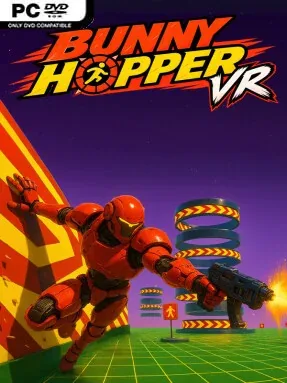
Game Overview
Bunny Hopper VR turns first-person virtual reality platforming into a relentless test of momentum, aim, and nerve. You control a combat robot racing through brightly colored sci-fi arenas built around suspended platforms, lethal gaps, lasers, and mechanical hazards. The tone is arcade-focused rather than story-driven: every course pushes you to move faster, land cleaner, and keep firing without losing your rhythm. It feels like a speedrunning obstacle course with a blaster in hand, where hesitation is usually more dangerous than any enemy.
Runs revolve around chaining jumps, air dashes, and wall-runs to carry speed across increasingly demanding layouts. Platforms demand careful trajectories, while ramps, moving obstacles, and narrow landings punish sloppy timing; falling or clipping a hazard breaks the flow and costs valuable seconds. Shooting is woven directly into navigation rather than treated as a separate combat mode, with interactive targets placed in positions that force players to aim while sprinting, leaping, or running along walls. Score-chasing adds a reason to revisit completed courses, encouraging cleaner routes, more accurate shots, and better control over every movement technique. The first-person VR perspective makes successful chains feel especially immediate, although players sensitive to rapid artificial movement may need time to adjust.
What separates Bunny Hopper VR from a conventional VR shooter is its emphasis on parkour mastery over enemy encounters. Its clean futuristic arenas and energetic soundtrack support a brisk, colorful arcade mood, while the need to shoot during demanding traversal creates a satisfying coordination challenge. There is no sprawling campaign or deep progression system to hide behind; the appeal comes from learning courses, shaving mistakes from a run, and building confidence with high-speed movement. Fans of Ghostrunner’s kinetic wall-running, Mirror’s Edge-style momentum, and score-attack platformers should find plenty to like, particularly if they want a compact VR challenge that rewards practice. Newcomers can enjoy its direct objectives, but experienced VR players and speedrun-minded competitors get the most from its precision-heavy design.
Screenshots
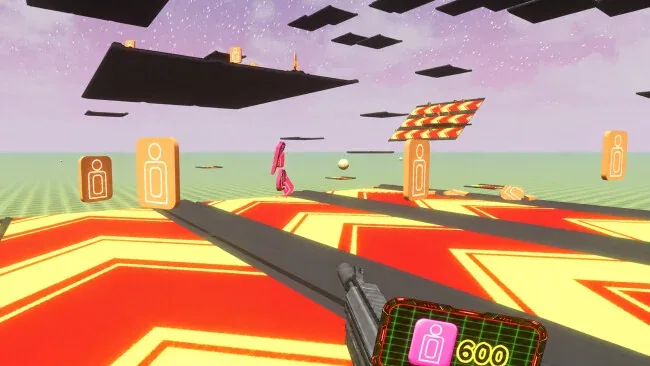
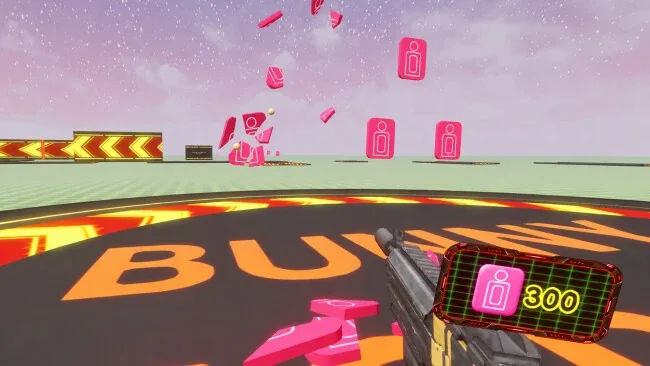
Installation
- Select the <strong>Download</strong> button at the top of this page to open UploadHaven.
- On UploadHaven, wait for any countdown, then select <strong>Free Download</strong>. Optional: UploadHaven Pro for faster downloads.
- When complete, extract the archive to a <strong>Bunny Hopper VR</strong> folder using 7-Zip.
- Open the extracted folder and start the game normally.
- For errors, check <strong>Setup Guide & Troubleshooting</strong> below. Keep your security software enabled.
System Requirements
- Requires a 64-bit processor and operating system
- OS: Windows 10 (64 bit)
- Processor: Intel core i5-9xxx
- Memory: 8 GB RAM
- Graphics: NVIDIA GeForce GTX 1060 6GB
- DirectX: Version 11
- Storage: 4 GB available space
- VR Support: SteamVR, OpenXR, Meta Quest 2, Meta Quest 3, Meta Quest 3S, Meta Quest Pro, Oculus Rift, Oculus Rift S, Oculus Touch, Valve Index, Valve Index Controllers, Pimax, Pico 4, Pico 4 Ultra, Pico Neo 3 Link
Setup Guide & Troubleshooting
Is Bunny Hopper VR (Latest Full Build) free to download on Steam Unlocked?
Yes, Bunny Hopper VR (Latest Full Build) is available as a full-version direct download on Steam Unlocked with verified mirror links and complete release files.
How do I install Bunny Hopper VR without errors?
Download the complete archive from the mirror links, extract using 7-Zip or WinRAR into a path without special characters, install any required runtime redistributables, and launch the main executable.
Does this release of Bunny Hopper VR include the latest updates?
This listing provides build Latest Full Build of Bunny Hopper VR, tested for offline play and compatibility with modern operating systems and emulators.
What should I do if Bunny Hopper VR crashes on startup?
Verify that your GPU drivers and Visual C++ / DirectX runtimes are updated, run the executable as administrator, and ensure your antivirus did not block any extracted game files.