
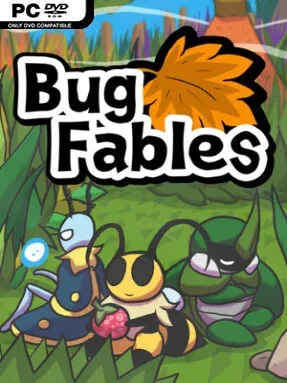
Game Overview
Bugaria turns an insect-scale fantasy continent into a surprisingly grand role-playing adventure, where fallen leaves become forests and a discarded can is a landmark. Bug Fables: The Everlasting Sapling follows Vi, Kabbu, and Leif, three sharply different explorers chasing a mythical plant said to grant eternal life. Their expedition moves from royal ant territory and dangerous underground ruins to deserts, swamps, and the Bee Kingdom, gradually revealing a world with more political tension and ancient secrets than its cheerful cartoon look suggests. The tone stays playful and warm, but the story earns its emotional turns through the trio’s growing friendship.
Exploration mixes top-down adventuring with light platforming and environmental puzzles that require swapping the party leader. Vi’s boomerang can hit faraway switches, Kabbu breaks obstacles and pulls objects, while Leif freezes water and manipulates ice, making each dungeon feel built around practical team cooperation. Battles use turn-based commands in the vein of classic Paper Mario: timed button presses improve attacks, careful blocks reduce incoming damage, and enemy positioning matters as much as raw power. The Turn Relay system lets one hero surrender a move to another, opening up smart combos, emergency healing plays, and focused damage when a boss exposes a weakness. Badges, medals, cooking ingredients, side quests, and optional challenges give the party plenty of room to develop without burying players in complicated systems.
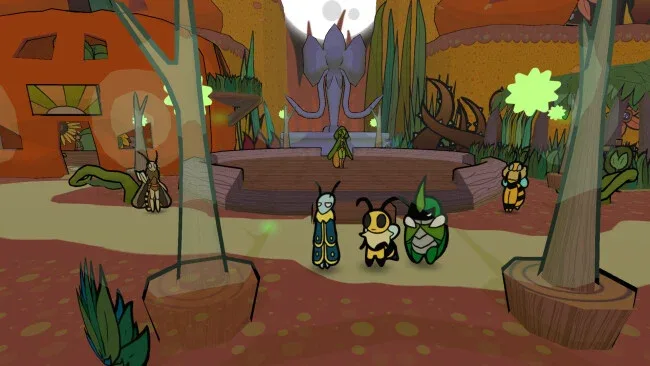
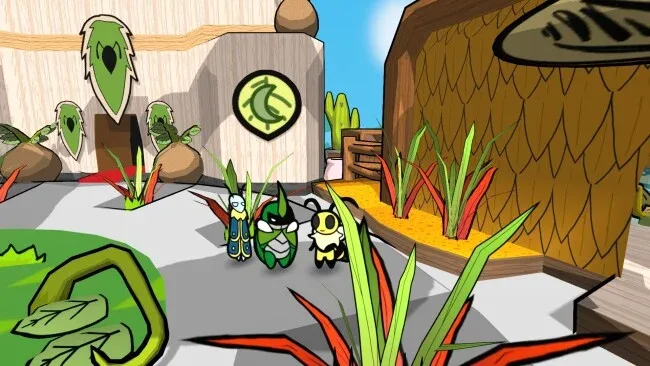
What makes Bug Fables memorable is how confidently it uses familiar RPG ideas while giving its three-character party real mechanical and narrative identity. Its hand-drawn presentation, expressive dialogue, and wonderfully oversized natural environments sell the bug perspective, while the Tattle feature adds amusing observations from each hero during encounters. Seven substantial chapters, dozens of side activities, optional bosses, and the expanded content from the 1.2 update make it a fuller adventure than its modest appearance initially suggests. Fans of Paper Mario: The Thousand-Year Door, Mario & Luigi, or approachable tactical RPGs should feel immediately at home, though its thoughtful boss fights also reward genre veterans who enjoy mastering timing and party builds.
Screenshots
Installation
- Select the <strong>Download</strong> button at the top of this page to open UploadHaven.
- On UploadHaven, wait for any countdown, then select <strong>Free Download</strong>. Optional: UploadHaven Pro for faster downloads.
- When complete, extract the archive to a <strong>Bug Fables: The Everlasting Sapling</strong> folder using 7-Zip.
- Open the extracted folder and start the game normally.
- For errors, check <strong>Setup Guide & Troubleshooting</strong> below. Keep your security software enabled.
System Requirements
- OS *: Windows 7
- Processor: Intel Core 2 Duo
- Memory: 1 GB RAM
- Storage: 300 MB available space
Setup Guide & Troubleshooting
How do I fix missing DLL errors for Bug Fables: The Everlasting Sapling (v1.2.0)?
After extracting Bug Fables: The Everlasting Sapling (v1.2.0), navigate to the _Redist or _CommonRedist folder inside the game directory and install DirectX, Vcredist, and any other dependencies included.
What should I do if the downloaded file is corrupted?
The full archive is 257.87 MB — make sure your download completed fully before extracting. Use 7-Zip to extract the files. If you still see a "file corrupted" error, re-download and try again.
Why should I run the game as administrator?
Right-click the game executable and select "Run as Administrator" to avoid save file issues and permission errors. This is especially important on the first launch.
How do I update my GPU drivers for this game?
Update your NVIDIA or AMD drivers to the latest version for the best performance and compatibility.
The game won't launch — what should I try?
Try running in compatibility mode, install the latest DirectX runtime, or install the All-in-One VC Redist Package.
My antivirus is blocking the game — is it safe?
Antivirus false positives are common with pre-installed games. Temporarily pause your antivirus during extraction to prevent it from quarantining game files. You can re-enable it after the extraction completes.