
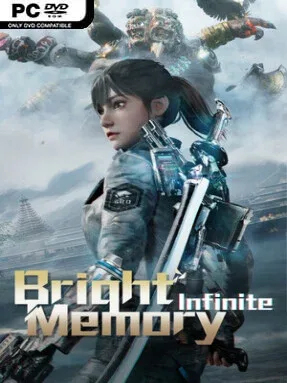
Game Overview
A futuristic storm tears across the skies in 2036, bringing together paramilitary science fiction, ancient Chinese mythology, and highly stylized gunplay. You play SRO agent Shelia, who investigates a global anomaly that links her high-tech world to a forgotten civilization and its supernatural forces. Bright Memory: Infinite treats its story like a fast, cinematic action ride rather than a sprawling RPG, moving from rain-soaked city streets and industrial compounds to striking temples, mountain passes, and impossible ancient landscapes. The tone is proudly over-the-top: soldiers wield advanced weapons, monsters emerge from legend, and every encounter feels built to make its heroine look dangerous.
Combat blends a first-person shooter’s mobility with character-action combo design. Shelia swaps between firearms, a katana, grenades, and unlockable abilities, launching enemies into the air before juggling them with bullets, slashes, shock attacks, and explosive follow-ups. Guns support alternate ammunition and attachments, including tracking rockets, incendiary rounds, and sticky explosives, while the sword can parry attacks and even reflect incoming fire. Encounters reward aggression and experimentation, although the compact campaign keeps progression simple and frequently shifts into spectacle-heavy chase scenes, vehicle sequences, and boss fights rather than open-ended exploration.
FYQD-Studio’s greatest strength is how polished the action feels for such a brief, focused experience. Bright Memory: Infinite looks especially impressive, pairing sharp character models and detailed environments with dramatic lighting, weather effects, and a visual style that often resembles a big-budget tech showcase. Its short length means the plot and level design do not develop as deeply as the combat ideas deserve, but the pace rarely drags and replaying on higher difficulties gives players reason to master cleaner combos. Fans of Shadow Warrior, DOOM-style arena shooting, or Devil May Cry’s airborne juggling should find plenty to enjoy, while newcomers can still appreciate it as an accessible, visually striking action sprint.
Installation
- Click the green button below to be redirected to UploadHaven.
- Wait 15 seconds, then hit “Free Download.” (Free downloads may be slower — upgrade to UploadHaven Pro for faster speeds.)
- Once downloaded, right-click the .zip file and choose “Extract to Bright Memory: Infinite.” (You’ll need 7-Zip for this.)
- Open the extracted folder and run the game as administrator.
- Enjoy! 🎮 If you see missing DLL errors, check the <strong>_Redist</strong> folder inside and install what’s needed.
System Requirements
- Requires a 64-bit processor and operating system
- OS: Windows 10 64 bit(1903)
- Processor: INTEL E3-1230v2 / AMD FX-8350
- Memory: 8 GB RAM
- Graphics: NVIDIA GTX960(4G)
- DirectX: Version 11
- Storage: 13 GB available space
- Additional Notes:
Setup Guide & Troubleshooting
How do I fix missing DLL errors for Bright Memory: Infinite?
After extracting Bright Memory: Infinite, navigate to the _Redist or _CommonRedist folder inside the game directory and install DirectX, Vcredist, and any other dependencies included.
What should I do if the downloaded file is corrupted?
The full archive is 10.78 GB — make sure your download completed fully before extracting. Use 7-Zip to extract the files. If you still see a "file corrupted" error, re-download and try again.
Why should I run the game as administrator?
Right-click the game executable and select "Run as Administrator" to avoid save file issues and permission errors. This is especially important on the first launch.
How do I update my GPU drivers for this game?
Bright Memory: Infinite requires a NVIDIA GTX960(4G) or equivalent. Update your NVIDIA or AMD drivers to the latest version for the best performance.
The game won't launch — what should I try?
This game requires Version 11. Try running in compatibility mode, install the latest DirectX runtime, or install the All-in-One VC Redist Package.
My antivirus is blocking the game — is it safe?
Antivirus false positives are common with pre-installed games. Temporarily pause your antivirus during extraction to prevent it from quarantining game files. You can re-enable it after the extraction completes.