
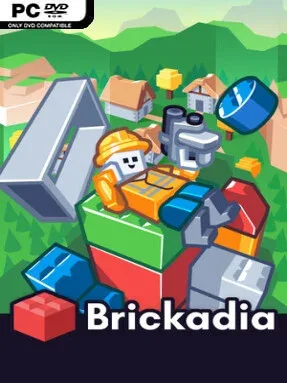
Game Overview
A blank plot becomes a working playground in Brickadia, a multiplayer sandbox built around plastic-brick construction, physics experimentation, and player-made experiences. Its appeal is not simply stacking colorful blocks; it is the freedom to turn a quiet island, sprawling city, spaceship, racetrack, or absurd combat arena into something other people can immediately inhabit. The tone stays playful and approachable, but the tools support surprisingly elaborate creations. Whether you want to calmly build with friends or turn a custom map into a chaotic firefight, the same world can accommodate both moods.
Building happens directly in-game, so a group can place, resize, paint, copy, and arrange bricks together without pausing the session for external editors. Creations become functional through physics objects and wire logic: buttons can open doors, motors and servos can power vehicles, lights can react to switches, and logic gates can create puzzles, traps, or automated machines without traditional programming. Players also assemble highly individualized avatars from interchangeable body parts, clothing, accessories, hairstyles, and stranger additions such as tails. Once a build is ready, hosts can place weapons, ammunition, and item spawns, adjust rules, and turn their server into a custom deathmatch, vehicle mode, puzzle map, or social hangout.
What separates Brickadia from a basic block-building toy is its emphasis on making creations playable while everyone remains in the same live session. The dynamic physics system encourages contraptions that move, break, carry players, or behave unpredictably, while the in-game gallery gives less construction-focused players a steady supply of community worlds to visit and remix. It has the immediate visual readability of LEGO-style games, with some of the open-ended social creativity associated with Roblox and Garry’s Mod, but its brick tools and no-code circuitry give it a distinct identity. Builders, tinkerers, and groups who enjoy inventing their own rules get the most from it, though newcomers can start simple and grow into its deeper systems naturally.
Screenshots
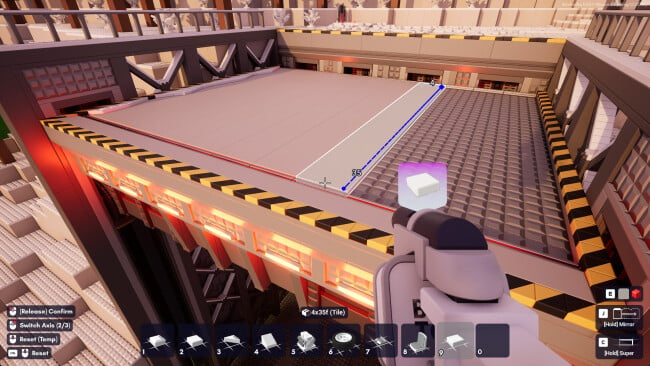
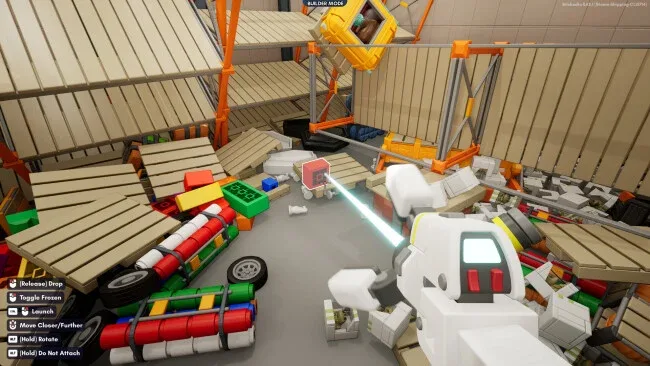
Installation
- Click the green button below to be redirected to UploadHaven.
- Wait 15 seconds, then hit “Free Download.” (Free downloads may be slower — upgrade to UploadHaven Pro for faster speeds.)
- Once downloaded, right-click the .zip file and choose “Extract to Brickadia.” (You’ll need 7-Zip for this.)
- Open the extracted folder and run the game as administrator.
- Enjoy! 🎮 If you see missing DLL errors, check the <strong>_Redist</strong> folder inside and install what’s needed.
System Requirements
- Requires a 64-bit processor and operating system
- OS: Windows 10+
- Processor: 3 GHz Dual-Core or better with AVX
- Memory: 4 GB RAM
- Graphics: Recent integrated graphics or dedicated GPU, at least 1GB VRAM and support for SM5
- DirectX: Version 11
- Network: Broadband Internet connection
- Storage: 2 GB available space
- Additional Notes: Game performance requirements and memory usage increase with the amount of bricks placed and complexity of your world.
Setup Guide & Troubleshooting
How do I fix missing DLL errors for Brickadia (v3.1)?
After extracting Brickadia (v3.1), navigate to the _Redist or _CommonRedist folder inside the game directory and install DirectX, Vcredist, and any other dependencies included.
What should I do if the downloaded file is corrupted?
The full archive is 1.54 GB — make sure your download completed fully before extracting. Use 7-Zip to extract the files. If you still see a "file corrupted" error, re-download and try again.
Why should I run the game as administrator?
Right-click the game executable and select "Run as Administrator" to avoid save file issues and permission errors. This is especially important on the first launch.
How do I update my GPU drivers for this game?
Brickadia (v3.1) requires a Recent integrated graphics or dedicated GPU, at least 1GB VRAM and support for SM5 or equivalent. Update your NVIDIA or AMD drivers to the latest version for the best performance.
The game won't launch — what should I try?
This game requires Version 11. Try running in compatibility mode, install the latest DirectX runtime, or install the All-in-One VC Redist Package.
My antivirus is blocking the game — is it safe?
Antivirus false positives are common with pre-installed games. Temporarily pause your antivirus during extraction to prevent it from quarantining game files. You can re-enable it after the extraction completes.