
Game Overview
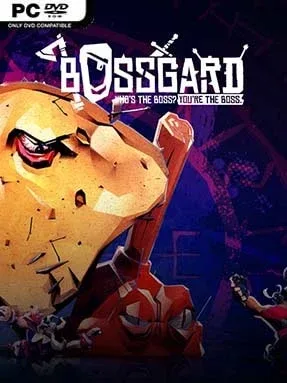
One oversized monster stands between a band of cartoon Vikings and victory, turning every match into a loud, chaotic contest of teamwork versus raw power. BOSSGARD is an asymmetrical multiplayer brawler built around a simple but entertaining fantasy: one player becomes a screen-filling boss, while up to five others work together to bring it down. Its tone is deliberately silly rather than grim, mixing hulking fortresses, absurd living food, and exaggerated Viking heroes in arenas made for quick, memorable clashes. Matches thrive on shouting across the couch, desperate last-second rescues, and the satisfaction of either toppling a giant or swatting down an overly confident raid party.
Boss players choose from distinctive heavyweight characters and use their size, attacks, and special abilities to scatter the Viking team before they can coordinate. The smaller fighters rely less on individual strength and more on class-like utility, healing wounded allies, applying buffs, shielding teammates, deploying turrets, and unleashing minions to create openings. Success depends on reading the battlefield: the boss needs to isolate vulnerable targets and control space, while Vikings must stay organized and avoid wasting their support tools. Local and online multiplayer work in flexible combinations, including local players joining or fighting online opponents, while adjustable bots fill empty slots and let groups tailor the challenge.
Its strongest feature is the playful reversal of the usual boss battle: instead of merely learning how to defeat a monster, one player gets to be the encounter everyone else has to solve. The chunky, colorful presentation keeps losses amusing, and the uneven teams create different tactical pressures depending on which side you play. BOSSGARD is not a deep competitive esport in the vein of Dead by Daylight, but it captures a similarly asymmetric tension with a more approachable, party-game sensibility. It suits groups looking for a fast local multiplayer alternative to Gang Beasts or Castle Crashers, especially players who enjoy cooperation but also want the option to become the problem.
Installation
- Click the green button below to be redirected to UploadHaven.
- Wait 15 seconds, then hit “Free Download.” (Free downloads may be slower — upgrade to UploadHaven Pro for faster speeds.)
- Once downloaded, right-click the .zip file and choose “Extract to BOSSGARD.” (You’ll need 7-Zip for this.)
- Open the extracted folder and run the game as administrator.
- Enjoy! 🎮 If you see missing DLL errors, check the <strong>_Redist</strong> folder inside and install what’s needed.
System Requirements
- OS: Windows 7/8/10
- Processor: Intel Core2 Duo E8400, 3.0 GHz / AMD Phenom II X4 940, 3.0 GHz
- Memory: 3 GB RAM
- Graphics: GeForce GTX 550 Ti, 1 GB / Radeon R7 250, 1 GB
- DirectX: Version 11
- Storage: 1 GB available space
Setup Guide & Troubleshooting
How do I fix missing DLL errors for BOSSGARD?
After extracting BOSSGARD, navigate to the _Redist or _CommonRedist folder inside the game directory and install DirectX, Vcredist, and any other dependencies included.
What should I do if the downloaded file is corrupted?
The full archive is 829.71 MB — make sure your download completed fully before extracting. Use 7-Zip to extract the files. If you still see a "file corrupted" error, re-download and try again.
Why should I run the game as administrator?
Right-click the game executable and select "Run as Administrator" to avoid save file issues and permission errors. This is especially important on the first launch.
How do I update my GPU drivers for this game?
BOSSGARD requires a GeForce GTX 550 Ti, 1 GB / Radeon R7 250, 1 GB or equivalent. Update your NVIDIA or AMD drivers to the latest version for the best performance.
The game won't launch — what should I try?
This game requires Version 11. Try running in compatibility mode, install the latest DirectX runtime, or install the All-in-One VC Redist Package.
My antivirus is blocking the game — is it safe?
Antivirus false positives are common with pre-installed games. Temporarily pause your antivirus during extraction to prevent it from quarantining game files. You can re-enable it after the extraction completes.