
Game Overview
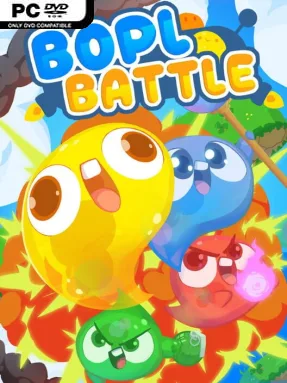
Rubbery little slimes turn every arena into a physics-powered disaster zone, making Bopl Battle one of the most unpredictable party brawlers on PC. Matches pit friends against one another in compact 2D stages where survival matters more than clean technique, and a single lucky ability can reverse an apparently hopeless round. Its cartoon look and squishy animations keep the mood gleefully stupid, but the chaos has real competitive bite once everyone learns how dangerous the environment can become. Local couch sessions and online matches both suit its fast, laugh-heavy format.
Players move, jump, grab objects, and select bizarre powers that reshape the battlefield as much as they damage opponents. One round might involve rockets bolted to scenery, while another fills the screen with burning fumes, oversized projectiles, or a vacuum-like singularity that consumes everything nearby. Abilities combine in ways that encourage improvisation: enlarge a grenade, freeze time to arrange a trap, or literally drag part of the map into a new position before the action resumes. Death comes quickly, rounds reset quickly, and the constantly changing tools mean that awareness, timing, and creative reactions matter more than mastering a fixed character roster.
What separates Bopl Battle from a conventional platform fighter is its willingness to let players tamper with the rules, terrain, scale, and even the flow of time. The game often feels like a competitive physics sandbox compressed into short, explosive duels, where spectacular self-inflicted defeats are as entertaining as a perfectly planned knockout. Its simple presentation makes it easy for newcomers to understand, though experienced groups get more out of learning ability interactions and counterplay. Anyone who enjoys the accidental comedy of Gang Beasts, the frantic eliminations of party games, or the arena mayhem of Stick Fight should find an excellent multiplayer staple here, especially with a regular group of friends.
Installation
- Click the green button below to be redirected to UploadHaven.
- Wait 15 seconds, then hit “Free Download.” (Free downloads may be slower — upgrade to UploadHaven Pro for faster speeds.)
- Once downloaded, right-click the .zip file and choose “Extract to Bopl Battle.” (You’ll need 7-Zip for this.)
- Open the extracted folder and run the game as administrator.
- Enjoy! 🎮 If you see missing DLL errors, check the <strong>_Redist</strong> folder inside and install what’s needed.
System Requirements
- Requires a 64-bit processor and operating system
- OS: Windows 10 64-bit only
- Processor: Intel Core i3 or AMD equivalent
- Memory: 4 GB RAM
- Graphics: Intel UHD Graphics 630
- Storage: 2 GB available space
Setup Guide & Troubleshooting
How do I fix missing DLL errors for Bopl Battle (v2.5.1)?
After extracting Bopl Battle (v2.5.1), navigate to the _Redist or _CommonRedist folder inside the game directory and install DirectX, Vcredist, and any other dependencies included.
What should I do if the downloaded file is corrupted?
The full archive is 182.75 MB — make sure your download completed fully before extracting. Use 7-Zip to extract the files. If you still see a "file corrupted" error, re-download and try again.
Why should I run the game as administrator?
Right-click the game executable and select "Run as Administrator" to avoid save file issues and permission errors. This is especially important on the first launch.
How do I update my GPU drivers for this game?
Bopl Battle (v2.5.1) requires a Intel UHD Graphics 630 or equivalent. Update your NVIDIA or AMD drivers to the latest version for the best performance.
The game won't launch — what should I try?
Try running in compatibility mode, install the latest DirectX runtime, or install the All-in-One VC Redist Package.
My antivirus is blocking the game — is it safe?
Antivirus false positives are common with pre-installed games. Temporarily pause your antivirus during extraction to prevent it from quarantining game files. You can re-enable it after the extraction completes.