
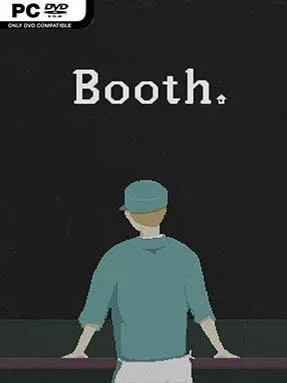
Game Overview
Food inspection becomes a grim daily ritual in a future where famine gives the state control over every meal. Set in the sealed city of Iden in 2036, Booth: A Dystopian Adventure casts you as a government worker stationed at a checkpoint, deciding which shipments are safe enough to reach hungry residents. Its world is muted, oppressive, and deliberately ordinary: the horror comes less from monsters than from paperwork, shortages, propaganda, and the knowledge that a bad decision can affect real people. Behind the small inspection window, a political crisis unfolds through the items and messages that pass across your desk.
Each workday revolves around examining food deliveries with a growing collection of testing tools. You check labels, compare documents, scan products for contaminants, identify hidden contraband, and approve or reject shipments before the clock runs down. Early tasks feel routine, but new regulations, unfamiliar goods, and suspicious requests steadily complicate the process, turning observation and memory into your most valuable skills. Between shifts, conversations and story events provide context for the city’s inequality and your own role within it, while your choices determine how closely you follow official rules. The pace resembles a tense clerical puzzle rather than an action game, with pressure coming from limited information and the human cost behind every verdict.
Its strongest feature is the way it transforms a simple job into a moral dilemma without losing the satisfaction of hands-on deduction. The visual presentation uses stylized, slightly surreal art and a claustrophobic workstation to make Iden feel like a place where daily life has been reduced to forms, stamps, and survival. Players who enjoy Papers, Please will recognize the inspection-driven structure, though Booth places greater emphasis on food safety procedures and its character-focused dystopian narrative. It suits newcomers to narrative puzzle games because the core actions are easy to understand, but veterans of choice-heavy indies will get the most from questioning every order and looking beyond the official story.
Installation
- Click the green button below to be redirected to UploadHaven.
- Wait 15 seconds, then hit “Free Download.” (Free downloads may be slower — upgrade to UploadHaven Pro for faster speeds.)
- Once downloaded, right-click the .zip file and choose “Extract to Booth: A Dystopian Adventure.” (You’ll need 7-Zip for this.)
- Open the extracted folder and run the game as administrator.
- Enjoy! 🎮 If you see missing DLL errors, check the <strong>_Redist</strong> folder inside and install what’s needed.
System Requirements
- OS: Windows 7 or later
- Processor: 1.8 GHz Dual Core
- Memory: 2 GB RAM
- Graphics: OpenGL 4.0 compliant graphics
- DirectX: Version 11
- Storage: 500 MB available space
- Sound Card: DirectX compatible
- Additional Notes: A mouse is strongly recommended.
Setup Guide & Troubleshooting
How do I fix missing DLL errors for Booth: A Dystopian Adventure (v1.2.2.3)?
After extracting Booth: A Dystopian Adventure (v1.2.2.3), navigate to the _Redist or _CommonRedist folder inside the game directory and install DirectX, Vcredist, and any other dependencies included.
What should I do if the downloaded file is corrupted?
The full archive is 391.75 MB — make sure your download completed fully before extracting. Use 7-Zip to extract the files. If you still see a "file corrupted" error, re-download and try again.
Why should I run the game as administrator?
Right-click the game executable and select "Run as Administrator" to avoid save file issues and permission errors. This is especially important on the first launch.
How do I update my GPU drivers for this game?
Booth: A Dystopian Adventure (v1.2.2.3) requires a OpenGL 4.0 compliant graphics or equivalent. Update your NVIDIA or AMD drivers to the latest version for the best performance.
The game won't launch — what should I try?
This game requires Version 11. Try running in compatibility mode, install the latest DirectX runtime, or install the All-in-One VC Redist Package.
My antivirus is blocking the game — is it safe?
Antivirus false positives are common with pre-installed games. Temporarily pause your antivirus during extraction to prevent it from quarantining game files. You can re-enable it after the extraction completes.