
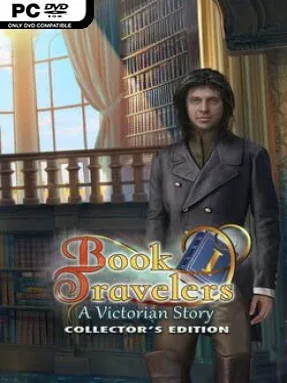
Game Overview
A mystery about damaged literature gives this hidden-object adventure a charmingly unusual hook. You play a devoted reader whose ordinary life takes a fantastical turn when Charlotte Brontë appears and reveals that someone is rewriting famous tales from within. Each altered story becomes a new destination, with endangered characters, distorted plots, and a larger hunt for the culprit behind the attacks. The mood stays comfortably Victorian and magical rather than frightening, mixing bookish nostalgia with the brisk pacing of a classic casual puzzle game.
Progress comes through scene-by-scene investigation: you search richly illustrated locations for key items, combine inventory objects, solve contextual puzzles, and complete hidden-object sequences to move the narrative forward. Problems range from mechanical locks and pattern challenges to repairing story-specific situations for the people trapped inside these fictional worlds. The adventure is primarily single-player and approachable, with hint and skip options helping newcomers avoid getting stalled, while the changing settings keep the familiar hidden-object formula from becoming too repetitive. A built-in strategy guide is also available in this Collector’s Edition, making it an easy choice for players who prefer story momentum over punishing puzzle difficulty.
Its strongest idea is treating beloved novels as explorable spaces instead of merely referencing them in dialogue. The hand-painted scenes, elaborate period costumes, and fantasy-book framing give the game a more distinctive identity than a standard detective mystery, even when its core mechanics follow genre tradition. Collector’s Edition extras add replayable hidden-object scenes and mini-games, achievements, collectible items, morphing book objects, a Secret Room, and a gallery of bonus art and music. Fans of Elephant Games’ polished puzzle adventures, or players who enjoy the relaxed investigation of Mystery Case Files-style titles, find a welcoming and imaginative short-form adventure here; genre veterans get the most from hunting every optional secret.
Installation
- Click the green button below to be redirected to UploadHaven.
- Wait 15 seconds, then hit “Free Download.” (Free downloads may be slower — upgrade to UploadHaven Pro for faster speeds.)
- Once downloaded, right-click the .zip file and choose “Extract to Book Travelers: A Victorian Story Collector's Edition.” (You’ll need 7-Zip for this.)
- Open the extracted folder and run the game as administrator.
- Enjoy! 🎮 If you see missing DLL errors, check the <strong>_Redist</strong> folder inside and install what’s needed.
System Requirements
- OS: Windows XP/Windows Vista/Windows 7/Windows 8/Windows 10
- Processor: 1.6 GHz
- Memory: 1024 MB RAM
- Graphics: N/A
- Storage: 909 MB available space
- Sound Card: N/A
Setup Guide & Troubleshooting
How do I fix missing DLL errors for Book Travelers: A Victorian Story Collector’s Edition?
After extracting Book Travelers: A Victorian Story Collector’s Edition, navigate to the _Redist or _CommonRedist folder inside the game directory and install DirectX, Vcredist, and any other dependencies included.
What should I do if the downloaded file is corrupted?
The full archive is 947.97 MB — make sure your download completed fully before extracting. Use 7-Zip to extract the files. If you still see a "file corrupted" error, re-download and try again.
Why should I run the game as administrator?
Right-click the game executable and select "Run as Administrator" to avoid save file issues and permission errors. This is especially important on the first launch.
How do I update my GPU drivers for this game?
Book Travelers: A Victorian Story Collector’s Edition requires a N/A or equivalent. Update your NVIDIA or AMD drivers to the latest version for the best performance.
The game won't launch — what should I try?
Try running in compatibility mode, install the latest DirectX runtime, or install the All-in-One VC Redist Package.
My antivirus is blocking the game — is it safe?
Antivirus false positives are common with pre-installed games. Temporarily pause your antivirus during extraction to prevent it from quarantining game files. You can re-enable it after the extraction completes.