
Game Overview
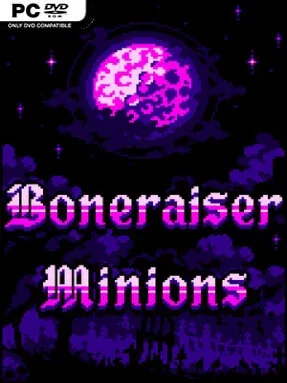
A cursed necromancer stands alone against an army of righteous invaders, but the real weapon is the shambling legion assembled from their remains. Boneraiser Minions is a compact gothic roguelite that turns the survivor formula inside out: rather than personally mowing down crowds, you raise skeletons, monsters, and demonic servants to do the fighting. Its grim pixel-art presentation, absurdly named units, and constantly escalating chaos give the horror setting a playful, darkly comic edge. Every run becomes a desperate attempt to turn a few bones and souls into an unstoppable deathball before the heroes overwhelm your crypt.
Combat unfolds automatically, leaving you to focus on positioning, resource choices, and the composition of your undead force. Fallen enemies provide the materials needed to summon new minions, fuse and improve existing ones, cast spells, and equip relics that radically alter how a run develops. You also choose when to strengthen the enemy’s Godly heroes, a clever risk-reward system that makes tougher waves worthwhile when you need better resources and soul-based benefits. Persistent unlocks expand the roster, relic pool, and class heritage options, while different boneraising styles encourage everything from swarming the screen with cheap bodies to concentrating power in elite summons.
What separates it from the crowded wave-survival scene is its emphasis on army management rather than direct shooting; the pleasure comes from watching a carefully built formation tear through opponents and adapting when it does not. Mausoleum Awakens adds traps and defensive contraptions, Necrotic Skirmishes leans into pure endurance, and Castle Conquest gives progression a more map-driven structure, while challenge modes offer leaderboard-minded players repeatable tests. Clashful Cards provides an unusual collectible-card diversion for those wanting strategy away from the battlefield. Fans of Vampire Survivors, Brotato, or autobattlers who enjoy bizarre synergies and brisk replayable runs should feel at home, though mastering enemy upgrades and minion combinations gives experienced roguelite players plenty to optimize.
Installation
- Click the green button below to be redirected to UploadHaven.
- Wait 15 seconds, then hit “Free Download.” (Free downloads may be slower — upgrade to UploadHaven Pro for faster speeds.)
- Once downloaded, right-click the .zip file and choose “Extract to Boneraiser Minions.” (You’ll need 7-Zip for this.)
- Open the extracted folder and run the game as administrator.
- Enjoy! 🎮 If you see missing DLL errors, check the <strong>_Redist</strong> folder inside and install what’s needed.
System Requirements
- OS: Microsoft Windows 10
- Processor: 2 GHz
- Memory: 1 GB RAM
- Graphics: 1 GB VRAM
- DirectX: Version 11
- Storage: 175 MB available space
Setup Guide & Troubleshooting
How do I fix missing DLL errors for Boneraiser Minions (v36.14a)?
After extracting Boneraiser Minions (v36.14a), navigate to the _Redist or _CommonRedist folder inside the game directory and install DirectX, Vcredist, and any other dependencies included.
What should I do if the downloaded file is corrupted?
The full archive is 254.37 MB — make sure your download completed fully before extracting. Use 7-Zip to extract the files. If you still see a "file corrupted" error, re-download and try again.
Why should I run the game as administrator?
Right-click the game executable and select "Run as Administrator" to avoid save file issues and permission errors. This is especially important on the first launch.
How do I update my GPU drivers for this game?
Boneraiser Minions (v36.14a) requires a 1 GB VRAM or equivalent. Update your NVIDIA or AMD drivers to the latest version for the best performance.
The game won't launch — what should I try?
This game requires Version 11. Try running in compatibility mode, install the latest DirectX runtime, or install the All-in-One VC Redist Package.
My antivirus is blocking the game — is it safe?
Antivirus false positives are common with pre-installed games. Temporarily pause your antivirus during extraction to prevent it from quarantining game files. You can re-enable it after the extraction completes.