
Game Overview
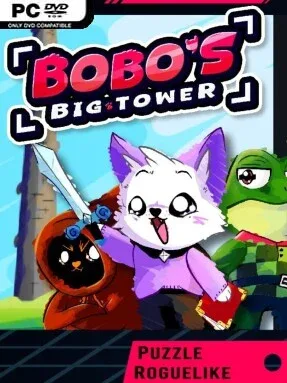
A purple, fluffy adventurer tackles an evil necromancer’s impossible spire in a compact action-puzzle roguelike with the chunky charm of a Game Boy Color cartridge. Bobo’s Big Tower casts every climb as an effort to stop Bobo from tapping Heaven’s power and ruling the Realm, yet its colorful presentation keeps the mood playful rather than oppressive. Bibi is the first hero on the job, but the tower eventually opens to a larger cast with personal reasons for reaching its summit. Their separate stories gradually turn a straightforward villain hunt into a broader mystery about the tower’s origins and its creator’s real ambitions.
Every run sends you through randomized floors packed with hostile minions, environmental puzzles, treasure, and dangerous choices. Time advances only when you act, making positioning, retreating, attacking, and grabbing loot deliberate tactical decisions instead of reflexive chaos. Characters begin with different equipment and possible weapon selections, while later finds add longer reach, magical or physical damage, ranged attacks, and stronger upgrades. Artifacts further shape a build by improving the way weapons work together, so a careful ranged specialist can feel very different from a hard-hitting close-quarters fighter.
The turn-based movement hook gives Bobo’s Big Tower a distinct identity among fast roguelites: it has the pressure of an action climb, but the planning rhythm of a small tactical puzzle. Completing each hero’s route and beating its final opponent reveals more of the narrative, giving repeated ascents a purpose beyond chasing a higher score. Optional modifiers add harsher conditions and fresh variables for players who master the basic tower, while the varied weapon pools make experimentation worthwhile. Anyone who enjoys the replayable runs of roguelikes but prefers thoughtful movement over frantic button-mashing should find plenty to like here, especially fans of retro handheld-style adventures.
Installation
- Click the green button below to be redirected to UploadHaven.
- Wait 15 seconds, then hit “Free Download.” (Free downloads may be slower — upgrade to UploadHaven Pro for faster speeds.)
- Once downloaded, right-click the .zip file and choose “Extract to Bobo's Big Tower.” (You’ll need 7-Zip for this.)
- Open the extracted folder and run the game as administrator.
- Enjoy! 🎮 If you see missing DLL errors, check the <strong>_Redist</strong> folder inside and install what’s needed.
System Requirements
- OS *: Windows 8 and above.
- Processor: 2GHz+
- Memory: 2 GB RAM
- Graphics: 512MB
- Storage: 100 MB available space
Setup Guide & Troubleshooting
How do I fix missing DLL errors for Bobo’s Big Tower?
After extracting Bobo’s Big Tower, navigate to the _Redist or _CommonRedist folder inside the game directory and install DirectX, Vcredist, and any other dependencies included.
What should I do if the downloaded file is corrupted?
The full archive is 77.11 MB — make sure your download completed fully before extracting. Use 7-Zip to extract the files. If you still see a "file corrupted" error, re-download and try again.
Why should I run the game as administrator?
Right-click the game executable and select "Run as Administrator" to avoid save file issues and permission errors. This is especially important on the first launch.
How do I update my GPU drivers for this game?
Bobo’s Big Tower requires a 512MB or equivalent. Update your NVIDIA or AMD drivers to the latest version for the best performance.
The game won't launch — what should I try?
Try running in compatibility mode, install the latest DirectX runtime, or install the All-in-One VC Redist Package.
My antivirus is blocking the game — is it safe?
Antivirus false positives are common with pre-installed games. Temporarily pause your antivirus during extraction to prevent it from quarantining game files. You can re-enable it after the extraction completes.