

Game Overview
A forgotten family camera turns everyday play into a gentle interactive adventure built for young Bluey fans. Set across recognizable places from the animated series, the experience trades pressure and competition for curiosity, silly poses, and the pleasure of noticing small details. Bluey and Bingo lead the action with their familiar warmth, while Dad’s old camera gives players a simple reason to roam, experiment, and preserve favorite moments. The tone stays cheerful, safe, and imaginative, making it well suited to shared family play rather than demanding solo challenge.
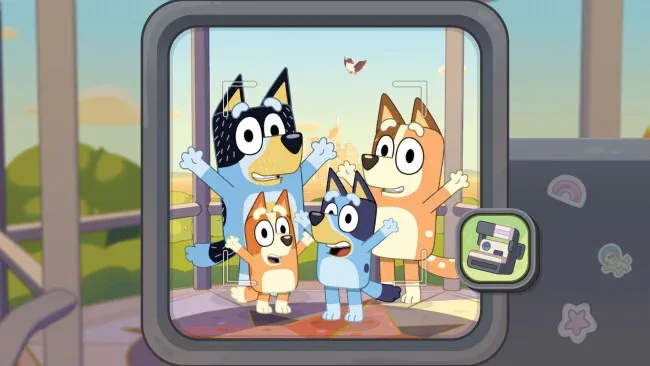
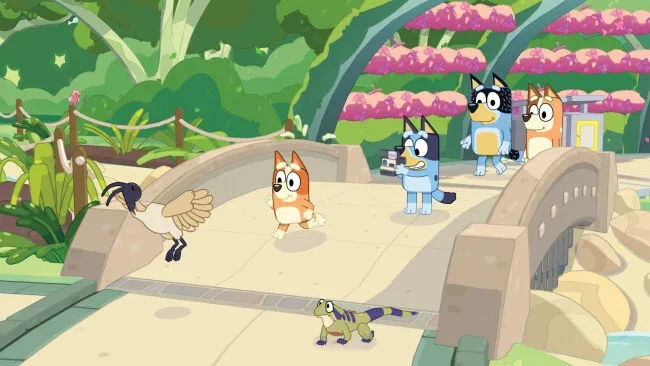
Players guide the adventure from behind the lens, searching each area for characters, wildlife, playful scenes, and opportunities for a well-timed photograph. Captured images feed into Bluey’s scrapbook, where photos can be arranged, colored, and decorated with stickers unlocked through exploration. Activities along the way include playing with toys, following the kids’ make-believe games, and chasing the mischievous bin chickens, so progress feels like moving through a collection of short interactive play sessions. Local couch co-op lets a second player join the scene and strike poses or interact with objects, though the primary player remains in control of the camera and exploration. There is no online multiplayer or in-game spending to distract from the child-friendly focus.
What makes Bluey’s Happy Snaps stand out is its commitment to turning screen time into inspiration for off-screen play. “For Real Life” prompts encourage children to try simple activities such as backyard birdwatching or imaginative toy play after they put the controller down. Its scrapbook system also gives younger players a tangible sense of ownership, turning a relaxed tour of Bluey’s world into a personalized keepsake. Fans of the show and parents seeking a calm, accessible alternative to more hectic licensed games should find plenty to enjoy, especially in co-op; experienced players looking for deep challenge or complex objectives will likely outgrow it quickly.
Screenshots
Installation
- Select the <strong>Download</strong> button at the top of this page to open UploadHaven.
- On UploadHaven, wait for any countdown, then select <strong>Free Download</strong>. Optional: UploadHaven Pro for faster downloads.
- When complete, extract the archive to a <strong>Bluey's Happy Snaps: Deluxe Edition</strong> folder using 7-Zip.
- Open the extracted folder and start the game normally.
- For errors, check <strong>Setup Guide & Troubleshooting</strong> below. Keep your security software enabled.
System Requirements
- Requires a 64-bit processor and operating system
- OS: Windows 11 (or valid compatibility layer)
- Processor: AMD Ryzen 5 1600X / Intel Core i5-9400F
- Memory: 8 GB RAM
- Graphics: AMD Radeon RX 6400 / Nvidia GeForce GTX 1650
- Network: Broadband Internet connection