
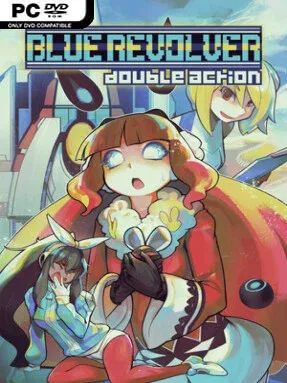
Game Overview
A compact arcade shooter with a surprisingly personal edge, BLUE REVOLVER puts players behind Mae, a rabbit-eared coder whose inventions and reality-bending abilities turn every encounter into a spectacle of bullets, explosions, and split-second escapes. Her fight against the militant environmental organization Blue Revolver unfolds across five sharply contrasting stages, from frozen peaks to industrial docks and hostile dreamlike facilities. The tone is colorful and energetic rather than grim, but the action demands serious concentration as enemy formations steadily fill the screen. It is a vertical shoot-’em-up built for score chasers, yet its approachable presentation makes the opening runs far less intimidating than many genre classics.
Each character brings a distinct approach to survival, while a selection of specialized Devices lets you tailor attacks toward crowd control, defensive bullet denial, or concentrated boss damage. Runs revolve around reading patterns, maintaining scoring momentum, collecting resources, and choosing the right tool for the threat currently overwhelming the screen. Adaptive difficulty reacts to performance, helping newer players stay in the fight without removing the satisfaction of improvement, while Parallel mode delivers the brutal alternate challenge expected by bullet-hell veterans. Missions mode breaks the formula into 25 focused scenarios centered on survival, weapon experiments, and high-score goals, and XP-Mode ties stronger superweapons and combo rewards directly to skilled scoring.
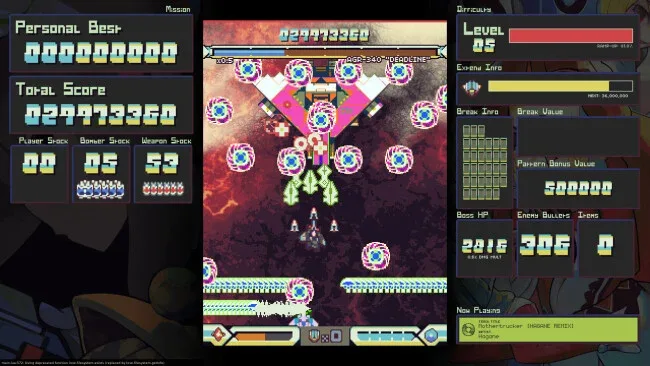
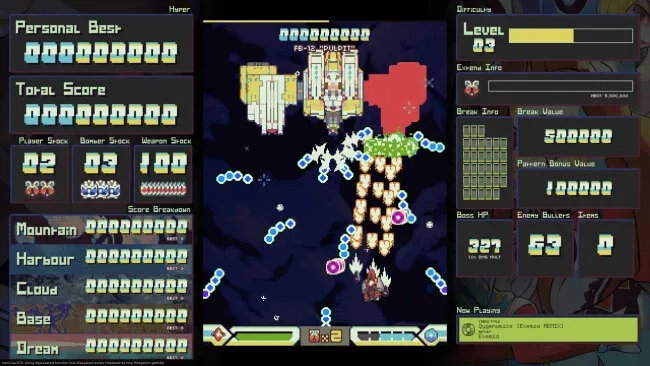
What separates BLUE REVOLVER from a standard retro-styled shmup is how much control it gives players over both difficulty and presentation. Bullet colors, background brightness, controls, portrait orientation, and other accessibility options make its dense action unusually readable, while 120Hz support keeps movement exceptionally smooth on compatible displays. Online leaderboards and replay sharing provide the long-term competitive hook, and the DOUBLE ACTION update expands the package with additional content and a refreshed musical lineup. Fans of Dodonpachi, Crimzon Clover, or Touhou-style pattern shooting find a deep scoring playground here, while curious newcomers get enough flexibility to learn without being immediately crushed.
Screenshots
Installation
- Select the <strong>Download</strong> button at the top of this page to open UploadHaven.
- On UploadHaven, wait for any countdown, then select <strong>Free Download</strong>. Optional: UploadHaven Pro for faster downloads.
- When complete, extract the archive to a <strong>BLUE REVOLVER</strong> folder using 7-Zip.
- Open the extracted folder and start the game normally.
- For errors, check <strong>Setup Guide & Troubleshooting</strong> below. Keep your security software enabled.
System Requirements
- OS: XP or above
- Processor: 1.6 GHz or better
- Memory: 1 GB RAM
- Graphics: OpenGL 2.1 or better
- Storage: 1 GB available space
- Sound Card: N/A
Setup Guide & Troubleshooting
How do I fix missing DLL errors for BLUE REVOLVER (v1.52)?
After extracting BLUE REVOLVER (v1.52), navigate to the _Redist or _CommonRedist folder inside the game directory and install DirectX, Vcredist, and any other dependencies included.
What should I do if the downloaded file is corrupted?
The full archive is 2.63 GB — make sure your download completed fully before extracting. Use 7-Zip to extract the files. If you still see a "file corrupted" error, re-download and try again.
Why should I run the game as administrator?
Right-click the game executable and select "Run as Administrator" to avoid save file issues and permission errors. This is especially important on the first launch.
How do I update my GPU drivers for this game?
BLUE REVOLVER (v1.52) requires a OpenGL 2.1 or better or equivalent. Update your NVIDIA or AMD drivers to the latest version for the best performance.
The game won't launch — what should I try?
Try running in compatibility mode, install the latest DirectX runtime, or install the All-in-One VC Redist Package.
My antivirus is blocking the game — is it safe?
Antivirus false positives are common with pre-installed games. Temporarily pause your antivirus during extraction to prevent it from quarantining game files. You can re-enable it after the extraction completes.