
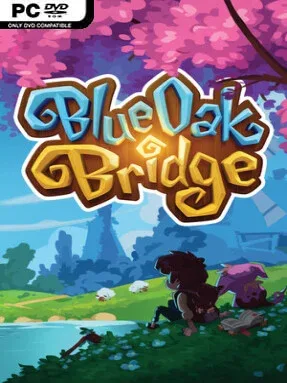
Game Overview
A shipwreck turns a fresh start into a gentle fantasy adventure on an island where every peaceful routine sits beside an old, spreading danger. Eloria offers the familiar comforts of tending fields, meeting neighbors, decorating a home, and settling into village life, but poisoned wildlands, monster-filled tunnels, and a shattered library keep the story moving. Political friction between the reigning queen and a powerful businessman adds another layer to the mystery surrounding the island’s ancient magic. The mood is cozy first and threatening second, making room for quiet evenings by the water as well as trips into genuinely hazardous territory.
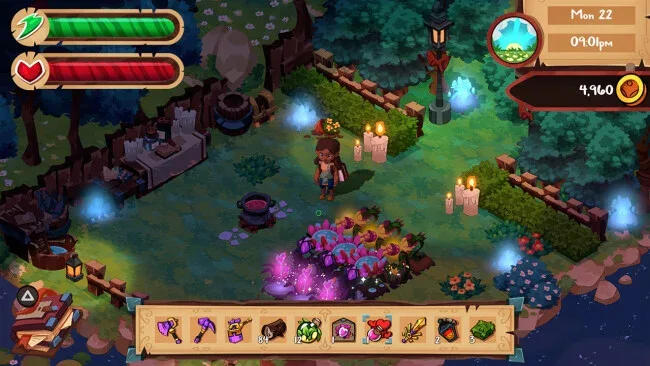
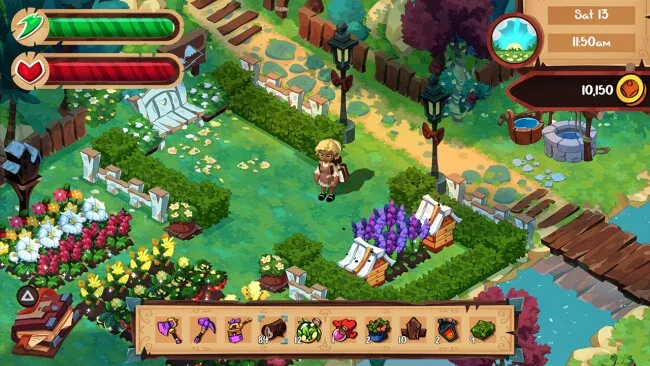
Days revolve around planting a large selection of ordinary and magical crops, caring for animals and fantastical creatures, then turning raw goods into more valuable products. Harvests become preserves, drinks, potions, gifts, or café dishes, allowing players to shape their farm around commerce, cooking, relationships, or simple self-sufficiency. Mining supplies ore for equipment upgrades while combat-focused expeditions pit the player against underground enemies, with different weapon approaches available for those who prefer action over routine chores. Fishing, crafting, building customization, character outfits, and magical brewing give nearly every in-game day several productive ways to spend it.
Eloria’s strongest draw is how thoroughly it connects its life-sim systems to its fantasy plot: farming can support combat, potion-making can improve daily work, and social bonds can feel relevant to restoring the community. More than 30 villagers provide a substantial social scene, while 15 possible romantic partners give relationship-minded players plenty of room to find a favorite and pursue marriage. The ability to run a café, develop a personalized homestead, hunt for dozens of fish, or concentrate on the central mystery makes the experience flexible rather than overly prescriptive. Fans of Stardew Valley and Rune Factory who want a more overtly magical setting, a broad romance roster, and a story about cleansing a troubled land should find plenty to enjoy, while newcomers can safely approach it at their own pace.
Screenshots
Installation
- Select the <strong>Download</strong> button at the top of this page to open UploadHaven.
- On UploadHaven, wait for any countdown, then select <strong>Free Download</strong>. Optional: UploadHaven Pro for faster downloads.
- When complete, extract the archive to a <strong>Blue Oak Bridge</strong> folder using 7-Zip.
- Open the extracted folder and start the game normally.
- For errors, check <strong>Setup Guide & Troubleshooting</strong> below. Keep your security software enabled.
System Requirements
- OS *: Windows 7+ / 8.1 / 10 64 bit
- Processor: Intel i5 Processor
- Memory: 6 GB RAM
- Graphics: ATI 7770, Nvidia GeForce GTX 660 2GB
- Network: Broadband Internet connection
- Storage: 4 GB available space
- Sound Card: DirectX Compatible Sound Card
Setup Guide & Troubleshooting
How do I fix missing DLL errors for Blue Oak Bridge (v1.0.16)?
After extracting Blue Oak Bridge (v1.0.16), navigate to the _Redist or _CommonRedist folder inside the game directory and install DirectX, Vcredist, and any other dependencies included.
What should I do if the downloaded file is corrupted?
The full archive is 1.07 GB — make sure your download completed fully before extracting. Use 7-Zip to extract the files. If you still see a "file corrupted" error, re-download and try again.
Why should I run the game as administrator?
Right-click the game executable and select "Run as Administrator" to avoid save file issues and permission errors. This is especially important on the first launch.
How do I update my GPU drivers for this game?
Blue Oak Bridge (v1.0.16) requires a ATI 7770, Nvidia GeForce GTX 660 2GB or equivalent. Update your NVIDIA or AMD drivers to the latest version for the best performance.
The game won't launch — what should I try?
Try running in compatibility mode, install the latest DirectX runtime, or install the All-in-One VC Redist Package.
My antivirus is blocking the game — is it safe?
Antivirus false positives are common with pre-installed games. Temporarily pause your antivirus during extraction to prevent it from quarantining game files. You can re-enable it after the extraction completes.