
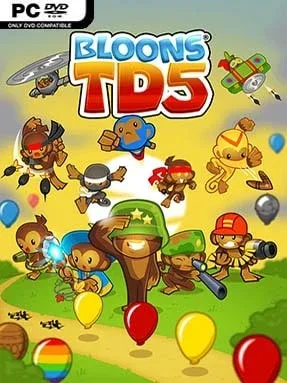
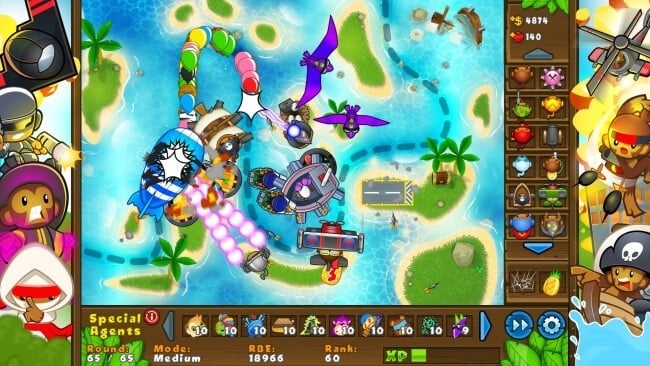
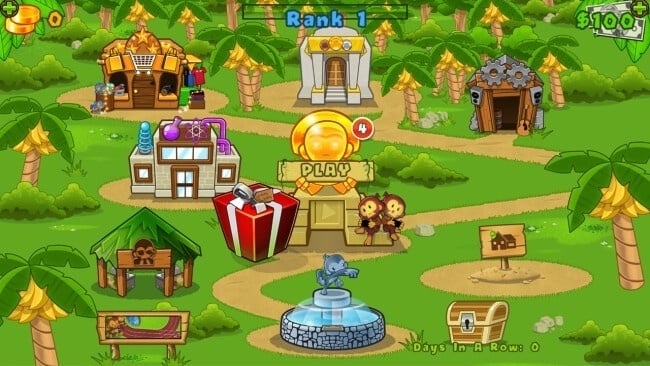
Bloons TD 5 Cover Art

Bloons TD 5

INDIE 404.21 MB v4.7 & ALL DLC

Game Overview

Colorful balloon warfare becomes surprisingly demanding when tightly packed waves, armored blimps, and awkward track layouts start testing every placement. Bloons TD 5 is a polished tower defense game built around the simple pleasure of turning incoming Bloons into confetti with an ever-growing army of monkeys, military hardware, and magical defenses. Its cheerful cartoon look hides a methodical experience where a single poor upgrade choice can leave a seemingly secure defense helpless against camo, lead, or fast-moving threats. The tone stays bright and playful, but later rounds bring the kind of pressure that makes every last dollar matter.

Each map asks players to place towers along a fixed route, earn cash by popping Bloons, and reinvest that income into smarter and more destructive defenses. Familiar units such as Dart Monkeys, Tack Shooters, Ninjas, Bomb Towers, and Super Monkeys fill distinct roles, while two upgrade paths per tower encourage experimentation with specialized builds. Success comes from reading a track’s corners and sightlines, combining detection with damage types, and preparing for stronger Bloons before they arrive rather than reacting too late. Special Agents offer powerful limited-use support, while the Monkey Lab and Specialty Building upgrades add longer-term progression that carries between matches and broadens the range of viable tactics.

Depth is the main reason it remains so easy to revisit: different maps favor different tower combinations, and challenge modes force players to rethink routines that work on standard difficulty. HD visuals make every projectile, freeze effect, and massive blimp burst easy to follow without sacrificing the clean readability a tower defense game needs. Compared with the more elaborate later entries in the series, it feels less overloaded and more immediately approachable, yet it still offers enough upgrade planning to satisfy genre veterans. Anyone who enjoys the accessible strategy of Plants vs. Zombies mixed with the optimization of classic lane-defense games finds a lot to like here, whether learning the basics or chasing efficient late-game setups.

Installation

  1. Click the green button below to be redirected to UploadHaven.
  2. Wait 15 seconds, then hit “Free Download.” (Free downloads may be slower — upgrade to UploadHaven Pro for faster speeds.)
  3. Once downloaded, right-click the .zip file and choose “Extract to Bloons TD 5.” (You’ll need 7-Zip for this.)
  4. Open the extracted folder and run the game as administrator.
  5. Enjoy! 🎮 If you see missing DLL errors, check the <strong>_Redist</strong> folder inside and install what’s needed.

System Requirements

  • OS: Windows 7 (32 & 64bit)
  • Processor: 1.5Ghz or better
  • Memory: 512 MB RAM
  • Graphics: OpenGL 2.0 compatible, ATI, Nvidia or Intel HD
  • Storage: 512 MB available space
  • Sound Card: Windows compatible sound card

Setup Guide & Troubleshooting

How do I fix missing DLL errors for Bloons TD 5 (v4.7 & ALL DLC)?

After extracting Bloons TD 5 (v4.7 & ALL DLC), navigate to the _Redist or _CommonRedist folder inside the game directory and install DirectX, Vcredist, and any other dependencies included.

What should I do if the downloaded file is corrupted?

The full archive is 404.21 MB — make sure your download completed fully before extracting. Use 7-Zip to extract the files. If you still see a "file corrupted" error, re-download and try again.

Why should I run the game as administrator?

Right-click the game executable and select "Run as Administrator" to avoid save file issues and permission errors. This is especially important on the first launch.

How do I update my GPU drivers for this game?

Bloons TD 5 (v4.7 & ALL DLC) requires a  OpenGL 2.0 compatible, ATI, Nvidia or Intel HD or equivalent. Update your NVIDIA or AMD drivers to the latest version for the best performance.

The game won't launch — what should I try?

Try running in compatibility mode, install the latest DirectX runtime, or install the All-in-One VC Redist Package.

My antivirus is blocking the game — is it safe?

Antivirus false positives are common with pre-installed games. Temporarily pause your antivirus during extraction to prevent it from quarantining game files. You can re-enable it after the extraction completes.

Need more help? Browse our FAQ & Troubleshooting Guide for solutions to common issues.
Looking for something else? Explore all games on Steam Unlocked