
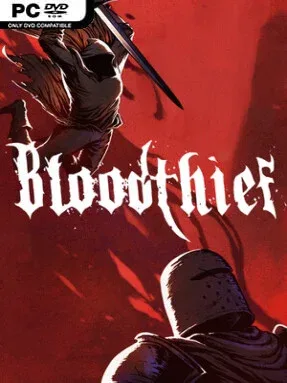
Bloodthief Cover Art

Bloodthief

INDIE 1.16 GB v1.2.0

Game Overview

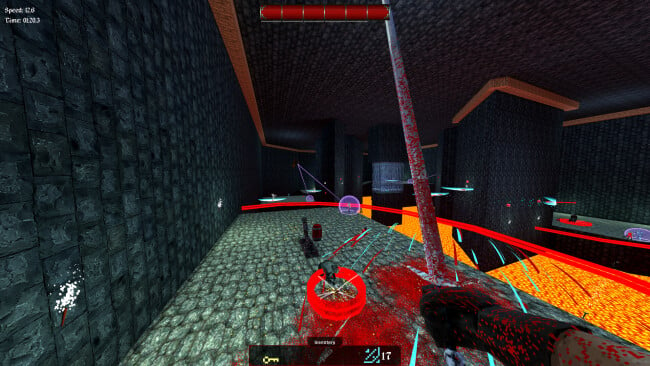
A vampiric predator tears through haunted crypts and decaying castles at a pace closer to a first-person speedrun than a cautious dungeon crawl. Bloodthief is an ultra-fast melee action game built around the thrill of keeping momentum alive while the walls, traps, and undead all try to stop you. Its tone is grim and gothic, but the energy is exhilarating rather than oppressive: every room becomes a violent obstacle course demanding quick reactions. The central fantasy is simple and satisfying—turn yourself into an unstoppable monster by moving faster, striking harder, and feeding on the dead.

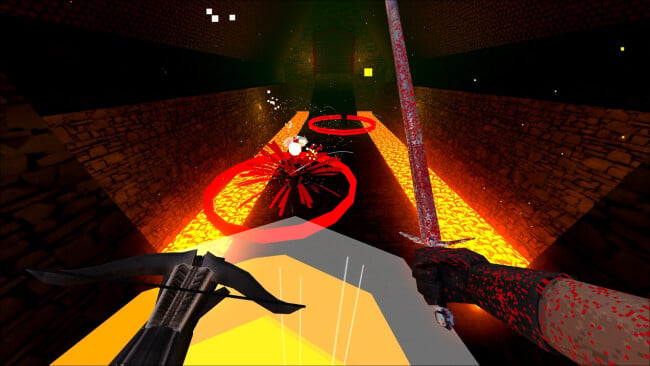
Runs revolve around chaining parkour traversal with close-range attacks, using speed as both your defense and your weapon. You sprint, leap, wall-run, dodge hazards, and carve through enemies without losing the flow, while blood gathered from slain undead fuels supernatural abilities and explosive bursts of mobility. Labyrinthine levels reward players who look beyond the obvious route, with alternate paths, shortcuts, secrets, and valuable loot encouraging repeated attempts and faster clears. Progression expands your vampiric toolkit through magical powers and stronger equipment, although success still depends far more on timing, spatial awareness, and learning how each encounter fits into your route.

What separates Bloodthief from a standard hack-and-slash is how completely combat and movement rely on one another; standing still is usually a mistake, and hesitation breaks the rhythm. The gothic environments offer more than atmosphere, functioning as dense playgrounds for route optimization and daring improvisation. It carries some of the kinetic appeal of Ghostrunner’s movement-driven combat, filtered through a dark fantasy vampire theme and a heavier focus on melee aggression. Players who enjoy chasing cleaner runs, mastering demanding controls, and uncovering efficient paths through dangerous spaces should find plenty to pursue, while newcomers should expect a steep but rewarding learning curve.

Installation

  1. Click the green button below to be redirected to UploadHaven.
  2. Wait 15 seconds, then hit “Free Download.” (Free downloads may be slower — upgrade to UploadHaven Pro for faster speeds.)
  3. Once downloaded, right-click the .zip file and choose “Extract to Bloodthief.” (You’ll need 7-Zip for this.)
  4. Open the extracted folder and run the game as administrator.
  5. Enjoy! 🎮 If you see missing DLL errors, check the <strong>_Redist</strong> folder inside and install what’s needed.

System Requirements

  • Requires a 64-bit processor and operating system
  • OS *: Windows 7 or later
  • Processor: 2.4GHZ Quad Core Or Higher
  • Memory: 4 GB RAM
  • Graphics: GeForce 10 series Or Equivalent (Vulkan or DirectX 12 Support Required)
  • DirectX: Version 12
  • Storage: 5 GB available space

Setup Guide & Troubleshooting

How do I fix missing DLL errors for Bloodthief (v1.2.0)?

After extracting Bloodthief (v1.2.0), navigate to the _Redist or _CommonRedist folder inside the game directory and install DirectX, Vcredist, and any other dependencies included.

What should I do if the downloaded file is corrupted?

The full archive is 1.16 GB — make sure your download completed fully before extracting. Use 7-Zip to extract the files. If you still see a "file corrupted" error, re-download and try again.

Why should I run the game as administrator?

Right-click the game executable and select "Run as Administrator" to avoid save file issues and permission errors. This is especially important on the first launch.

How do I update my GPU drivers for this game?

Bloodthief (v1.2.0) requires a GeForce 10 series Or Equivalent (Vulkan or DirectX 12 Support Required) or equivalent. Update your NVIDIA or AMD drivers to the latest version for the best performance.

The game won't launch — what should I try?

This game requires Version 12. Try running in compatibility mode, install the latest DirectX runtime, or install the All-in-One VC Redist Package.

My antivirus is blocking the game — is it safe?

Antivirus false positives are common with pre-installed games. Temporarily pause your antivirus during extraction to prevent it from quarantining game files. You can re-enable it after the extraction completes.

Need more help? Browse our FAQ & Troubleshooting Guide for solutions to common issues.
Looking for something else? Explore all games on Steam Unlocked