
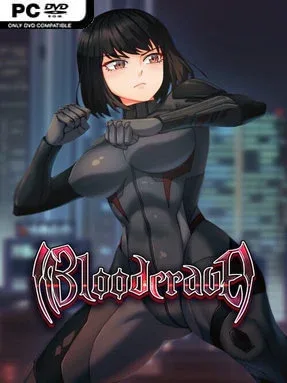
Game Overview
Newport’s neon-lit future makes a strong backdrop for a branching adult visual novel about vampires trying to survive in a city that can watch, track, and kill them. Alex, a young engineer, is pulled into that hidden war after vampire vigilante Chloe saves his life, placing him beside an underground group resisting the powers manipulating the city. The mood mixes conspiracy thriller, supernatural romance, and erotic drama, with danger rising as Alex is tempted by the same darkness his new allies fight. Its opening chapter establishes a larger serialized narrative, so expect major mysteries and character arcs that deliberately leave room for future installments.
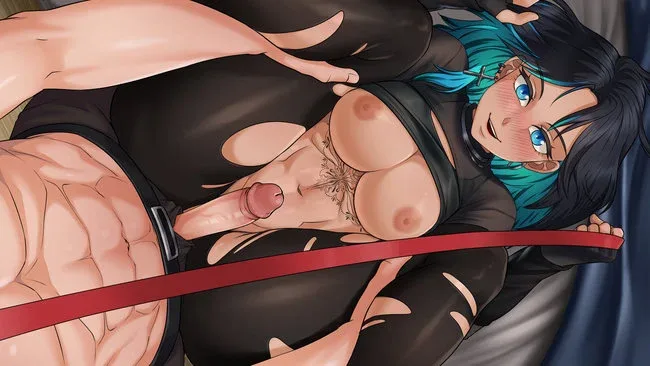
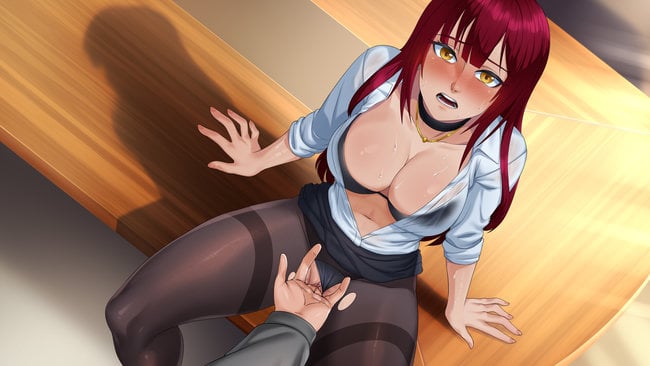
Most of the action comes through reading scenes, making dialogue choices, and deciding who Alex trusts, pursues, or alienates. Decisions shape relationship routes as well as personal traits such as confidence and corruption, which influence how he responds to later situations and can steer the story toward survival, intimacy, or betrayal. A dating-sim layer lets players message characters, arrange dates, exchange selfies, and build affection with six principal romance options, while skills and stats provide another way to prepare for dangerous narrative branches. Mature scenes are a major component, offering varied relationship dynamics and route preferences, but content filters, pairing choices, and trigger-warning settings give players meaningful control over what appears.
Its greatest strength is sheer route density: a large script, numerous side characters, and dozens of decision paths make replaying for different relationships and outcomes worthwhile. Illustrated scenes, multistage animations, and partial voice work add presentation value beyond a typical text-only choice game, although the focus remains firmly on character writing rather than tactical combat or open-world exploration. Players who enjoy the relationship management of dating sims alongside the moral pressure and branching consequences of games such as Being a DIK or Vampire: The Masquerade visual novels should find plenty to dig into. It suits newcomers to adult visual novels as well, provided they want a lengthy, choice-driven story and are comfortable with explicit mature themes.
Screenshots
Installation
- Click the green button below to be redirected to UploadHaven.
- Wait 15 seconds, then hit “Free Download.” (Free downloads may be slower — upgrade to UploadHaven Pro for faster speeds.)
- Once downloaded, right-click the .zip file and choose “Extract to Bloodcrave.” (You’ll need 7-Zip for this.)
- Open the extracted folder and run the game as administrator.
- Enjoy! 🎮 If you see missing DLL errors, check the <strong>_Redist</strong> folder inside and install what’s needed.
System Requirements
- OS: Windows 10 or later
- Processor: 2.0 GHz
- Memory: 4 GB RAM
- Graphics: Intel HD Graphics: Clarkdale generation or later; NVIDIA: GeForce 8000 or later; AMD: Radeon HD 2000 or later
- Storage: 9 GB available space
Setup Guide & Troubleshooting
How do I fix missing DLL errors for Bloodcrave (Uncensored)?
After extracting Bloodcrave (Uncensored), navigate to the _Redist or _CommonRedist folder inside the game directory and install DirectX, Vcredist, and any other dependencies included.
What should I do if the downloaded file is corrupted?
The full archive is 3.05 GB — make sure your download completed fully before extracting. Use 7-Zip to extract the files. If you still see a "file corrupted" error, re-download and try again.
Why should I run the game as administrator?
Right-click the game executable and select "Run as Administrator" to avoid save file issues and permission errors. This is especially important on the first launch.
How do I update my GPU drivers for this game?
Bloodcrave (Uncensored) requires a Intel HD Graphics: Clarkdale generation or later; NVIDIA: GeForce 8000 or later; AMD: Radeon HD 2000 or later or equivalent. Update your NVIDIA or AMD drivers to the latest version for the best performance.
The game won't launch — what should I try?
Try running in compatibility mode, install the latest DirectX runtime, or install the All-in-One VC Redist Package.
My antivirus is blocking the game — is it safe?
Antivirus false positives are common with pre-installed games. Temporarily pause your antivirus during extraction to prevent it from quarantining game files. You can re-enable it after the extraction completes.