
Game Overview
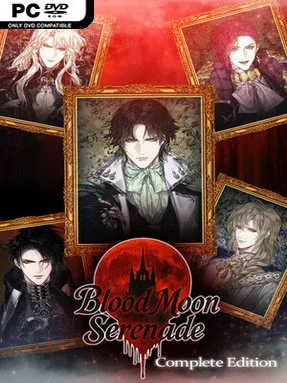
A missing father, a spreading plague, and a summons into vampire high society give this Gothic otome visual novel its immediate pull. You play a well-read young woman whose search for answers leads from a threatened town into lavish castles, concealed corridors, and a court where every gracious smile may hide a threat. Romance, political intrigue, supernatural danger, and the temptation of forbidden desires shape a story that leans more melodramatic and sinister than cozy. Its Complete Edition gathers the entire central narrative, making it easy to follow the heroine’s fate from her first abduction to the final confrontation.
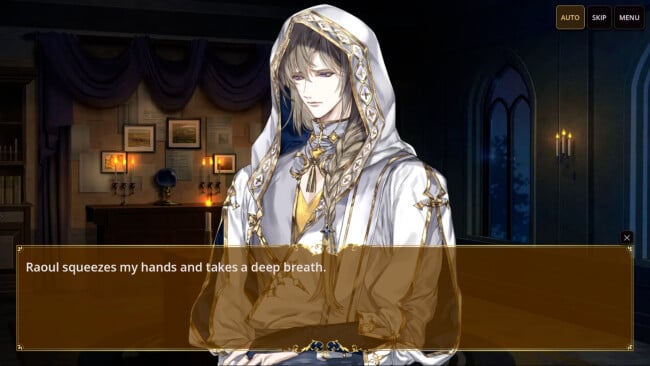
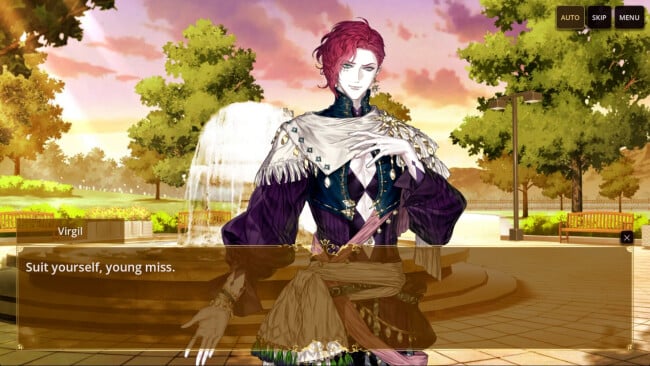
Reading scenes, following character conversations, and making decisions at key dramatic turns form the heart of play. Your choices determine how closely the heroine aligns with the people around her, including the guarded physician Cassius, faithful priest Raoul, theatrical puppet master Virgil, ancient lord Aloysius, and ruthless rival Hadrian. Season 1 and Season 2 provide 30 chapters of the main plot, while Hadrian’s Story offers a three-chapter alternate route with three distinct endings and notably harsher consequences. Practical visual-novel features support repeat runs: separate saves for each story, a text backlog, auto-play, and a skip function that stops when it reaches unread material.
Its strongest feature is the mix of traditional romance-novel archetypes with a plague-ridden vampire setting where affection never feels entirely safe. Hadrian’s alternate path adds welcome replay value by letting players pursue a deliberately darker outcome rather than treating villainy as a simple obstacle. The PC release also preserves the original mobile presentation through an optional portrait layout, while offering widescreen framing, controller support, Steam Deck-friendly controls, and seven language options. Fans of choice-led romance stories such as Vampire: The Masquerade-inspired visual novels or darker Shall We Date-style dramas should feel at home, and newcomers can enjoy it as a compact, complete supernatural romance package.
Screenshots
Installation
- Select the <strong>Download</strong> button at the top of this page to open UploadHaven.
- On UploadHaven, wait for any countdown, then select <strong>Free Download</strong>. Optional: UploadHaven Pro for faster downloads.
- When complete, extract the archive to a <strong>Blood Moon Serenade: Complete Edition</strong> folder using 7-Zip.
- Open the extracted folder and start the game normally.
- For errors, check <strong>Setup Guide & Troubleshooting</strong> below. Keep your security software enabled.
System Requirements
- Requires a 64-bit processor and operating system
- OS: Windows 10
- Processor: 2.0 GHz dual-core processor or better
- Memory: 2 GB RAM
- Graphics: DirectX 11 compatible graphics card
- DirectX: Version 11
- Storage: 1 GB available space
- Sound Card: DirectX compatible sound card
- Additional Notes: 1280×720 display or higher recommended.
Setup Guide & Troubleshooting
How do I fix missing DLL errors for Blood Moon Serenade: Complete Edition?
After extracting Blood Moon Serenade: Complete Edition, navigate to the _Redist or _CommonRedist folder inside the game directory and install DirectX, Vcredist, and any other dependencies included.
What should I do if the downloaded file is corrupted?
The full archive is 439.99 MB — make sure your download completed fully before extracting. Use 7-Zip to extract the files. If you still see a "file corrupted" error, re-download and try again.
Do I need to run the game as administrator?
Usually, no. Start the game normally from the extracted folder. If you see a permissions or save error, check that the folder is writable and follow the game's documented fix. Only grant administrator access when a trusted game's specific setup requires it.
How do I update my GPU drivers for this game?
Blood Moon Serenade: Complete Edition requires a DirectX 11 compatible graphics card or equivalent. Update your NVIDIA or AMD drivers to the latest version for the best performance.
The game won't launch — what should I try?
Check that extraction completed and your PC meets the system requirements, including Version 11. Note any error message before choosing a fix. If it identifies a missing runtime, install the required DirectX components or Microsoft Visual C++ Redistributable from Microsoft.
My antivirus is blocking the game — is it safe?
A warning needs to be investigated; the download source alone cannot confirm that a file is safe. Keep your security software enabled and review the detection details. Do not run or restore a flagged file unless you have verified that it is a false positive. If you are unsure, leave it quarantined.