
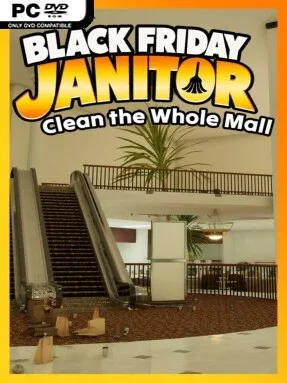
Game Overview
A deserted shopping mall becomes an oddly satisfying restoration project after Black Friday turns every aisle into a disaster zone. Black Friday Janitor: Clean the Whole Mall trades high scores and combat for the simple pleasure of putting thousands of misplaced objects back where they belong, hauling away rubbish, scrubbing spills, and rescuing toppled displays. Its tone is calm, cozy, and deliberately mundane, with the enormous scale of the mess giving the work a surprisingly daunting sense of purpose. The early-2000s mall setting, complete with familiar lighting and ambient sound, turns the cleanup into a nostalgic trip through a retail world that feels abandoned just after its busiest day.
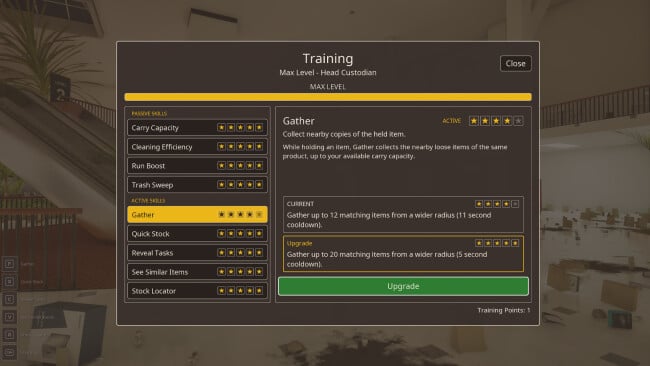
Players move from store to store, identify where products belong, and return them to the correct shelves while handling trash, stains, and fallen furniture along the way. The central loop is organization: scan a cluttered area, prioritize the biggest problems, carry items to their departments, and slowly reveal a clean, functional mall beneath the chaos. More than 30,000 individual tasks spread across the building, including over 21,000 shelfable products, make this a long-form cleanup rather than a short novelty. Unlockable abilities improve your janitorial efficiency over time, helping reduce the grind as the workload grows and giving steady progression to what could otherwise feel like pure busywork.
What makes the concept work is its commitment to scale and specificity. Different shops carry distinct product ranges, so tidying demands more attention than simply dumping everything into a generic bin; an item needs to reach the right kind of store and shelf. There is no stated combat, pressure, or competitive multiplayer angle here—the appeal lies in methodical order, visual transformation, and the quiet reward of finishing a massive job one section at a time. Fans of PowerWash Simulator, House Flipper, and other low-stakes task simulators should find its retail-focused cleanup loop especially appealing, while players who need constant action may find the repetition too deliberate.
Screenshots

Installation
- Click the green button below to be redirected to UploadHaven.
- Wait 15 seconds, then hit “Free Download.” (Free downloads may be slower — upgrade to UploadHaven Pro for faster speeds.)
- Once downloaded, right-click the .zip file and choose “Extract to Black Friday Janitor: Clean the Whole Mall.” (You’ll need 7-Zip for this.)
- Open the extracted folder and run the game as administrator.
- Enjoy! 🎮 If you see missing DLL errors, check the <strong>_Redist</strong> folder inside and install what’s needed.
System Requirements
- Requires a 64-bit processor and operating system
- OS: Windows 10
- Processor: Intel or AMD quad-core processor
- Memory: 8 GB RAM
- Graphics: NVIDIA GTX 1060
- DirectX: Version 11
- Storage: 10 GB available space
Setup Guide & Troubleshooting
How do I fix missing DLL errors for Black Friday Janitor: Clean the Whole Mall?
After extracting Black Friday Janitor: Clean the Whole Mall, navigate to the _Redist or _CommonRedist folder inside the game directory and install DirectX, Vcredist, and any other dependencies included.
What should I do if the downloaded file is corrupted?
The full archive is 3.35 GB — make sure your download completed fully before extracting. Use 7-Zip to extract the files. If you still see a "file corrupted" error, re-download and try again.
Why should I run the game as administrator?
Right-click the game executable and select "Run as Administrator" to avoid save file issues and permission errors. This is especially important on the first launch.
How do I update my GPU drivers for this game?
Black Friday Janitor: Clean the Whole Mall requires a NVIDIA GTX 1060 or equivalent. Update your NVIDIA or AMD drivers to the latest version for the best performance.
The game won't launch — what should I try?
This game requires Version 11. Try running in compatibility mode, install the latest DirectX runtime, or install the All-in-One VC Redist Package.
My antivirus is blocking the game — is it safe?
Antivirus false positives are common with pre-installed games. Temporarily pause your antivirus during extraction to prevent it from quarantining game files. You can re-enable it after the extraction completes.