
Game Overview
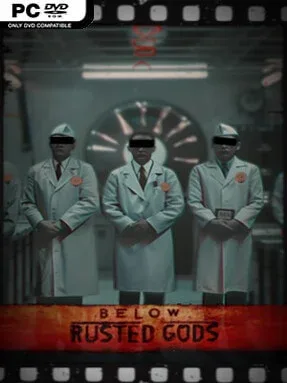
A claustrophobic command-center horror experience unfolds far below the earth, where an elite military team descends into a newly exposed abyss and every transmission suggests something is deeply wrong. Below, Rusted Gods trades direct gunplay for the nerve-racking role of an operator watching events from a distance, with only screens, signals, and fragments of radio chatter to rely on. Its tension comes from uncertainty: the darkness hides both the environment and the truth about what the soldiers encounter. The mood is cold, industrial, and steadily unnerving, closer to a found-footage military nightmare than an action-heavy monster hunt.
Players oversee the expedition through a collection of practical monitoring tools, including soldier status readouts, radar tracking, and a radio capable of scanning different frequencies. The central loop involves following the squad’s descent, interpreting incomplete information, identifying anomalies, and deciding how to respond when conditions deteriorate. Communication does not remain reliable, so readings from equipment and faint audio clues become essential for judging whether the team is lost, injured, threatened, or simply encountering something beyond normal explanation. Rather than giving perfect control, the game makes limited awareness part of the challenge, turning routine surveillance into a constant exercise in suspicion and risk management.
What makes Below, Rusted Gods compelling is its focus on remote observation: fear arrives through distorted reports, missing signals, and the imagination filling in what the monitors cannot show. The operator perspective gives it the tactile feel of a retro military interface while maintaining an intimate sense of responsibility for people who are always out of reach. Its premise should appeal to players who enjoy the surveillance tension of Stories Untold, the radio-driven unease of Voices of the Void, or slow-burn analog horror more than combat-focused scares. Patient horror fans who like piecing together threats from technical clues are likely to get the most from its deliberately uneasy descent.
Installation
- Click the green button below to be redirected to UploadHaven.
- Wait 15 seconds, then hit “Free Download.” (Free downloads may be slower — upgrade to UploadHaven Pro for faster speeds.)
- Once downloaded, right-click the .zip file and choose “Extract to Below, Rusted Gods.” (You’ll need 7-Zip for this.)
- Open the extracted folder and run the game as administrator.
- Enjoy! 🎮 If you see missing DLL errors, check the <strong>_Redist</strong> folder inside and install what’s needed.
System Requirements
- Requires a 64-bit processor and operating system
- OS: Windows 10 / 11 – 64 bit
- Processor: Intel Core i5-8400 or AMD Ryzen 5 2600
- Memory: 8 GB RAM
- Graphics: NVIDIA GeForce GTX 1070 8 GB or AMD Radeon RX 5600 XT 6 GB
- DirectX: Version 12
- Storage: 12 GB available space
- Sound Card: Any
- Additional Notes: SSD recommended.
Setup Guide & Troubleshooting
How do I fix missing DLL errors for Below, Rusted Gods (v1.23.0)?
After extracting Below, Rusted Gods (v1.23.0), navigate to the _Redist or _CommonRedist folder inside the game directory and install DirectX, Vcredist, and any other dependencies included.
What should I do if the downloaded file is corrupted?
The full archive is 9.92 GB — make sure your download completed fully before extracting. Use 7-Zip to extract the files. If you still see a "file corrupted" error, re-download and try again.
Why should I run the game as administrator?
Right-click the game executable and select "Run as Administrator" to avoid save file issues and permission errors. This is especially important on the first launch.
How do I update my GPU drivers for this game?
Below, Rusted Gods (v1.23.0) requires a NVIDIA GeForce GTX 1070 8 GB or AMD Radeon RX 5600 XT 6 GB or equivalent. Update your NVIDIA or AMD drivers to the latest version for the best performance.
The game won't launch — what should I try?
This game requires Version 12. Try running in compatibility mode, install the latest DirectX runtime, or install the All-in-One VC Redist Package.
My antivirus is blocking the game — is it safe?
Antivirus false positives are common with pre-installed games. Temporarily pause your antivirus during extraction to prevent it from quarantining game files. You can re-enable it after the extraction completes.