
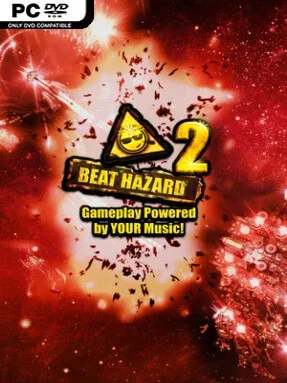
Game Overview
Every track becomes a neon-drenched warzone where a lone ship fights for survival against swarms timed to the pulse of your music. Beat Hazard 2 is an arcade twin-stick shooter built around volume, rhythm, and escalating sensory overload, turning familiar songs into unpredictable runs full of lasers, explosions, and screen-filling enemies. The mood is loud, colorful, and deliberately excessive, but beneath the visual chaos sits a simple score-chasing shooter that rewards sharp movement and knowing when to grab a risky power-up.
Players steer through enemy formations, fire continuously, collect weapon upgrades, and dodge increasingly dense projectile patterns as each song rises and falls. Loud, energetic passages boost the action, sending tougher waves and more destructive firepower onto the screen, while quieter moments offer brief room to regroup. Local music files provide the foundation, while the Open Mic feature lets the game react to audio from streaming services and other sources playing on your PC. Runs also generate a distinct craft for each song, with ship classes ranging from fragile, agile designs to heavier vessels that can absorb more punishment.
Procedural bosses are the standout feature, since every track produces its own imposing enemy ship rather than relying on a small fixed roster. The generated player ships remain tied to their songs, so memorable discoveries can be shared with other players and revisited later. Beat Hazard 2 suits anyone who enjoys Geometry Wars-style arcade shooting but wants their own music to shape the pace; veterans can chase high scores through aggressive playlists, while newcomers can start with familiar tracks and enjoy the spectacle.
Installation
- Click the green button below to be redirected to UploadHaven.
- Wait 15 seconds, then hit “Free Download.” (Free downloads may be slower — upgrade to UploadHaven Pro for faster speeds.)
- Once downloaded, right-click the .zip file and choose “Extract to Beat Hazard 2.” (You’ll need 7-Zip for this.)
- Open the extracted folder and run the game as administrator.
- Enjoy! 🎮 If you see missing DLL errors, check the <strong>_Redist</strong> folder inside and install what’s needed.
System Requirements
- OS *: Windows Vista, 7, 8, 10
- Processor: 2.5GHz processor
- Memory: 512 MB RAM
- Graphics: Nvidia GeForce GTX 670
- Network: Broadband Internet connection
- Storage: 250 MB available space
- VR Support: SteamVR. Keyboard or gamepad required
Setup Guide & Troubleshooting
How do I fix missing DLL errors for Beat Hazard 2 (v20109037)?
After extracting Beat Hazard 2 (v20109037), navigate to the _Redist or _CommonRedist folder inside the game directory and install DirectX, Vcredist, and any other dependencies included.
What should I do if the downloaded file is corrupted?
The full archive is 874.13 MB — make sure your download completed fully before extracting. Use 7-Zip to extract the files. If you still see a "file corrupted" error, re-download and try again.
Why should I run the game as administrator?
Right-click the game executable and select "Run as Administrator" to avoid save file issues and permission errors. This is especially important on the first launch.
How do I update my GPU drivers for this game?
Beat Hazard 2 (v20109037) requires a Nvidia GeForce GTX 670 or equivalent. Update your NVIDIA or AMD drivers to the latest version for the best performance.
The game won't launch — what should I try?
Try running in compatibility mode, install the latest DirectX runtime, or install the All-in-One VC Redist Package.
My antivirus is blocking the game — is it safe?
Antivirus false positives are common with pre-installed games. Temporarily pause your antivirus during extraction to prevent it from quarantining game files. You can re-enable it after the extraction completes.