
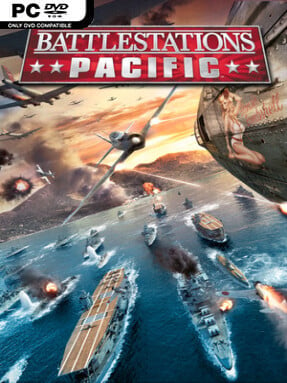
Game Overview
The Pacific theater becomes a sprawling command sandbox where carrier groups, dive bombers, submarines, and island garrisons collide across sea and sky. Battlestations Pacific blends real-time strategy with direct vehicle control, letting players oversee a fleet from above before personally taking the stick of a fighter or steering a destroyer into the firing line. Its tone sits between accessible arcade action and large-scale war simulation, favoring dramatic naval engagements over painstaking realism. Two campaigns put players on both sides of the conflict: an American story that follows familiar wartime victories and a Japanese route that imagines a very different outcome.
Missions revolve around capturing strategic points, escorting vital ships, defending beaches, hunting submarines, and breaking enemy fleets before they can establish control. Orders can be issued to groups of units from a tactical map, but nearly every aircraft, surface vessel, and submarine can also be controlled directly, making it possible to torpedo a battleship, launch a bombing run, or dogfight over an island yourself. More than 100 historical and experimental units give each side distinct options, from nimble fighters and kamikaze aircraft to carriers, cruisers, destroyers, and stealthy subs. The campaign gradually expands the tools at your disposal, while skirmish and multiplayer modes support larger, less scripted clashes for players who prefer testing fleet compositions and battlefield instincts.
What separates Battlestations Pacific from a conventional RTS is the constant ability to move between commander and combatant without pausing the battle. The overhead perspective makes broad plans readable, while cockpit and close-action views sell the scale of a torpedo run or a carrier deck under attack. Its controls and objectives are more forgiving than hardcore naval simulators, though managing several fronts at once still demands quick prioritization and a willingness to sacrifice units for a larger objective. Fans of World in Conflict, Company of Heroes, or the earlier Battlestations: Midway will find a distinctive naval counterpart here, especially if they want strategy that occasionally lets them become the weapon.
Screenshots
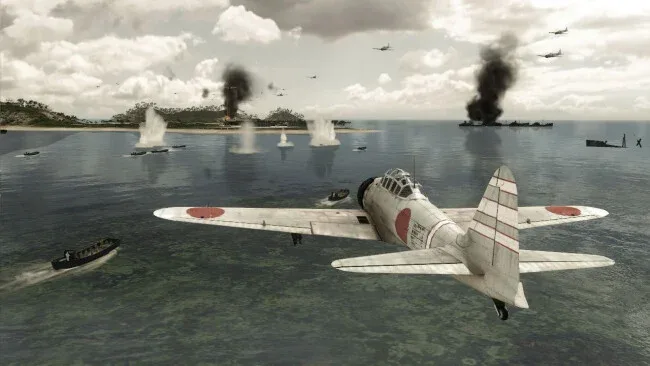
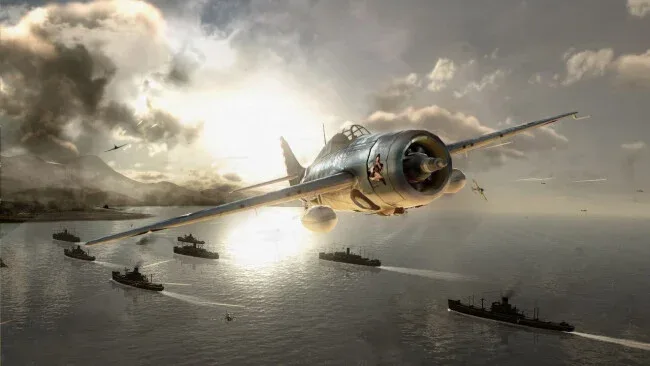
Installation
- Click the green button below to be redirected to UploadHaven.
- Wait 15 seconds, then hit “Free Download.” (Free downloads may be slower — upgrade to UploadHaven Pro for faster speeds.)
- Once downloaded, right-click the .zip file and choose “Extract to Battlestations Pacific.” (You’ll need 7-Zip for this.)
- Open the extracted folder and run the game as administrator.
- Enjoy! 🎮 If you see missing DLL errors, check the <strong>_Redist</strong> folder inside and install what’s needed.
System Requirements
- OS *: Microsoft Windows XP (admin rights required)/Microsoft Windows Vista (admin rights required)
- Processor: Intel Pentium 4 3+GHz or AMD Athlon 2.5+GHz
- Memory: 1GB (Windows XP) / 2GB (Windows Vista) system memory
- Graphics: NVIDIA GeForce 6 series 6800GT (or better) / ATI 1800XT (or better)
- Hard Drive: 8 GB Free Space
- Sound: Direct X 9.0c compatible sound card and drivers
Setup Guide & Troubleshooting
How do I fix missing DLL errors for Battlestations Pacific?
After extracting Battlestations Pacific, navigate to the _Redist or _CommonRedist folder inside the game directory and install DirectX, Vcredist, and any other dependencies included.
What should I do if the downloaded file is corrupted?
The full archive is 6.15 GB — make sure your download completed fully before extracting. Use 7-Zip to extract the files. If you still see a "file corrupted" error, re-download and try again.
Why should I run the game as administrator?
Right-click the game executable and select "Run as Administrator" to avoid save file issues and permission errors. This is especially important on the first launch.
How do I update my GPU drivers for this game?
Battlestations Pacific requires a NVIDIA GeForce 6 series 6800GT (or better) / ATI 1800XT (or better) or equivalent. Update your NVIDIA or AMD drivers to the latest version for the best performance.
The game won't launch — what should I try?
Try running in compatibility mode, install the latest DirectX runtime, or install the All-in-One VC Redist Package.
My antivirus is blocking the game — is it safe?
Antivirus false positives are common with pre-installed games. Temporarily pause your antivirus during extraction to prevent it from quarantining game files. You can re-enable it after the extraction completes.