
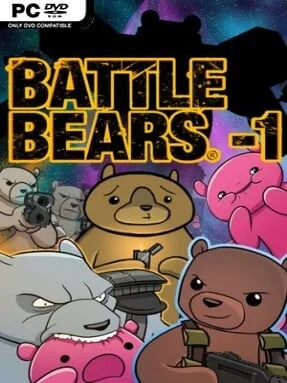
Game Overview
A spaceship under siege by absurd alien horrors provides the stage for a bright, deliberately silly 3D shooter built around oversized action and cartoon swagger. Battle Bears -1 follows reluctant defenders Oliver, Riggs, and Wil as they protect the Ursa Major from bizarre creatures pouring out of deep space. The tone is equal parts arcade chaos and comedy, swapping military grit for fluffy heroes, rainbow-colored spectacle, and villains that look as ridiculous as they are dangerous. Beneath the jokes, the campaign delivers a constant stream of escalating firefights and imposing boss encounters.
Players move through compact combat arenas using familiar mouse-and-keyboard controls, blasting enemies while repositioning to avoid incoming attacks and keep pressure on larger targets. Weapons can be changed on the fly, letting you adapt to crowds, tougher foes, or whatever strange threat the level throws into the fight. The PC edition packages all three campaigns together, so the adventure has more variety than a short score-chasing shooter, with story scenes tying its action sequences into a single spacefaring romp. Straightforward controls make it easy to pick up, although later fights ask for quicker movement, smarter weapon selection, and attention to enemy patterns.
Its biggest strength is commitment to a weird, colorful identity: few shooters combine giant bosses and sci-fi invasions with such knowingly childish humor. Full-HD cutscenes and desktop-focused visual effects help the originally stylized presentation read cleanly on a larger screen, while the exaggerated effects make every weapon feel punchy. Players who enjoy the lighthearted energy of Ratchet & Clank, cartoon arena shooters, or old-school action games with personality should find plenty to like here. Battle Bears -1 suits newcomers looking for accessible shooting and series fans who want a fuller, polished version of the bear-filled space adventure.
Installation
- Click the green button below to be redirected to UploadHaven.
- Wait 15 seconds, then hit “Free Download.” (Free downloads may be slower — upgrade to UploadHaven Pro for faster speeds.)
- Once downloaded, right-click the .zip file and choose “Extract to Battle Bears -1.” (You’ll need 7-Zip for this.)
- Open the extracted folder and run the game as administrator.
- Enjoy! 🎮 If you see missing DLL errors, check the <strong>_Redist</strong> folder inside and install what’s needed.
System Requirements
- OS *: Windows 7 / Vista / XP
- Processor: 3.0 GHz P4, Dual Core 2.0 (or higher) or AMD64X2 (or higher)
- Memory: 4 GB RAM
- Graphics: NVIDIA GeForce 7600 or higher / ATI Radeon X800 or higher / Intel HD Graphics 2000 or higher
- Storage: 300 MB available space
Setup Guide & Troubleshooting
How do I fix missing DLL errors for Battle Bears -1?
After extracting Battle Bears -1, navigate to the _Redist or _CommonRedist folder inside the game directory and install DirectX, Vcredist, and any other dependencies included.
What should I do if the downloaded file is corrupted?
The full archive is 389.93 MB — make sure your download completed fully before extracting. Use 7-Zip to extract the files. If you still see a "file corrupted" error, re-download and try again.
Why should I run the game as administrator?
Right-click the game executable and select "Run as Administrator" to avoid save file issues and permission errors. This is especially important on the first launch.
How do I update my GPU drivers for this game?
Battle Bears -1 requires a NVIDIA GeForce 7600 or higher / ATI Radeon X800 or higher / Intel HD Graphics 2000 or higher or equivalent. Update your NVIDIA or AMD drivers to the latest version for the best performance.
The game won't launch — what should I try?
Try running in compatibility mode, install the latest DirectX runtime, or install the All-in-One VC Redist Package.
My antivirus is blocking the game — is it safe?
Antivirus false positives are common with pre-installed games. Temporarily pause your antivirus during extraction to prevent it from quarantining game files. You can re-enable it after the extraction completes.