
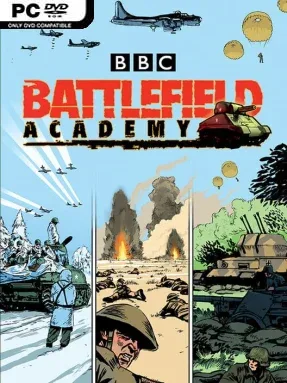
Game Overview
World War II battles become brisk, readable tactical puzzles in a turn-based strategy game that favors smart positioning over overwhelming complexity. Battle Academy puts you in command of small Allied formations across British, American, Polish, and Canadian campaigns, with each mission built around holding ground, breaking defenses, surviving counterattacks, or seizing critical objectives. The tone sits between approachable tabletop warfare and serious battlefield command: units are represented clearly, turns move quickly, and every exposed tank or poorly placed infantry squad can become a costly mistake. Rather than simulating an entire front, it focuses on the tense decisions made by officers directing a limited force under fire.
Combat revolves around combined-arms tactics. Infantry scouts ahead to reveal enemies through line of sight, machine guns suppress defenders, artillery and aircraft soften entrenched positions, and armor works around the flanks to hit vulnerable targets. Morale matters as much as raw firepower, so pinning a squad can create the opening needed for an assault, while ambushes punish careless advances through hedgerows, towns, and wooded terrain. More than 100 units from six nations give the battlefield plenty of character, from Shermans and Fireflies to Tigers, Panthers, snipers, flamethrowers, APCs, and dive bombers. Surviving troops earn experience and can rise into Veteran and Elite ranks, rewarding careful play across the longer campaigns.
Its greatest strength is how much tactical depth it draws from a clean, easy-to-read interface. Battle Academy avoids the dense rulebooks and slow turns of heavyweight wargames without reducing warfare to simple rock-paper-scissors exchanges; terrain, facing, recon, suppression, and support weapons still demand attention. A scenario editor and extensive mod support add substantial longevity, allowing players to build or download new battles and alter systems far beyond the stock missions. Fans of Panzer Corps, Advance Wars, or the smaller-scale engagements of Company of Heroes will find a satisfying middle ground here, and it remains an excellent entry point for newcomers who want authentic-feeling WWII tactics without intimidating micromanagement.
Installation
- Click the green button below to be redirected to UploadHaven.
- Wait 15 seconds, then hit “Free Download.” (Free downloads may be slower — upgrade to UploadHaven Pro for faster speeds.)
- Once downloaded, right-click the .zip file and choose “Extract to Battle Academy.” (You’ll need 7-Zip for this.)
- Open the extracted folder and run the game as administrator.
- Enjoy! 🎮 If you see missing DLL errors, check the <strong>_Redist</strong> folder inside and install what’s needed.
System Requirements
- OS: Windows Vista/7/8/10
- Processor: Intel P4/AMD Athlon XP or better
- Memory: 512 MB RAM
- Graphics: 128 MB DirectX 9 Compatible Graphics Card
- DirectX: Version 9.0
- Storage: 500 MB available space
- Sound Card: DirectX Compatible Sound Card
- Additional Notes: 1GB RAM for Vista or above
Setup Guide & Troubleshooting
How do I fix missing DLL errors for Battle Academy?
After extracting Battle Academy, navigate to the _Redist or _CommonRedist folder inside the game directory and install DirectX, Vcredist, and any other dependencies included.
What should I do if the downloaded file is corrupted?
The full archive is 479.10 MB — make sure your download completed fully before extracting. Use 7-Zip to extract the files. If you still see a "file corrupted" error, re-download and try again.
Why should I run the game as administrator?
Right-click the game executable and select "Run as Administrator" to avoid save file issues and permission errors. This is especially important on the first launch.
How do I update my GPU drivers for this game?
Battle Academy requires a 128 MB DirectX 9 Compatible Graphics Card or equivalent. Update your NVIDIA or AMD drivers to the latest version for the best performance.
The game won't launch — what should I try?
This game requires Version 9.0. Try running in compatibility mode, install the latest DirectX runtime, or install the All-in-One VC Redist Package.
My antivirus is blocking the game — is it safe?
Antivirus false positives are common with pre-installed games. Temporarily pause your antivirus during extraction to prevent it from quarantining game files. You can re-enable it after the extraction completes.