
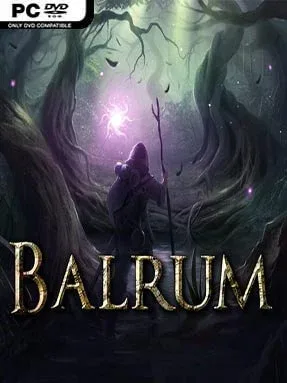
Game Overview
A slow-burning fantasy adventure built around freedom and preparation, Balrum blends classic computer RPG questing with survival systems that demand attention beyond the battlefield. Its world feels deliberately old-school: you roam wide wilderness areas, uncover local problems, meet eccentric inhabitants, and gradually become involved in a larger central conflict. The tone is less about cinematic spectacle than living in a dangerous realm where food, shelter, equipment, and allies all matter. Players who enjoy taking their time and creating their own routine find far more here than a straightforward dungeon crawl.
Turn-based combat drives the major confrontations, rewarding careful positioning, sensible use of skills, and an understanding of enemy behavior rather than quick reflexes. Exploration feeds directly into progression, as gathering resources supports crafting, farming, cooking, and the construction of a personal home base. Custom equipment lets you shape a character around preferred weapons and tactics, while survival concerns give each expedition a practical edge. A controllable animal companion is more than decoration, contributing attacks, utility, and another unit to manage during tactical encounters.
Balrum stands apart by treating domestic activities as meaningful parts of its RPG structure instead of optional minigames. Planting crops, improving a house, maintaining supplies, and forging gear create a satisfying contrast to questing and monster hunting, giving the world a grounded, almost homesteading feel. Its presentation and deliberate pacing recall older PC role-playing games, particularly for players who value open-ended exploration over constant direction and flashy set pieces. Fans of Divinity-style turn-based battles, Ultima-like freedom, or survival RPGs with crafting depth should find plenty to enjoy, though newcomers need patience with its systems and deliberately traditional design.
Installation
- Click the green button below to be redirected to UploadHaven.
- Wait 15 seconds, then hit “Free Download.” (Free downloads may be slower — upgrade to UploadHaven Pro for faster speeds.)
- Once downloaded, right-click the .zip file and choose “Extract to Balrum.” (You’ll need 7-Zip for this.)
- Open the extracted folder and run the game as administrator.
- Enjoy! 🎮 If you see missing DLL errors, check the <strong>_Redist</strong> folder inside and install what’s needed.
System Requirements
- OS: Windows 7, 8, 8.1, 10
- Processor: Single Core 1.6Ghz
- Memory: 1 GB RAM
- Graphics: ATI Radeon X1650 / NVIDIA GeForce 8200 / Intel GMA 950, or equivalent
- Storage: 1 GB available space
- Sound Card: OpenAL Compatible Sound Card
- Additional Notes: OpenGL 1.4 compatible
Setup Guide & Troubleshooting
How do I fix missing DLL errors for Balrum (v1.7)?
After extracting Balrum (v1.7), navigate to the _Redist or _CommonRedist folder inside the game directory and install DirectX, Vcredist, and any other dependencies included.
What should I do if the downloaded file is corrupted?
The full archive is 227.05 MB — make sure your download completed fully before extracting. Use 7-Zip to extract the files. If you still see a "file corrupted" error, re-download and try again.
Why should I run the game as administrator?
Right-click the game executable and select "Run as Administrator" to avoid save file issues and permission errors. This is especially important on the first launch.
How do I update my GPU drivers for this game?
Balrum (v1.7) requires a ATI Radeon X1650 / NVIDIA GeForce 8200 / Intel GMA 950, or equivalent or equivalent. Update your NVIDIA or AMD drivers to the latest version for the best performance.
The game won't launch — what should I try?
Try running in compatibility mode, install the latest DirectX runtime, or install the All-in-One VC Redist Package.
My antivirus is blocking the game — is it safe?
Antivirus false positives are common with pre-installed games. Temporarily pause your antivirus during extraction to prevent it from quarantining game files. You can re-enable it after the extraction completes.