
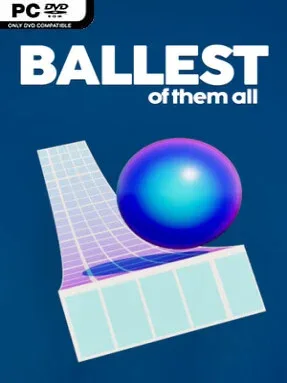
Game Overview
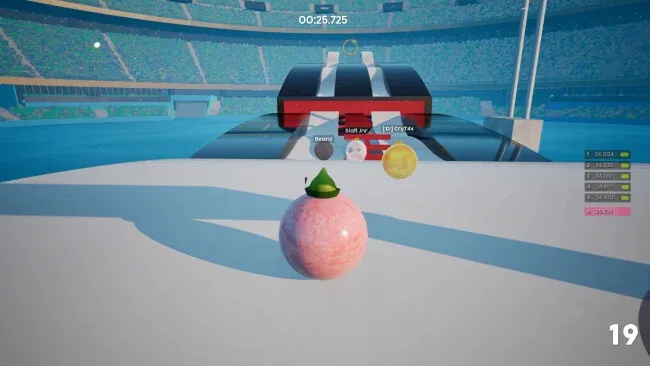
Precision platforming takes an unexpectedly competitive form in Ballest of Them All, a physics-driven rolling game built around shaving fractions of a second from every run. Each course asks you to guide a customizable ball through jumps, banks, tight landings, and finish goals while keeping momentum alive and spotting shortcuts that are rarely obvious at first glance. The presentation is playful, but the pursuit of a flawless time becomes intensely focused, since one bad bounce or hesitant turn can spoil an otherwise excellent attempt. Rather than relying on combat or story, it makes speed, control, and route knowledge the entire challenge.
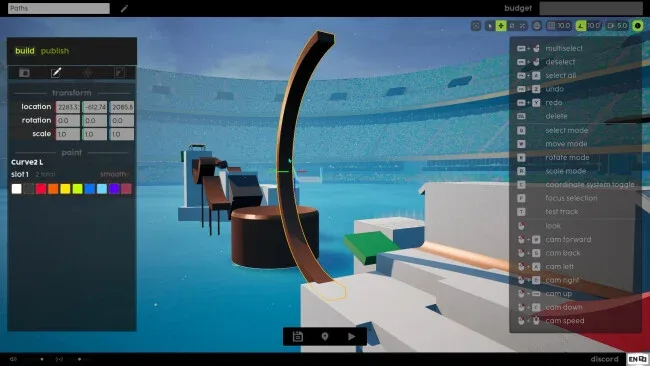
Runs are built for constant iteration: set a personal best, restart immediately, adjust a jump or corner, and gradually turn an improvised route into a clean speedrun. Global leaderboards provide the larger competition, while ghost replays let you study quicker players and directly compare their lines, timing, and movement. The Tower supplies a tougher endurance test across 14 floors of tricks and obstacles, with no checkpoints to soften a mistake. Beyond its core challenges, the Hub offers more than 150 community Workshop tracks ranging from rapid sprints to technical courses and bizarre experimental stages, and the integrated Track Editor lets players build and share their own.
What separates it from many physics platformers is how strongly it rewards creativity instead of simply asking for perfect reflexes. A course can often be conquered safely, but mastering it means recognizing where a risky leap, sharper landing, or unconventional route saves meaningful time. Cosmetics such as ball skins, hats, and goal effects give successful runs some personality without getting in the way of the competition. Fans of time-trial platformers, speedrunning, and the repeat-until-perfect appeal of games like Trackmania should find plenty to chase here, while newcomers can begin with simpler community tracks before tackling the unforgiving Tower.
Screenshots
Installation
- Click the green button below to be redirected to UploadHaven.
- Wait 15 seconds, then hit “Free Download.” (Free downloads may be slower — upgrade to UploadHaven Pro for faster speeds.)
- Once downloaded, right-click the .zip file and choose “Extract to Ballest of Them All.” (You’ll need 7-Zip for this.)
- Open the extracted folder and run the game as administrator.
- Enjoy! 🎮 If you see missing DLL errors, check the <strong>_Redist</strong> folder inside and install what’s needed.
System Requirements
- OS: Windows 10, 64-bit
- Processor: Intel Core i3-3220 or AMD FX-6100 (or any 4-thread CPU)
- Memory: 8 GB RAM
- Graphics: NVIDIA GeForce GTX 650 Ti or AMD Radeon R7 360 (2 GB)
- DirectX: Version 12
- Storage: 2 GB available space
Setup Guide & Troubleshooting
How do I fix missing DLL errors for Ballest of Them All?
After extracting Ballest of Them All, navigate to the _Redist or _CommonRedist folder inside the game directory and install DirectX, Vcredist, and any other dependencies included.
What should I do if the downloaded file is corrupted?
The full archive is 1.64 GB — make sure your download completed fully before extracting. Use 7-Zip to extract the files. If you still see a "file corrupted" error, re-download and try again.
Why should I run the game as administrator?
Right-click the game executable and select "Run as Administrator" to avoid save file issues and permission errors. This is especially important on the first launch.
How do I update my GPU drivers for this game?
Ballest of Them All requires a NVIDIA GeForce GTX 650 Ti or AMD Radeon R7 360 (2 GB) or equivalent. Update your NVIDIA or AMD drivers to the latest version for the best performance.
The game won't launch — what should I try?
This game requires Version 12. Try running in compatibility mode, install the latest DirectX runtime, or install the All-in-One VC Redist Package.
My antivirus is blocking the game — is it safe?
Antivirus false positives are common with pre-installed games. Temporarily pause your antivirus during extraction to prevent it from quarantining game files. You can re-enable it after the extraction completes.