
Game Overview
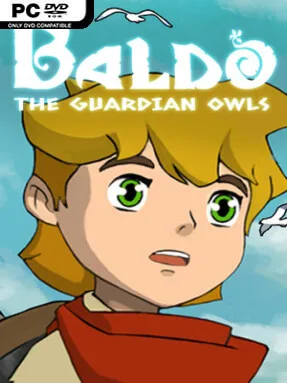
A hand-painted fantasy kingdom gives this adventure its immediate appeal, with sunlit villages, tangled forests, ancient ruins, and character designs that recall classic Studio Ghibli animation. You play as Baldo, a young traveler pulled into a prophecy involving the fearsome Noheart and the mysterious Guardian Owls. Its story moves between playful encounters with eccentric locals and a larger threat hanging over the land, creating a cheerful surface with occasional darker stakes. The result is an old-school action-adventure built around curiosity rather than constant spectacle.
Baldo spends most of his time roaming connected regions, speaking with townsfolk, collecting useful objects, and finding the routes or tools needed to reach previously inaccessible areas. Dungeons are the main test of observation, mixing environmental puzzles, switches, keys, hazards, and combat arenas that ask players to read rooms carefully instead of simply fighting through them. Battles use real-time attacks and defensive movement against monsters, while weapons, consumable items, and special equipment gradually broaden Baldo’s options. Progress can be deliberately paced, since quests often rely on remembering clues, revisiting locations, and noticing interactable details in the world; patience is more valuable here than reflexes alone.
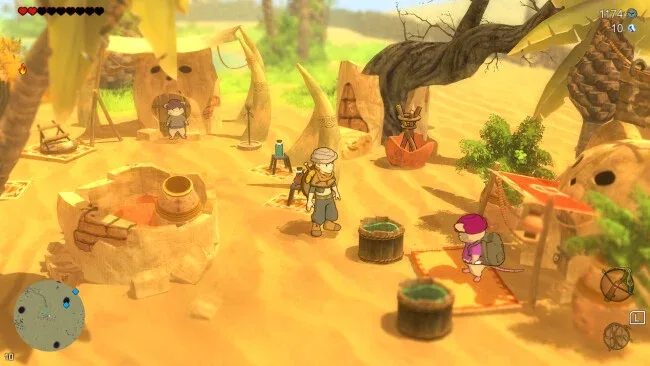
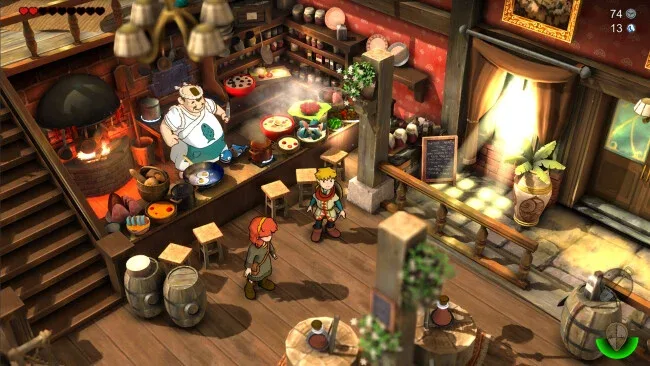
What makes the journey memorable is its dense, illustrated world design: nearly every screen contains a path, secret, puzzle, shop, or odd resident worth checking out. The game favors the exploratory structure of top-down Zelda adventures over the stat-heavy systems associated with many modern RPGs, although its item collection and quest progression provide a steady sense of growth. Some puzzles can be cryptic and the combat is less polished than the visual presentation, so players expecting a fast, combat-led experience may need to adjust their expectations. Fans of The Legend of Zelda: Link’s Awakening, Ni no Kuni’s animated charm, or methodical dungeon crawling will find plenty to enjoy, especially if they like getting lost in a colorful world that rarely spells out every answer.
Screenshots
Installation
- Select the <strong>Download</strong> button at the top of this page to open UploadHaven.
- On UploadHaven, wait for any countdown, then select <strong>Free Download</strong>. Optional: UploadHaven Pro for faster downloads.
- When complete, extract the archive to a <strong>Baldo: The Guardian Owls</strong> folder using 7-Zip.
- Open the extracted folder and start the game normally.
- For errors, check <strong>Setup Guide & Troubleshooting</strong> below. Keep your security software enabled.
System Requirements
- OS *: Windows 7, Windows 8 or Windows 10
- Processor: AMD or Intel Dual-Core processor running at ~3.3 GHz (minimum AMD Phenom II X4 810 or Intel Core i5 650).
- Memory: 4 GB RAM
- Graphics: DirectX 11 compatible NVIDIA, ATI/AMD graphic card with 4GB of dedicated VRAM (and Shader Model 4.0 support).
- DirectX: Version 11
- Storage: 2 GB available space
- Sound Card: Any
Setup Guide & Troubleshooting
How do I fix missing DLL errors for Baldo: The Guardian Owls (v3.1)?
After extracting Baldo: The Guardian Owls (v3.1), navigate to the _Redist or _CommonRedist folder inside the game directory and install DirectX, Vcredist, and any other dependencies included.
What should I do if the downloaded file is corrupted?
The full archive is 684.93 MB — make sure your download completed fully before extracting. Use 7-Zip to extract the files. If you still see a "file corrupted" error, re-download and try again.
Why should I run the game as administrator?
Right-click the game executable and select "Run as Administrator" to avoid save file issues and permission errors. This is especially important on the first launch.
How do I update my GPU drivers for this game?
Baldo: The Guardian Owls (v3.1) requires a DirectX 11 compatible NVIDIA, ATI/AMD graphic card with 4GB of dedicated VRAM (and Shader Model 4.0 support). or equivalent. Update your NVIDIA or AMD drivers to the latest version for the best performance.
The game won't launch — what should I try?
This game requires Version 11. Try running in compatibility mode, install the latest DirectX runtime, or install the All-in-One VC Redist Package.
My antivirus is blocking the game — is it safe?
Antivirus false positives are common with pre-installed games. Temporarily pause your antivirus during extraction to prevent it from quarantining game files. You can re-enable it after the extraction completes.