
Game Overview
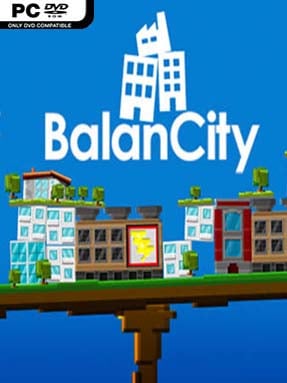
A thriving metropolis becomes a precarious tower in Balancity, an indie city builder that swaps the safe grid of traditional urban planning for a wobbling physics platform. Its central idea is delightfully simple: stack districts, services, and landmarks high into the sky without letting the entire settlement tip over. The result feels like SimCity filtered through a block-stacking toy, with a playful cartoon look hiding an increasingly tense balancing act. Every new building promises growth, but it also shifts weight, tests stability, and makes a spectacular collapse more likely.
Players place homes, offices, power facilities, transport hubs, airports, and special landmarks to create a functioning city and keep residents satisfied. Placement matters on two levels: citizens need the expected services and connections, while the tower itself needs a sensible center of gravity. Expanding upward unlocks more ambitious construction, but a lopsided layout can turn routine development into a crisis as structures lean, slide, or tumble from the platform. Natural and decidedly unnatural disasters keep long runs unpredictable, including fires, quakes, meteors, UFO assaults, and giant-monster attacks that can ruin carefully planned skylines in seconds.
What separates Balancity from more conventional city-management games is its focus on physical comedy and spatial problem-solving rather than dense economic simulation. A successful build requires part mayoral planning, part Jenga-like intuition, and part willingness to laugh when an entire city falls apart because one heavy structure lands in the wrong place. The compact format makes it easy to replay, chase taller towers, and experiment with unconventional layouts without committing to a huge campaign. Fans of casual builders, physics sandboxes, and quirky management games should find plenty to enjoy, while hardcore SimCity players should approach it as a light, inventive puzzle game rather than a deep civic simulator.
Installation
- Click the green button below to be redirected to UploadHaven.
- Wait 15 seconds, then hit “Free Download.” (Free downloads may be slower — upgrade to UploadHaven Pro for faster speeds.)
- Once downloaded, right-click the .zip file and choose “Extract to Balancity.” (You’ll need 7-Zip for this.)
- Open the extracted folder and run the game as administrator.
- Enjoy! 🎮 If you see missing DLL errors, check the <strong>_Redist</strong> folder inside and install what’s needed.
System Requirements
- OS: Windows XP
- Processor: 1.8 GHZ
- Memory: 2 GB RAM
- Storage: 150 MB available space
Setup Guide & Troubleshooting
How do I fix missing DLL errors for Balancity?
After extracting Balancity, navigate to the _Redist or _CommonRedist folder inside the game directory and install DirectX, Vcredist, and any other dependencies included.
What should I do if the downloaded file is corrupted?
The full archive is 76.99 MB — make sure your download completed fully before extracting. Use 7-Zip to extract the files. If you still see a "file corrupted" error, re-download and try again.
Why should I run the game as administrator?
Right-click the game executable and select "Run as Administrator" to avoid save file issues and permission errors. This is especially important on the first launch.
How do I update my GPU drivers for this game?
Update your NVIDIA or AMD drivers to the latest version for the best performance and compatibility.
The game won't launch — what should I try?
Try running in compatibility mode, install the latest DirectX runtime, or install the All-in-One VC Redist Package.
My antivirus is blocking the game — is it safe?
Antivirus false positives are common with pre-installed games. Temporarily pause your antivirus during extraction to prevent it from quarantining game files. You can re-enable it after the extraction completes.