
Game Overview
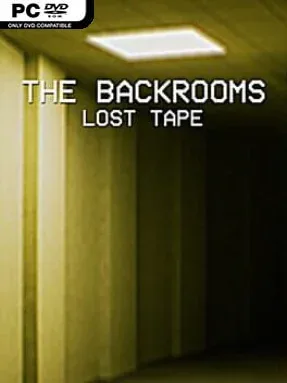
A flickering cinema hallway becomes the gateway to a far more unsettling nightmare in Backrooms: Lost Tape, a first-person horror walking simulator built around the unnerving logic of liminal spaces. The opening chapter, “The Tape of Josh,” casts you as an usher who slips out of ordinary reality and into the endless yellow corridors of the Backrooms. What begins as quiet exploration quickly turns oppressive: stained carpet, buzzing fluorescent lights, empty rooms, and the suspicion that something is moving just beyond sight create a tense, lonely atmosphere. Its horror favors dread and disorientation over constant action, making every unfamiliar doorway feel dangerous.
Progress centers on navigating distinct Backrooms-inspired levels, each presented as a separate tape or chapter with its own spaces, clues, and unanswered questions. You search environments for routes forward, inspect details that may reveal solutions, and solve puzzles while trying to avoid hostile entities blocking the way. With no HUD cluttering the screen, the game asks you to pay attention to the world itself—signage, sounds, room layouts, and subtle environmental changes become your tools for survival. Encounters are driven more by vulnerability than combat power, so escaping danger and keeping your bearings matter more than fighting back. The structure stays focused and linear enough for players who want a guided horror experience, while the strange story encourages careful observation.
Photorealistic lighting and deliberately mundane architecture are the main draw, turning offices, corridors, and abandoned public spaces into places that feel wrong in a hard-to-explain way. Backrooms: Lost Tape understands that the most effective scares often come from silence, repetition, and the fear of getting lost rather than from nonstop jump scares. The tape format also gives the experience room to expand through new protagonists and increasingly bizarre locations. Fans of The Backrooms mythos, PT-style environmental horror, and atmospheric games such as Layers of Fear should find plenty to like, especially if they prefer slow-building tension over combat-heavy survival horror.
Installation
- Click the green button below to be redirected to UploadHaven.
- Wait 15 seconds, then hit “Free Download.” (Free downloads may be slower — upgrade to UploadHaven Pro for faster speeds.)
- Once downloaded, right-click the .zip file and choose “Extract to Backrooms: Lost Tape.” (You’ll need 7-Zip for this.)
- Open the extracted folder and run the game as administrator.
- Enjoy! 🎮 If you see missing DLL errors, check the <strong>_Redist</strong> folder inside and install what’s needed.
System Requirements
- Requires a 64-bit processor and operating system
- OS: Windows 10
- Processor: Intel i3 8100 or Ryzen 3 1200
- Memory: 8 GB RAM
- Graphics: GTX 1050 2GB or RX 560 2GB
- DirectX: Version 11
- Storage: 8 GB available space
- Sound Card: Any
- VR Support: No
- Additional Notes: Intended for Low/Medium Graphics Settings (30-40 FPS at 1080p)
Setup Guide & Troubleshooting
How do I fix missing DLL errors for Backrooms: Lost Tape (v2026.06.02)?
After extracting Backrooms: Lost Tape (v2026.06.02), navigate to the _Redist or _CommonRedist folder inside the game directory and install DirectX, Vcredist, and any other dependencies included.
What should I do if the downloaded file is corrupted?
The full archive is 11.56 GB — make sure your download completed fully before extracting. Use 7-Zip to extract the files. If you still see a "file corrupted" error, re-download and try again.
Why should I run the game as administrator?
Right-click the game executable and select "Run as Administrator" to avoid save file issues and permission errors. This is especially important on the first launch.
How do I update my GPU drivers for this game?
Backrooms: Lost Tape (v2026.06.02) requires a GTX 1050 2GB or RX 560 2GB or equivalent. Update your NVIDIA or AMD drivers to the latest version for the best performance.
The game won't launch — what should I try?
This game requires Version 11. Try running in compatibility mode, install the latest DirectX runtime, or install the All-in-One VC Redist Package.
My antivirus is blocking the game — is it safe?
Antivirus false positives are common with pre-installed games. Temporarily pause your antivirus during extraction to prevent it from quarantining game files. You can re-enable it after the extraction completes.