
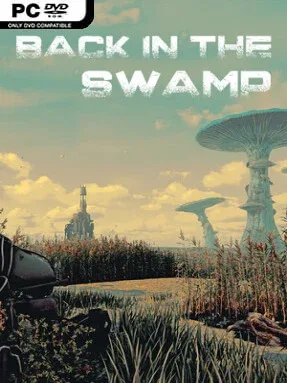
Game Overview
A drowned, retro-futurist wasteland becomes an eerie puzzle box where colossal insects roam among rusting robots and the remains of a vanished civilization. Back in the Swamp is a first-person adventure built around slow, deliberate observation rather than action or combat, with a mood closer to a strange illustrated storybook than a survival game. Every location leans on dense scenery, mechanical decay, and ambient sound to make the world feel abandoned but never empty. Its central appeal lies in piecing together what happened here while pushing deeper into unsettling new territory.
Players inspect scenes from a point-and-click perspective, watching the cursor for subtle changes that reveal objects, exits, and other points of interest. Hand-drawn visual prompts suggest possible interactions without spelling out every answer, so progress comes from studying the environment, gathering useful objects, and testing how items fit together in the inventory. Combined tools open routes, activate events, and solve the practical problems standing between the protagonist and the next story beat. Cinematic moments mark major discoveries, while a fast-travel map cuts down on unnecessary backtracking once several areas are available.
Environmental storytelling gives the adventure its strongest identity, especially through collectible sketchbook pages that gradually add history and context to the ruined world. The giant-insect imagery and discarded robotic technology create a distinctive mix of post-apocalyptic science fiction and quiet, almost dreamlike unease, rather than relying on jump scares or constant danger. Puzzles appear designed for patient players who enjoy clicking through richly detailed screens, taking notes, and revisiting earlier locations with a new item or idea. Fans of classic Myst-style exploration, Machinarium’s visual logic, or modern atmospheric indie adventures should find plenty to appreciate, while newcomers benefit from the clear sketch-based interaction cues.
Installation
- Click the green button below to be redirected to UploadHaven.
- Wait 15 seconds, then hit “Free Download.” (Free downloads may be slower — upgrade to UploadHaven Pro for faster speeds.)
- Once downloaded, right-click the .zip file and choose “Extract to Back in the Swamp.” (You’ll need 7-Zip for this.)
- Open the extracted folder and run the game as administrator.
- Enjoy! 🎮 If you see missing DLL errors, check the <strong>_Redist</strong> folder inside and install what’s needed.
System Requirements
- Requires a 64-bit processor and operating system
- OS: Windows- 64-bit
- Processor: Intel Core i3 / AMD Ryzen 3
- Memory: 8 GB RAM
- Graphics: DX11 Compatible GeForce GTX 950M / Radeon HD 6950
- Storage: 12 GB available space
Setup Guide & Troubleshooting
How do I fix missing DLL errors for Back in the Swamp (v2026.04.04)?
After extracting Back in the Swamp (v2026.04.04), navigate to the _Redist or _CommonRedist folder inside the game directory and install DirectX, Vcredist, and any other dependencies included.
What should I do if the downloaded file is corrupted?
The full archive is 6.75 GB — make sure your download completed fully before extracting. Use 7-Zip to extract the files. If you still see a "file corrupted" error, re-download and try again.
Why should I run the game as administrator?
Right-click the game executable and select "Run as Administrator" to avoid save file issues and permission errors. This is especially important on the first launch.
How do I update my GPU drivers for this game?
Back in the Swamp (v2026.04.04) requires a DX11 Compatible GeForce GTX 950M / Radeon HD 6950 or equivalent. Update your NVIDIA or AMD drivers to the latest version for the best performance.
The game won't launch — what should I try?
Try running in compatibility mode, install the latest DirectX runtime, or install the All-in-One VC Redist Package.
My antivirus is blocking the game — is it safe?
Antivirus false positives are common with pre-installed games. Temporarily pause your antivirus during extraction to prevent it from quarantining game files. You can re-enable it after the extraction completes.