
Game Overview
A barren planet becomes a giant logistical puzzle as you turn raw deposits into a self-sustaining industrial machine. Automation Empire is a top-down factory management simulator built around the satisfying work of making materials move exactly where they need to go. Its tone is methodical rather than frantic: every new mine, refinery, and transport route adds another layer to a production network that can either run beautifully or collapse into gridlock. The appeal lies in watching a modest operation grow into a sprawling mechanical ecosystem of synchronized machines.
Players begin by locating resources such as coal, iron, and gold, then construct extraction sites and processing facilities to turn those basics into increasingly valuable goods. The central challenge is logistics, with mine carts handling early deliveries before trucks, drones, railways, and cargo rockets open more ambitious routes across the map. Research unlocks stronger infrastructure and more advanced production options, while careful placement of tracks, depots, and factories keeps resources from piling up at the wrong end of the chain. Expansion demands constant troubleshooting, since one poorly supplied facility or overloaded route can bottleneck an otherwise efficient empire.
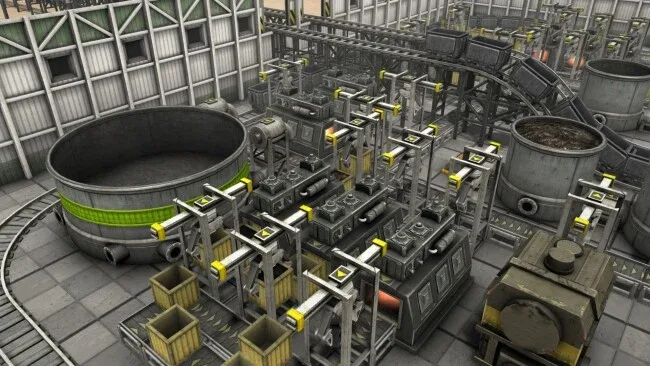
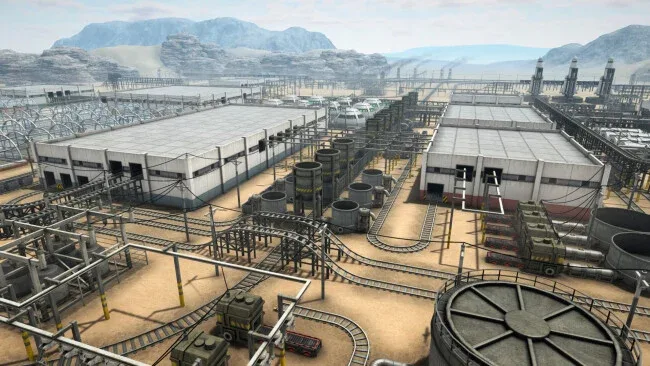
Unlike many conveyor-heavy automation games, Automation Empire puts transportation networks at the center of its design. Terrain matters, and the seven available planets present different biomes, distances, and geological layouts that force players to rethink how they connect their industries. The clean overhead presentation makes large networks readable while still giving the later game a pleasingly dense, living-machine look. Fans of Factorio, Transport Fever, or Satisfactory who especially enjoy optimizing trains and supply routes will find plenty to engage with, while patient newcomers can learn its systems through the gradual climb from basic carts to planet-spanning freight infrastructure.
Screenshots
Installation
- Select the <strong>Download</strong> button at the top of this page to open UploadHaven.
- On UploadHaven, wait for any countdown, then select <strong>Free Download</strong>. Optional: UploadHaven Pro for faster downloads.
- When complete, extract the archive to a <strong>Automation Empire</strong> folder using 7-Zip.
- Open the extracted folder and start the game normally.
- For errors, check <strong>Setup Guide & Troubleshooting</strong> below. Keep your security software enabled.
System Requirements
- Requires a 64-bit processor and operating system
- OS *: Windows 7/8/10 64-bit
- Processor: 3.2 GHz Dual Core Processor
- Memory: 4 GB RAM
- Graphics: GeForce GTX 660
- DirectX: Version 11
- Storage: 4 GB available space
Setup Guide & Troubleshooting
How do I fix missing DLL errors for Automation Empire?
After extracting Automation Empire, navigate to the _Redist or _CommonRedist folder inside the game directory and install DirectX, Vcredist, and any other dependencies included.
What should I do if the downloaded file is corrupted?
The full archive is 2.11 GB — make sure your download completed fully before extracting. Use 7-Zip to extract the files. If you still see a "file corrupted" error, re-download and try again.
Why should I run the game as administrator?
Right-click the game executable and select "Run as Administrator" to avoid save file issues and permission errors. This is especially important on the first launch.
How do I update my GPU drivers for this game?
Automation Empire requires a GeForce GTX 660 or equivalent. Update your NVIDIA or AMD drivers to the latest version for the best performance.
The game won't launch — what should I try?
This game requires Version 11. Try running in compatibility mode, install the latest DirectX runtime, or install the All-in-One VC Redist Package.
My antivirus is blocking the game — is it safe?
Antivirus false positives are common with pre-installed games. Temporarily pause your antivirus during extraction to prevent it from quarantining game files. You can re-enable it after the extraction completes.