
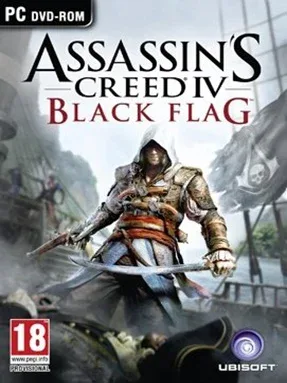
Game Overview
The Caribbean of 1715 becomes a sprawling pirate playground where tropical beauty sits beside violence, greed, and political intrigue. You play Edward Kenway, a reckless Welsh privateer who chases wealth and notoriety before becoming tangled in the secret conflict between Assassins and Templars. Assassin’s Creed IV: Black Flag trades much of the series’ urban focus for sunlit islands, colonial ports, hidden coves, and dangerous open water. Its mood is adventurous and romantic on the surface, but Edward’s story carries real weight as the pirate republic’s freedom begins to collapse.
Most of your time revolves around sailing the Jackdaw, upgrading it with plundered cargo, and choosing which ships to hunt, board, or flee from. Naval battles ask you to manage broadsides, mortars, heavy shot, fire barrels, and positioning against enemies that can easily overwhelm an underprepared vessel. On land, Edward uses the familiar Assassin’s Creed mix of parkour, stealth assassinations, sword-and-pistol combat, and mission-based infiltrations, while optional activities include treasure hunting, diving for wrecks, harpooning whales, taking forts, and finding Mayan ruins. The campaign is approachable, though naval encounters and high-level fort defenses reward players who invest in ship upgrades rather than rushing the main story.
What separates Black Flag from other open-world action games is how naturally its pirate fantasy supports exploration: a distant sail on the horizon can become a battle, a boarding action, a new upgrade, or a detour toward an uncharted island. The sea feels active rather than decorative, with storms, patrols, merchant convoys, sea shanties, and a crew that makes long voyages memorable. Although some tailing missions and series-era stealth frustrations remain, Edward is one of the franchise’s strongest leads and the naval sandbox still holds up remarkably well. Fans of Sea of Thieves, open-world historical adventures, or Assassin’s Creed’s stealthier early entries find plenty to enjoy, while newcomers can jump in without needing deep knowledge of earlier games.
Installation
- Click the green button below to be redirected to UploadHaven.
- Wait 15 seconds, then hit “Free Download.” (Free downloads may be slower — upgrade to UploadHaven Pro for faster speeds.)
- Once downloaded, right-click the .zip file and choose “Extract to Assassin’s Creed 4 Black Flag.” (You’ll need 7-Zip for this.)
- Open the extracted folder and run the game as administrator.
- Enjoy! 🎮 If you see missing DLL errors, check the <strong>_Redist</strong> folder inside and install what’s needed.
System Requirements
- OS: Windows Vista SP2 or Windows 7 SP1 or Windows 8 (both 32/64bit versions)
- Processor: Intel Core2Quad Q8400 @ 2.6 GHz or AMD Athlon II X4 620 @ 2.6 GHz
- Memory: 2 GB RAM
- Graphics: Nvidia Geforce GTX 260 or AMD Radeon HD 4870 (512MB VRAM with shader Model 4.0 or higher)
- Storage: 30 GB available space
- Sound Card: DirectX Compatible Sound Card with latest drivers
Setup Guide & Troubleshooting
How do I fix missing DLL errors for Assassin’s Creed 4 Black Flag?
After extracting Assassin’s Creed 4 Black Flag, navigate to the _Redist or _CommonRedist folder inside the game directory and install DirectX, Vcredist, and any other dependencies included.
What should I do if the downloaded file is corrupted?
The full archive is 13.69 GB — make sure your download completed fully before extracting. Use 7-Zip to extract the files. If you still see a "file corrupted" error, re-download and try again.
Why should I run the game as administrator?
Right-click the game executable and select "Run as Administrator" to avoid save file issues and permission errors. This is especially important on the first launch.
How do I update my GPU drivers for this game?
Assassin’s Creed 4 Black Flag requires a Nvidia Geforce GTX 260 or AMD Radeon HD 4870 (512MB VRAM with shader Model 4.0 or higher) or equivalent. Update your NVIDIA or AMD drivers to the latest version for the best performance.
The game won't launch — what should I try?
Try running in compatibility mode, install the latest DirectX runtime, or install the All-in-One VC Redist Package.
My antivirus is blocking the game — is it safe?
Antivirus false positives are common with pre-installed games. Temporarily pause your antivirus during extraction to prevent it from quarantining game files. You can re-enable it after the extraction completes.