
Game Overview
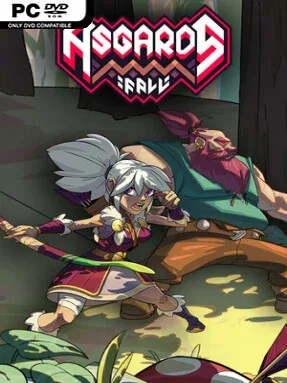
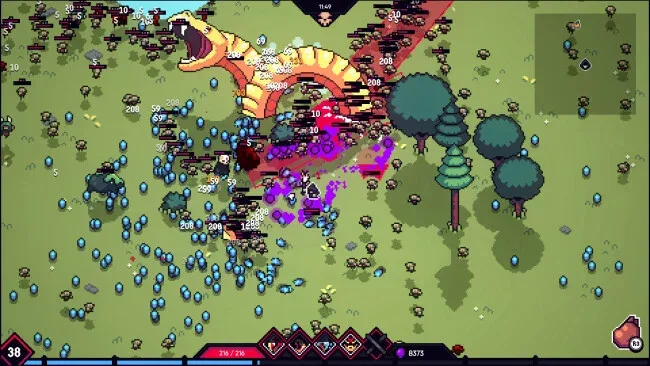
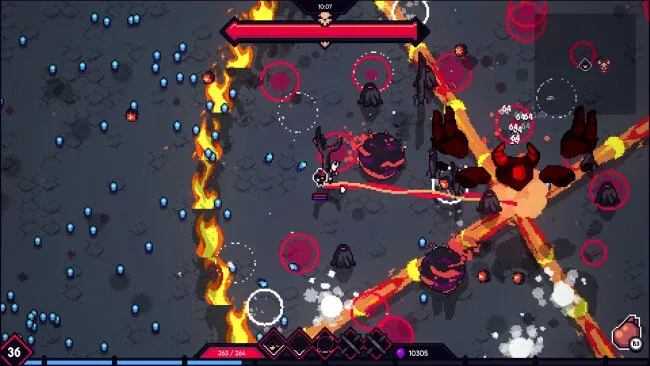
Lightning, steel, and swarming monsters turn Norse myth into a brisk, aggressive survival roguelite where a single run can become either a god-slaying power fantasy or a desperate scramble for breathing room. Set across the Nine Realms, the action follows heroes pushing back against Asgard’s forces as enemy packs grow denser and elite leaders demand smarter positioning. The tone is mythic and blood-soaked rather than solemn, built around the satisfying Survivors-like rhythm of starting exposed, gathering power, and eventually covering the battlefield in devastating effects.
Combat revolves around weaving through crowded arenas while selecting abilities, upgrades, buffs, and special powers that define each run’s build. Players choose from distinct characters such as the hard-hitting Warrior and nimble Huntress, then develop them through separate skill trees that encourage different approaches to survival. Between fights, the Web of Wyrd lets you place enhancement knots to shape long-term strengths, while Warpaint runes add a more tactical layer: collected or crafted runes must fit into limited inventory space, making their arrangement as important as their individual bonuses.
Asgard’s Fall — Viking Survivors stands apart through that combination of familiar horde survival action and genuinely build-focused meta progression. The rune layout system gives persistent upgrades more texture than simply purchasing flat stat boosts, and the Web of Wyrd makes each character’s development feel deliberately tailored. Twitch integration also gives stream audiences real influence through polls that grant helpful blessings or unleash punishing complications, adding unpredictability to live runs. Fans of Vampire Survivors, Halls of Torment, or Nordic-themed action roguelites should find plenty to enjoy, especially if they want accessible runs with enough customization to reward repeated experimentation.
Screenshots
Installation
- Click the green button below to be redirected to UploadHaven.
- Wait 15 seconds, then hit “Free Download.” (Free downloads may be slower — upgrade to UploadHaven Pro for faster speeds.)
- Once downloaded, right-click the .zip file and choose “Extract to Asgard's Fall — Viking Survivors.” (You’ll need 7-Zip for this.)
- Open the extracted folder and run the game as administrator.
- Enjoy! 🎮 If you see missing DLL errors, check the <strong>_Redist</strong> folder inside and install what’s needed.
System Requirements
- Requires a 64-bit processor and operating system
- OS: Windows 10
- Processor: Intel i5-7200U @ 2.50GHz or equivalent
- Memory: 8 GB RAM
- Graphics: GTX 770 / Radeon 8950 HD
- Storage: 150 MB available space
Setup Guide & Troubleshooting
How do I fix missing DLL errors for Asgard’s Fall — Viking Survivors (v0.3.0c)?
After extracting Asgard’s Fall — Viking Survivors (v0.3.0c), navigate to the _Redist or _CommonRedist folder inside the game directory and install DirectX, Vcredist, and any other dependencies included.
What should I do if the downloaded file is corrupted?
The full archive is 130.00 MB — make sure your download completed fully before extracting. Use 7-Zip to extract the files. If you still see a "file corrupted" error, re-download and try again.
Why should I run the game as administrator?
Right-click the game executable and select "Run as Administrator" to avoid save file issues and permission errors. This is especially important on the first launch.
How do I update my GPU drivers for this game?
Asgard’s Fall — Viking Survivors (v0.3.0c) requires a GTX 770 / Radeon 8950 HD or equivalent. Update your NVIDIA or AMD drivers to the latest version for the best performance.
The game won't launch — what should I try?
Try running in compatibility mode, install the latest DirectX runtime, or install the All-in-One VC Redist Package.
My antivirus is blocking the game — is it safe?
Antivirus false positives are common with pre-installed games. Temporarily pause your antivirus during extraction to prevent it from quarantining game files. You can re-enable it after the extraction completes.