
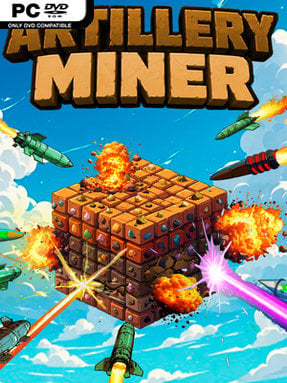
Game Overview
Massive mineral blocks become target practice in a relaxed incremental game built around ever-larger explosions and ever-more complicated production chains. Artillery Miner begins with the simple pleasure of firing shells into ore-packed terrain, then steadily expands into a numbers-driven management loop spanning new weapons, resources, and worlds. Its tone is deliberately low-pressure: progress comes from watching damage values rise, stockpiles fill, and previously stubborn blocks finally collapse. The result feels less like a twitch shooter than a mining clicker with a satisfying destructive streak.
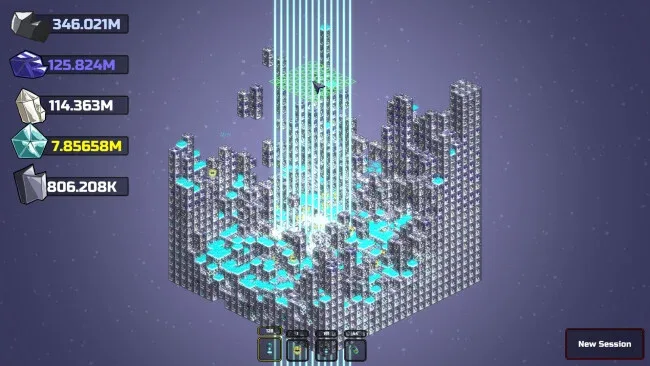
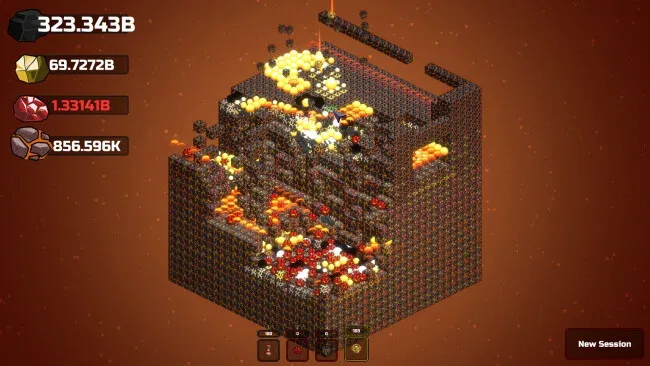
Players select a world, bombard its enormous blocks with artillery, and collect the ores released by each blast. Those ores move through upgradeable furnaces to become bars, while crafting turns refined resources into higher-tier materials needed for the sprawling progression tree. With 33 artillery options, 20 ores, 16 craftable materials, and more than 400 upgrades, the central loop constantly asks whether to improve damage, efficiency, production, or the wider economy. Completely stripping a world earns a prestige cube, which can be assigned to auto-miners for passive gathering and stronger long-term gains, making resets feel like meaningful momentum rather than lost work.
What separates Artillery Miner from a basic idle miner is its focus on weapon variety and the tangible goal of annihilating whole worlds, not merely filling an abstract resource meter. Ten distinct worlds give the progression a sense of changing scale, while the layered refining and crafting systems provide enough planning to keep the idle elements from becoming totally hands-off. A chill soundtrack supports the laid-back pace, although players looking for fast action, deep story, or complex tactical combat will find the experience intentionally narrow. Fans of incremental games such as Cookie Clicker, AdVenture Capitalist, or idle crafting sims who enjoy watching a carefully tuned machine snowball should find plenty to work through, while genre newcomers get a clear, approachable loop with a generous upgrade runway.
Screenshots
Installation
- Click the green button below to be redirected to UploadHaven.
- Wait 15 seconds, then hit “Free Download.” (Free downloads may be slower — upgrade to UploadHaven Pro for faster speeds.)
- Once downloaded, right-click the .zip file and choose “Extract to Artillery Miner.” (You’ll need 7-Zip for this.)
- Open the extracted folder and run the game as administrator.
- Enjoy! 🎮 If you see missing DLL errors, check the <strong>_Redist</strong> folder inside and install what’s needed.
System Requirements
- OS: Windows10+
- Processor: 2.5GHz+
- Memory: 8 GB RAM
- Graphics: Any Graphics Card
- Storage: 100 MB available space
Setup Guide & Troubleshooting
How do I fix missing DLL errors for Artillery Miner?
After extracting Artillery Miner, navigate to the _Redist or _CommonRedist folder inside the game directory and install DirectX, Vcredist, and any other dependencies included.
What should I do if the downloaded file is corrupted?
The full archive is 223.50 MB — make sure your download completed fully before extracting. Use 7-Zip to extract the files. If you still see a "file corrupted" error, re-download and try again.
Why should I run the game as administrator?
Right-click the game executable and select "Run as Administrator" to avoid save file issues and permission errors. This is especially important on the first launch.
How do I update my GPU drivers for this game?
Artillery Miner requires a Any Graphics Card or equivalent. Update your NVIDIA or AMD drivers to the latest version for the best performance.
The game won't launch — what should I try?
Try running in compatibility mode, install the latest DirectX runtime, or install the All-in-One VC Redist Package.
My antivirus is blocking the game — is it safe?
Antivirus false positives are common with pre-installed games. Temporarily pause your antivirus during extraction to prevent it from quarantining game files. You can re-enable it after the extraction completes.