
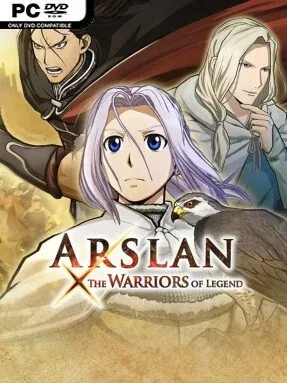
Game Overview
Pars is a kingdom of glittering armor, desert fortresses, courtly betrayal, and enormous armies waiting to be cut down. ARSLAN: THE WARRIORS OF LEGEND adapts the early saga of the anime, following the young prince Arslan after his homeland falls to invasion and he begins gathering allies to reclaim it. Its mood balances heroic spectacle with the political tension of a fantasy war drama, while the familiar Warriors formula turns every major clash into a battlefield-clearing power fantasy. Anime-style character models, voiced scenes, and recognizable story beats make it feel like a playable version of the series rather than a loose tie-in.
Battlefields are built around capturing strongholds, defeating officers, protecting allies, and pushing through thousands of ordinary soldiers with sweeping weapon attacks. Each hero has a distinct fighting style, from Arslan’s swordplay to Daryun’s devastating spear assaults, and combo strings build into flashy special moves that erase crowds or punish tougher commanders. The key addition is the Mardan Rush system, which lets players summon supporting units such as cavalry, infantry, or archers for forceful coordinated attacks that can break enemy lines and quickly change control of an area. Story missions move through the campaign’s central conflicts, while Free Mode gives players a reason to revisit stages with different fighters and chase better performance.
Rather than chasing the dense strategy of a grand war simulator, the game focuses on momentum, spectacle, and the pleasure of watching a single capable warrior overturn an impossible battle. Its battlefield objectives are more straightforward than those in the best Dynasty Warriors entries, but the unit-call mechanic adds welcome flair and makes the large-scale confrontations feel tied to Arslan’s command-driven story. Fans of the anime get the strongest experience, especially if they want to relive its first major arc with direct control over its heroes. Anyone who enjoys Dynasty Warriors, One Piece Pirate Warriors, or uncomplicated hack-and-slash campaigns will find a colorful, accessible anime action game with plenty of enemy-clearing catharsis.
Installation
- Click the green button below to be redirected to UploadHaven.
- Wait 15 seconds, then hit “Free Download.” (Free downloads may be slower — upgrade to UploadHaven Pro for faster speeds.)
- Once downloaded, right-click the .zip file and choose “Extract to ARSLAN: THE WARRIORS OF LEGEND.” (You’ll need 7-Zip for this.)
- Open the extracted folder and run the game as administrator.
- Enjoy! 🎮 If you see missing DLL errors, check the <strong>_Redist</strong> folder inside and install what’s needed.
System Requirements
- OS: Windows® 10 (64bit)
- Processor: Core i7 870 2.8GHz or better
- Memory: 3 GB RAM
- Graphics: 640*480 pixel over, High Color
- DirectX: Version 11
- Network: Broadband Internet connection
- Storage: 11 GB available space
- Sound Card: DirectX 9.0c over
- Additional Notes: VRAM 1GB over, recommend XInput controller
Setup Guide & Troubleshooting
How do I fix missing DLL errors for ARSLAN: THE WARRIORS OF LEGEND?
After extracting ARSLAN: THE WARRIORS OF LEGEND, navigate to the _Redist or _CommonRedist folder inside the game directory and install DirectX, Vcredist, and any other dependencies included.
What should I do if the downloaded file is corrupted?
The full archive is 10.15 GB — make sure your download completed fully before extracting. Use 7-Zip to extract the files. If you still see a "file corrupted" error, re-download and try again.
Why should I run the game as administrator?
Right-click the game executable and select "Run as Administrator" to avoid save file issues and permission errors. This is especially important on the first launch.
How do I update my GPU drivers for this game?
ARSLAN: THE WARRIORS OF LEGEND requires a 640*480 pixel over, High Color or equivalent. Update your NVIDIA or AMD drivers to the latest version for the best performance.
The game won't launch — what should I try?
This game requires Version 11. Try running in compatibility mode, install the latest DirectX runtime, or install the All-in-One VC Redist Package.
My antivirus is blocking the game — is it safe?
Antivirus false positives are common with pre-installed games. Temporarily pause your antivirus during extraction to prevent it from quarantining game files. You can re-enable it after the extraction completes.