
Game Overview
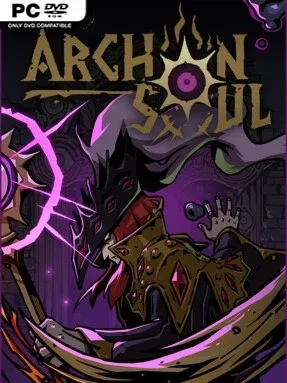
A haunted palace becomes a laboratory for arcane probability in this 2D roguelike, where every roll can save a build or ruin a carefully planned turn. Archon Soul combines deckbuilding-style spell selection with a modular dice system, asking players to assemble tools that feel increasingly broken before the next elite enemy exposes a weak link. Its atmosphere leans mystical and tense rather than grim, supported by hand-drawn character art and a soundtrack that gives each climb through the palace a ceremonial weight. The goal is simple enough—reach the Archon Soul—but the route there demands experimentation, nerve, and a willingness to gamble.
Combat revolves around rolling customized dice to generate effects, trigger abilities, and fuel the spells available to your chosen mage. Faces, runes, and dice bodies can be exchanged between encounters, so progression is not merely about collecting stronger loot; it is about identifying combinations that multiply each other’s value. One run may focus on reliable elemental damage, while another turns seemingly awkward rolls into shields, mana, rerolls, or devastating spell chains. Branching map decisions, hostile encounters, and boss fights across four acts force players to adapt rather than follow one perfect recipe, while more than 200 possible spells give the four playable casters very different tactical identities.
The standout feature is the scale of its dice crafting: dozens of bodies and over forty runes create an enormous number of possible configurations without abandoning the clear, readable appeal of rolling physical dice. Archon Soul feels closer to Slay the Spire’s run-based planning and Dicey Dungeons’ chance-driven creativity than to a conventional action roguelike, but its customizable equipment gives it a distinct strategic rhythm. Runs reward system mastery, especially learning when consistency matters more than raw power and when a risky combo is worth pursuing. Players who enjoy theorycrafting, turn-based tactics, and repeatedly refining a build will find plenty to chew on, while newcomers should expect a demanding learning curve rather than an effortless casual run.
Installation
- Click the green button below to be redirected to UploadHaven.
- Wait 15 seconds, then hit “Free Download.” (Free downloads may be slower — upgrade to UploadHaven Pro for faster speeds.)
- Once downloaded, right-click the .zip file and choose “Extract to Archon Soul.” (You’ll need 7-Zip for this.)
- Open the extracted folder and run the game as administrator.
- Enjoy! 🎮 If you see missing DLL errors, check the <strong>_Redist</strong> folder inside and install what’s needed.
System Requirements
- OS: Windows 10 64-Bit
- Processor: 2.0Ghz Dual Core
- Memory: 8 GB RAM
- Graphics: Intel HD Graphics 510
- Storage: 3 GB available space
- Sound Card: Integrated Sound
- VR Support: N/A
Setup Guide & Troubleshooting
How do I fix missing DLL errors for Archon Soul (v1.0.00)?
After extracting Archon Soul (v1.0.00), navigate to the _Redist or _CommonRedist folder inside the game directory and install DirectX, Vcredist, and any other dependencies included.
What should I do if the downloaded file is corrupted?
The full archive is 1.37 GB — make sure your download completed fully before extracting. Use 7-Zip to extract the files. If you still see a "file corrupted" error, re-download and try again.
Why should I run the game as administrator?
Right-click the game executable and select "Run as Administrator" to avoid save file issues and permission errors. This is especially important on the first launch.
How do I update my GPU drivers for this game?
Archon Soul (v1.0.00) requires a Intel HD Graphics 510 or equivalent. Update your NVIDIA or AMD drivers to the latest version for the best performance.
The game won't launch — what should I try?
Try running in compatibility mode, install the latest DirectX runtime, or install the All-in-One VC Redist Package.
My antivirus is blocking the game — is it safe?
Antivirus false positives are common with pre-installed games. Temporarily pause your antivirus during extraction to prevent it from quarantining game files. You can re-enable it after the extraction completes.