
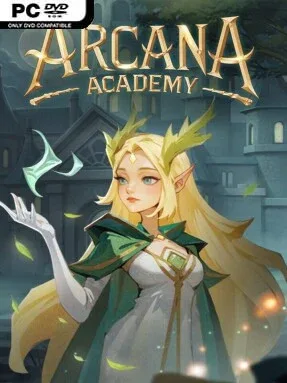
Game Overview
Running a prestigious but crumbling school of sorcery means balancing ambitious expansion with the dangerous personalities drawn to its halls. Arcana Academy is a card-driven management simulator that casts you as a mage headmaster rebuilding an institution from the ground up, one classroom, ritual chamber, and questionable policy at a time. Its fantasy setting has an enjoyably dark edge: elves, humans, vampires, and werewolves can all become students, while demons and monsters constantly test the academy’s security. The mood mixes methodical planning with unpredictable magical disasters, making every successful term feel hard-earned.
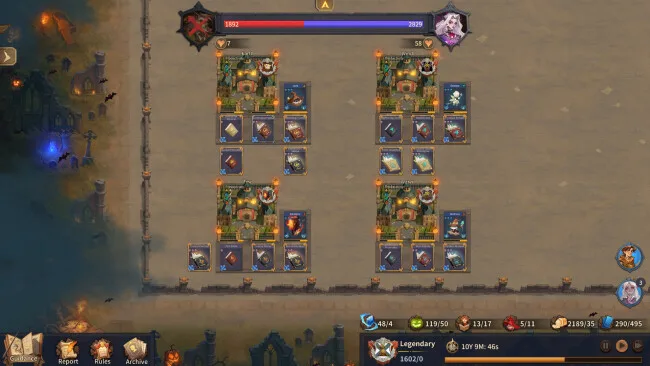
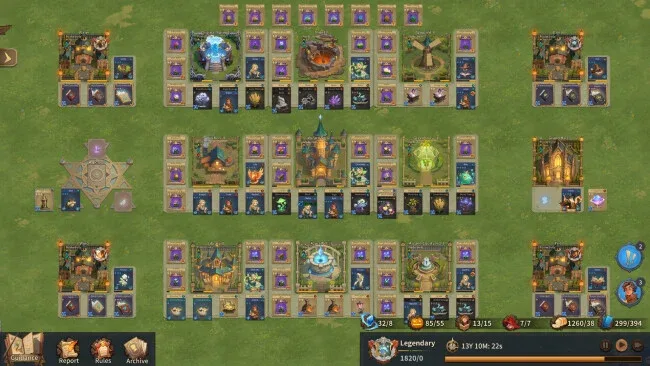
Building the campus forms the main loop, with hundreds of cards representing rooms, towers, workshops, infrastructure, and upgrades that improve your school’s output. You recruit apprentices through summoning, inspect their individual qualities, assign suitable lessons, and use rules and evaluations to steer them toward magical competence. Research opens fresh blueprints, spells, and technologies, eventually allowing production chains to become increasingly automated rather than relying on constant manual intervention. Summoning rituals add the sharpest risk-reward element, since meeting their requirements delivers reliable results while cutting corners can produce consequences far worse than a failed spell; meanwhile, external threats demand either confrontation or costly appeasement.
What stands out is the sheer number of interconnected systems beneath its collectible-card presentation: student management, construction, research, resource flow, school identity, and random incidents all compete for attention. More than 200 narrative and procedural events keep a promising run from becoming a purely solved optimization puzzle, and the freedom to specialize or build broadly supports different leadership styles. It feels closer to a fantasy-themed colony-management game than a simple deckbuilder, with the cards serving as tools for long-term planning rather than just combat actions. Arcana Academy suits strategy veterans who enjoy dense systems and emergent trouble, though patient newcomers can also find satisfaction in gradually turning a ramshackle magical school into a self-sustaining powerhouse.
Screenshots
Installation
- Select the <strong>Download</strong> button at the top of this page to open UploadHaven.
- On UploadHaven, wait for any countdown, then select <strong>Free Download</strong>. Optional: UploadHaven Pro for faster downloads.
- When complete, extract the archive to a <strong>Arcana Academy</strong> folder using 7-Zip.
- Open the extracted folder and start the game normally.
- For errors, check <strong>Setup Guide & Troubleshooting</strong> below. Keep your security software enabled.
System Requirements
- OS *: Windows 7/8.1/10 x64
- Processor: Intel Core i3-7100 or AMD Athlon II X4 860K
- Memory: 8 GB RAM
- Graphics: Intel HD Graphics 630
- DirectX: Version 9.0
- Network: Broadband Internet connection
- Storage: 4 GB available space
Setup Guide & Troubleshooting
How do I fix missing DLL errors for Arcana Academy?
After extracting Arcana Academy, navigate to the _Redist or _CommonRedist folder inside the game directory and install DirectX, Vcredist, and any other dependencies included.
What should I do if the downloaded file is corrupted?
The full archive is 1.30 GB — make sure your download completed fully before extracting. Use 7-Zip to extract the files. If you still see a "file corrupted" error, re-download and try again.
Why should I run the game as administrator?
Right-click the game executable and select "Run as Administrator" to avoid save file issues and permission errors. This is especially important on the first launch.
How do I update my GPU drivers for this game?
Arcana Academy requires a Intel HD Graphics 630 or equivalent. Update your NVIDIA or AMD drivers to the latest version for the best performance.
The game won't launch — what should I try?
This game requires Version 9.0. Try running in compatibility mode, install the latest DirectX runtime, or install the All-in-One VC Redist Package.
My antivirus is blocking the game — is it safe?
Antivirus false positives are common with pre-installed games. Temporarily pause your antivirus during extraction to prevent it from quarantining game files. You can re-enable it after the extraction completes.