
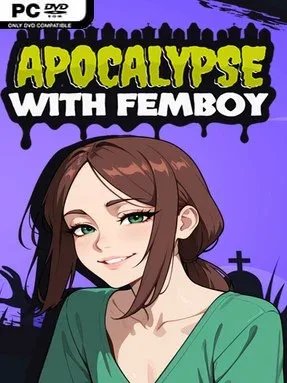
Game Overview
A ruined hospital serves as the opening refuge for a bleak, intimate apocalypse story built around memory loss, undead threats, and an uneasy partnership. You wake with no name and no past, holding only a photograph that links you to Taylor, a guarded scientist racing to develop a cure while humanity collapses outside. The tone balances grim survival drama with adult romance, using the contrast between dangerous daylight expeditions and private nights in the hideout to drive its emotional tension. Rather than treating the apocalypse as background decoration, the setting constantly pressures the relationship at the center of the narrative.
Play revolves around protecting Taylor, moving the pair’s vaccine mission forward, and choosing how the protagonist responds to both external dangers and Taylor’s shifting behavior. Daytime scenes focus on survival stakes, alliances, and the threat of the undead, while nighttime conversations lean into trust, vulnerability, and mature relationship content. Decisions shape the protagonist’s role in Taylor’s life, especially once the story reveals that the scientist’s fractured identity hides information he does not understand himself. Narrative branching and relationship choices appear to be the main progression systems, making attention to dialogue and consequences more important than mechanical combat mastery.
Its strongest hook is the day-and-night structure, which gives the central romance a deliberately uneasy edge: the person relying on you after dark is not always the same guarded researcher you protect during the day. The premise also uses identity, consent, secrecy, and responsibility as story pressures rather than simple shock material, although players should expect adult themes alongside horror violence. Presentation is aimed at readers who want a character-focused adult visual novel with post-apocalyptic stakes, not a deep zombie action game or resource-management sim. Fans of choice-led romance games who enjoy darker settings and morally complicated routes are the natural audience, while players seeking tactical survival systems may find the narrative emphasis too dominant.
Installation
- Click the green button below to be redirected to UploadHaven.
- Wait 15 seconds, then hit “Free Download.” (Free downloads may be slower — upgrade to UploadHaven Pro for faster speeds.)
- Once downloaded, right-click the .zip file and choose “Extract to Apocalypse with Femboy.” (You’ll need 7-Zip for this.)
- Open the extracted folder and run the game as administrator.
- Enjoy! 🎮 If you see missing DLL errors, check the <strong>_Redist</strong> folder inside and install what’s needed.
System Requirements
- Requires a 64-bit processor and operating system
- OS: Windows 10 or higher.
- Processor: 2.0 Ghz 64-bit Intel-compatible
- Memory: 2 GB RAM
- Graphics: OpenGL 3.0 or DirectX 11
- Storage: 1 GB available space
Setup Guide & Troubleshooting
How do I fix missing DLL errors for Apocalypse with Femboy (v1.0 & Uncensored)?
After extracting Apocalypse with Femboy (v1.0 & Uncensored), navigate to the _Redist or _CommonRedist folder inside the game directory and install DirectX, Vcredist, and any other dependencies included.
What should I do if the downloaded file is corrupted?
The full archive is 518.63 MB — make sure your download completed fully before extracting. Use 7-Zip to extract the files. If you still see a "file corrupted" error, re-download and try again.
Why should I run the game as administrator?
Right-click the game executable and select "Run as Administrator" to avoid save file issues and permission errors. This is especially important on the first launch.
How do I update my GPU drivers for this game?
Apocalypse with Femboy (v1.0 & Uncensored) requires a OpenGL 3.0 or DirectX 11 or equivalent. Update your NVIDIA or AMD drivers to the latest version for the best performance.
The game won't launch — what should I try?
Try running in compatibility mode, install the latest DirectX runtime, or install the All-in-One VC Redist Package.
My antivirus is blocking the game — is it safe?
Antivirus false positives are common with pre-installed games. Temporarily pause your antivirus during extraction to prevent it from quarantining game files. You can re-enable it after the extraction completes.