
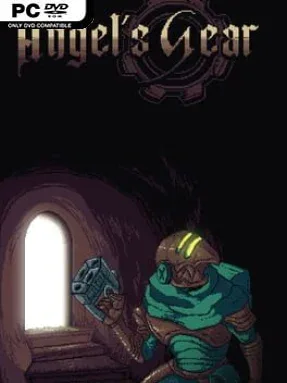
Game Overview
A ruined parallel realm becomes the battlefield for a grotesque war between humanity and an endlessly multiplying machine. Angel’s Gear casts you as a conscripted soldier caught in the aftermath of a catastrophic invention: a mechanical plague that consumes flesh, stone, and metal to manufacture more of itself. Its invasion of the strange dimension known as the Godhead turns an already desperate conflict into apocalyptic body horror, complete with a monster born from the moon and landscapes warped by industrial corruption. The mood is bleak, surreal, and often nasty, but its cast of bizarre allies gives the nightmare an oddly human center.
Combat revolves around keeping your momentum, aim, and ammunition under control rather than simply spraying everything that moves. You knock enemies down with close-range attacks, stomp their bodies to reclaim ammo, then spend those recovered resources on specialized bullet types that can change how you approach each encounter. Precise movement and careful positioning matter, especially when hostile creatures crowd the screen or a towering boss pushes your reactions to the limit. Angel and Demon forms further alter both fighting and traversal, encouraging players to switch mindsets as they navigate the connected wasteland. Side quests develop relationships with supporting characters while also drawing you deeper into the story behind the Gear’s creation.
The most distinctive feature is its mix of unsettling horror imagery with a combat loop built around aggression, recovery, and deliberate shooting. Rather than presenting a huge open world, it offers a compact, interconnected journey whose environments reward poking into ruined paths and learning how its forms interact with obstacles. Boss fights supply the major skill checks, demanding patience as well as the nerve to stay close enough to earn ammunition from fallen enemies. Players who enjoy weird indie horror, oppressive atmosphere, and mechanically demanding action in the vein of offbeat retro-inspired shooters should find plenty to like, while newcomers should expect a challenge rather than a casual walk through the apocalypse.
Installation
- Click the green button below to be redirected to UploadHaven.
- Wait 15 seconds, then hit “Free Download.” (Free downloads may be slower — upgrade to UploadHaven Pro for faster speeds.)
- Once downloaded, right-click the .zip file and choose “Extract to Angel's Gear.” (You’ll need 7-Zip for this.)
- Open the extracted folder and run the game as administrator.
- Enjoy! 🎮 If you see missing DLL errors, check the <strong>_Redist</strong> folder inside and install what’s needed.
System Requirements
- OS: Windows 8/8.1/10 (64bit)
- Processor: Intel Core2 Duo and 2.0GHz or better
- Memory: 4 GB RAM
- Graphics: DirectX 9/OpenGL 4.1 capable GPU
- Storage: 1 GB available space
Setup Guide & Troubleshooting
How do I fix missing DLL errors for Angel’s Gear?
After extracting Angel’s Gear, navigate to the _Redist or _CommonRedist folder inside the game directory and install DirectX, Vcredist, and any other dependencies included.
What should I do if the downloaded file is corrupted?
The full archive is 143.60 MB — make sure your download completed fully before extracting. Use 7-Zip to extract the files. If you still see a "file corrupted" error, re-download and try again.
Why should I run the game as administrator?
Right-click the game executable and select "Run as Administrator" to avoid save file issues and permission errors. This is especially important on the first launch.
How do I update my GPU drivers for this game?
Angel’s Gear requires a DirectX 9/OpenGL 4.1 capable GPU or equivalent. Update your NVIDIA or AMD drivers to the latest version for the best performance.
The game won't launch — what should I try?
Try running in compatibility mode, install the latest DirectX runtime, or install the All-in-One VC Redist Package.
My antivirus is blocking the game — is it safe?
Antivirus false positives are common with pre-installed games. Temporarily pause your antivirus during extraction to prevent it from quarantining game files. You can re-enable it after the extraction completes.