
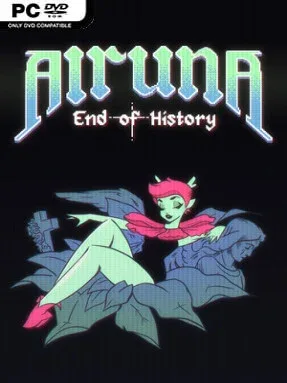
Game Overview
A ruined world of dead industry and spiritual hunger becomes the stage for a surreal, melancholy platforming adventure. Alruna: End of History follows Alruna, a flower-like nymph drawn toward a promised paradise while confronting the cruelty, devotion, and self-destruction left behind by civilization. Its tone is deliberately strange and often unsettling, mixing religious imagery, body-horror-adjacent themes, and intimate character drama with the bright momentum of a fast 2D action platformer. Beneath the abstract symbolism lies a journey about pushing through suffering without losing sight of connection or hope.
Movement drives nearly every part of the experience. Alruna super-jumps, air-dashes, rebounds from surfaces, and uses her Blossom Blaster both as a weapon and as a traversal tool, firing shots she can bounce from to reach otherwise impossible ledges. Elemental transformations such as fire, water, and thunder alter how she interacts with enemies and terrain, while plant growth abilities create climbable routes on suitable walls. The central Sprawl acts as an interconnected overworld, linking four large temples packed with combat encounters, environmental challenges, upgrades, detours, and major boss fights. Progress comes from learning how each new power expands old areas, encouraging players to revisit earlier locations with sharper movement skills and fresh options.
What separates Alruna: End of History from a standard Metroidvania is its unusually expressive platforming and aggressively personal atmosphere. Its world does not treat secrets as mere collectibles; hidden passages, alternate routes, strange side activities, and shortcuts make exploration feel like uncovering a dense ecosystem of ideas. A tense relationship with a rival adventurer gives the story an emotional thread beyond the apocalyptic lore, building toward an enemies-to-lovers angle that suits the game’s mix of tenderness and pain. Fans of fast, precision-focused exploration in the vein of Hollow Knight, Axiom Verge, or Ori should find plenty to enjoy, especially if they want something weirder, more experimental, and less conventionally heroic.
Installation
- Click the green button below to be redirected to UploadHaven.
- Wait 15 seconds, then hit “Free Download.” (Free downloads may be slower — upgrade to UploadHaven Pro for faster speeds.)
- Once downloaded, right-click the .zip file and choose “Extract to Alruna: End of History.” (You’ll need 7-Zip for this.)
- Open the extracted folder and run the game as administrator.
- Enjoy! 🎮 If you see missing DLL errors, check the <strong>_Redist</strong> folder inside and install what’s needed.
System Requirements
- OS *: Windows 7+
- Processor: 2.4 GHz
- Memory: 100 MB RAM
- Graphics: 1 GB
- Storage: 250 MB available space
Setup Guide & Troubleshooting
How do I fix missing DLL errors for Alruna: End of History (v1.1)?
After extracting Alruna: End of History (v1.1), navigate to the _Redist or _CommonRedist folder inside the game directory and install DirectX, Vcredist, and any other dependencies included.
What should I do if the downloaded file is corrupted?
The full archive is 343.14 MB — make sure your download completed fully before extracting. Use 7-Zip to extract the files. If you still see a "file corrupted" error, re-download and try again.
Why should I run the game as administrator?
Right-click the game executable and select "Run as Administrator" to avoid save file issues and permission errors. This is especially important on the first launch.
How do I update my GPU drivers for this game?
Alruna: End of History (v1.1) requires a 1 GB or equivalent. Update your NVIDIA or AMD drivers to the latest version for the best performance.
The game won't launch — what should I try?
Try running in compatibility mode, install the latest DirectX runtime, or install the All-in-One VC Redist Package.
My antivirus is blocking the game — is it safe?
Antivirus false positives are common with pre-installed games. Temporarily pause your antivirus during extraction to prevent it from quarantining game files. You can re-enable it after the extraction completes.