
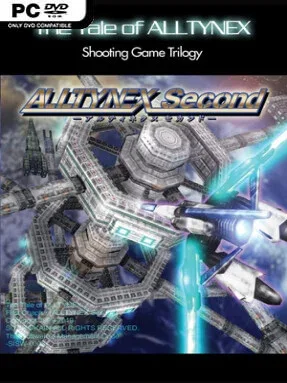
Game Overview
Earth’s last survivors return to a ruined homeworld in 2192, facing the machine intelligence that nearly wipes humanity out decades earlier. ALLTYNEX Second is a focused 2.5D vertical shooter with a bleak sci-fi premise, huge mechanical bosses, and the kind of screen-filling projectile patterns that demand concentration rather than luck. Its five-stage campaign is compact, but every mission feels like a desperate assault through hostile skies, industrial fortresses, and armies of autonomous weapons. The mood is dramatic and aggressive, backed by polished anime-inspired presentation and a driving electronic soundtrack.
Pilots control a nimble fighter equipped for both long-range firefights and dangerous point-blank attacks. Homing lasers keep pressure on mobile targets, while the Buster Rifle fires powerful shots that can cut through enemies and incoming bullets, creating precious escape routes during crowded encounters. The signature Blade turns close combat into a serious offensive option: moving in to slash foes deals heavy damage and feeds the scoring system, but it also puts the ship directly in harm’s way. Success comes from switching intelligently between shooting, piercing attacks, and melee strikes to maintain combos, clear threats, and dismantle bosses before their patterns become overwhelming. Tutorial, Practice, and Replay modes make it far easier to learn stage routes and sharpen specific survival skills than in many old-school shooters.
What separates ALLTYNEX Second from more traditional vertical shmups is its commitment to melee combat as a core survival and scoring tool, not a novelty. The shifting camera angles and fully rendered environments give its battles a cinematic scale without losing the immediate readability needed for bullet-dodging action. It is demanding, especially for players chasing high scores and clean runs, yet its approachable systems and practice options give newcomers a viable path into the genre. Fans of Radiant Silvergun, Ikaruga, or other score-driven shooters should find plenty to appreciate, while veterans get a short, replayable challenge built around precision, aggression, and mastery.
Installation
- Click the green button below to be redirected to UploadHaven.
- Wait 15 seconds, then hit “Free Download.” (Free downloads may be slower — upgrade to UploadHaven Pro for faster speeds.)
- Once downloaded, right-click the .zip file and choose “Extract to ALLTYNEX Second.” (You’ll need 7-Zip for this.)
- Open the extracted folder and run the game as administrator.
- Enjoy! 🎮 If you see missing DLL errors, check the <strong>_Redist</strong> folder inside and install what’s needed.
System Requirements
- OS *: Microsoft Windows 2000 / XP / Vista / 7 / 8
- Processor: Intel Pentium4 1.4GHz or better
- Memory: 128 MB RAM
- Graphics: DirectX 9.0c or above and Direct3D with 64MB or more of VRAM
- DirectX: Version 9.0c
- Storage: 200 MB available space
- Sound Card: DirectSound-compatible Sound Card
Setup Guide & Troubleshooting
How do I fix missing DLL errors for ALLTYNEX Second (v1.03)?
After extracting ALLTYNEX Second (v1.03), navigate to the _Redist or _CommonRedist folder inside the game directory and install DirectX, Vcredist, and any other dependencies included.
What should I do if the downloaded file is corrupted?
The full archive is 155.63 MB — make sure your download completed fully before extracting. Use 7-Zip to extract the files. If you still see a "file corrupted" error, re-download and try again.
Why should I run the game as administrator?
Right-click the game executable and select "Run as Administrator" to avoid save file issues and permission errors. This is especially important on the first launch.
How do I update my GPU drivers for this game?
ALLTYNEX Second (v1.03) requires a DirectX 9.0c or above and Direct3D with 64MB or more of VRAM or equivalent. Update your NVIDIA or AMD drivers to the latest version for the best performance.
The game won't launch — what should I try?
This game requires Version 9.0c. Try running in compatibility mode, install the latest DirectX runtime, or install the All-in-One VC Redist Package.
My antivirus is blocking the game — is it safe?
Antivirus false positives are common with pre-installed games. Temporarily pause your antivirus during extraction to prevent it from quarantining game files. You can re-enable it after the extraction completes.