
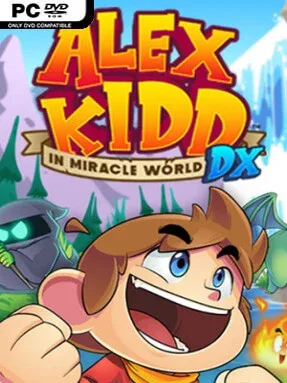
Game Overview
Radaxian’s bright, eccentric kingdom returns as a demanding side-scrolling platform adventure built around Sega’s earliest mascot. Alex punches through blocks, rides oddball vehicles, hunts for money and items, and works toward stopping the tyrant Janken the Great from conquering the realm. The mood is colorful and playful, but the challenge carries the sharp edges of an 8-bit classic, where enemy placement, bottomless pits, and limited resources punish careless movement. Rather than merely preserving a relic, this remake presents the old journey with lively animation, redrawn environments, and a more polished sense of momentum.
Platforming remains the foundation: players run, jump, punch enemies and destructible terrain, uncover item blocks, and spend collected currency on equipment that can make hostile stages more manageable. Signature boss encounters still turn on rock-paper-scissors contests, making fights feel more like tense prediction games than traditional brawls; learning opponents and keeping enough cash for another try matters. Added stages and story material extend the original campaign, while refinements help controls and collisions feel less frustrating than their Master System counterpart without removing the game’s deliberate old-school design. Boss Rush offers a concentrated test of its strangest confrontations, and Classic Mode preserves the original level layouts, dialogue, and mechanics for players who want the harsher historical version.
Its best feature is the instant Retro Mode toggle, which swaps between modern presentation and the original pixel art during play, making the remake’s reverence visible at any moment. Remastered music sits alongside fresh arrangements, and the new visual detail gives Radaxian much more personality without losing its deliberately simple cartoon charm. Compared with contemporary mascot platformers, the action is less fluid and forgiving, closer in spirit to a museum-quality revival of an early console challenge than a modern collectathon. It suits nostalgic Sega fans most, but newcomers curious about platforming history can enjoy it as long as they expect sudden deaths, repetition, and a willingness to learn its quirks.
Installation
- Click the green button below to be redirected to UploadHaven.
- Wait 15 seconds, then hit “Free Download.” (Free downloads may be slower — upgrade to UploadHaven Pro for faster speeds.)
- Once downloaded, right-click the .zip file and choose “Extract to Alex Kidd in Miracle World DX.” (You’ll need 7-Zip for this.)
- Open the extracted folder and run the game as administrator.
- Enjoy! 🎮 If you see missing DLL errors, check the <strong>_Redist</strong> folder inside and install what’s needed.
System Requirements
- OS *: Windows 7
- Processor: 1.80GHz or better
- Memory: 4 GB RAM
- Graphics: Intel HD Graphics 4000-5000 series (game in 720p)
Setup Guide & Troubleshooting
How do I fix missing DLL errors for Alex Kidd in Miracle World DX?
After extracting Alex Kidd in Miracle World DX, navigate to the _Redist or _CommonRedist folder inside the game directory and install DirectX, Vcredist, and any other dependencies included.
What should I do if the downloaded file is corrupted?
The full archive is 220.73 MB — make sure your download completed fully before extracting. Use 7-Zip to extract the files. If you still see a "file corrupted" error, re-download and try again.
Why should I run the game as administrator?
Right-click the game executable and select "Run as Administrator" to avoid save file issues and permission errors. This is especially important on the first launch.
How do I update my GPU drivers for this game?
Alex Kidd in Miracle World DX requires a Intel HD Graphics 4000-5000 series (game in 720p) or equivalent. Update your NVIDIA or AMD drivers to the latest version for the best performance.
The game won't launch — what should I try?
Try running in compatibility mode, install the latest DirectX runtime, or install the All-in-One VC Redist Package.
My antivirus is blocking the game — is it safe?
Antivirus false positives are common with pre-installed games. Temporarily pause your antivirus during extraction to prevent it from quarantining game files. You can re-enable it after the extraction completes.