
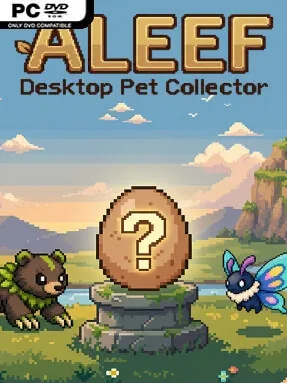
Game Overview
A tiny hatchery occupies the corner of your desktop, turning everyday computer use into a steady stream of eggs, creatures, and incremental rewards. Aleef: Desktop Pet Collector is a passive collector built for players who want something to progress while they work, browse, watch videos, or play other games. Every mouse click and keyboard press contributes to cracking an egg, so the central appeal is seeing ordinary activity feed a growing menagerie. The mood is colorful, low-pressure, and pleasantly compulsive rather than demanding constant attention.
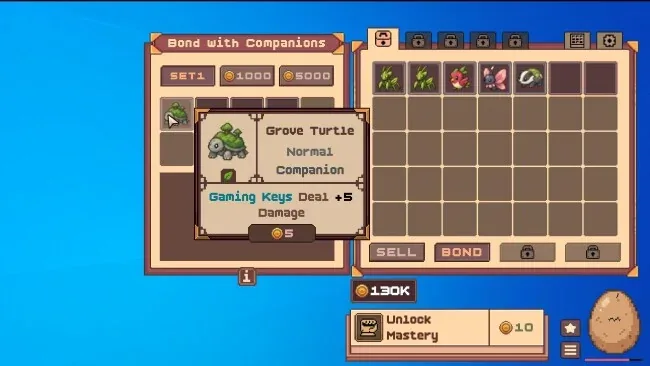
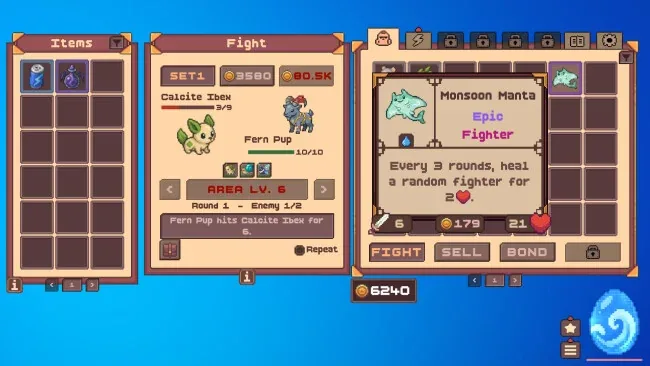
Hatching eggs supplies the core loop, with more than 300 pets spread across seven rarity tiers, from common finds to exceptionally scarce Ancient and Crimson creatures. Pets are not purely cosmetic: bonding with them grants stat bonuses that can strengthen particular inputs, including movement-key usage, allowing you to tailor builds around how you use your PC. Stronger creatures also form battle teams that head out to fight and return with loot, giving duplicate pets a practical purpose beyond collection. Spare companions can be fused into fresh results, while Sparks fuel the Egg Forge to improve future hatches; relics add another layer by boosting systems such as hatching, fusion, and combat.
What separates Aleef from a typical idle clicker is its willingness to treat the rest of your desktop as the controller. It works with any typing language and does not require active clicking inside its own window, making it a natural second-screen-style companion for multitaskers. Prismatic, Radiant, and Echo shiny variants give dedicated collectors extra chase goals, each bringing its own perk instead of serving as a simple recolor. Fans of incremental games, creature collectors, and desktop companions will get the most from it, especially if the idea of building progress through normal daily computing sounds more relaxing than grinding through a conventional RPG.
Screenshots
Installation
- Select the <strong>Download</strong> button at the top of this page to open UploadHaven.
- On UploadHaven, wait for any countdown, then select <strong>Free Download</strong>. Optional: UploadHaven Pro for faster downloads.
- When complete, extract the archive to a <strong>Aleef: Desktop Pet Collector</strong> folder using 7-Zip.
- Open the extracted folder and start the game normally.
- For errors, check <strong>Setup Guide & Troubleshooting</strong> below. Keep your security software enabled.
System Requirements
- Requires a 64-bit processor and operating system
- OS: Windows 10
- Memory: 512 MB RAM
- Storage: 400 MB available space
Setup Guide & Troubleshooting
How do I fix missing DLL errors for Aleef: Desktop Pet Collector?
After extracting Aleef: Desktop Pet Collector, navigate to the _Redist or _CommonRedist folder inside the game directory and install DirectX, Vcredist, and any other dependencies included.
What should I do if the downloaded file is corrupted?
The full archive is 111.26 MB — make sure your download completed fully before extracting. Use a reliable extraction tool to extract the files. If you still see a "file corrupted" error, re-download and try again.