
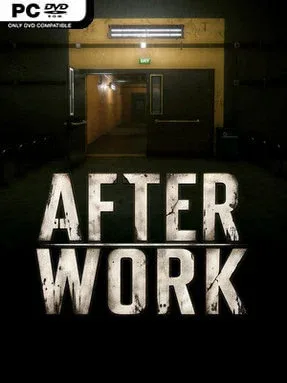
Game Overview
A routine trip from the office becomes an uneasy walk through a parking garage that no longer feels entirely familiar. After Work is a compact first-person atmospheric adventure built around the discomfort of ordinary places turning strange after everyone else has gone home. Its premise is deliberately simple: leave your workplace, locate the way out, and notice the small details that suggest the night may not be as normal as it first appears. The mood is quiet, grounded, and increasingly unsettling rather than overtly horrific, making it feel like a short interactive thriller told through spaces instead of exposition.
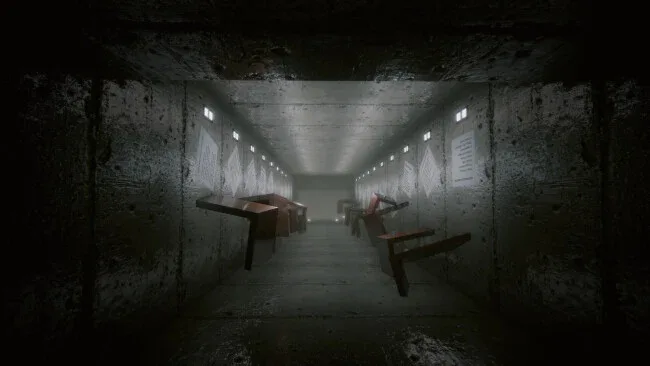
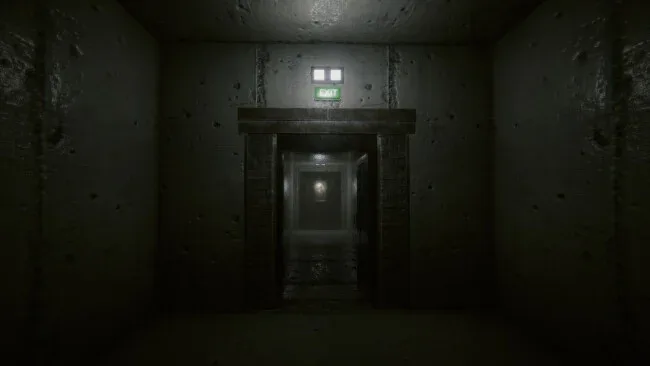
Players move through a largely linear series of interiors at their own speed, examining corridors, parked cars, signs, doors, and environmental details for clues about where to go next. There are no weapons, enemy encounters, or demanding logic puzzles; progress comes from observation and following the subtle visual language of the environment. Minimal dialogue keeps attention on the surroundings, encouraging players to read the story through lighting, layout, abandoned objects, and shifts in atmosphere. The experience is designed as a focused one-sitting playthrough, so it favors tension and pacing over sprawling exploration, extensive collectibles, or elaborate character progression.
What makes After Work appealing is its commitment to making a mundane setting carry the entire dramatic weight. Parking structures, office backrooms, and empty passageways are familiar enough to be believable, yet their isolation gives every turn and distant sound a potential sense of threat. Its restrained approach places it near walking simulators and brief psychological horror pieces such as The Exit 8 or Layers of Fear’s quieter exploratory stretches, though it appears less interested in chase sequences and more interested in uncertainty. It suits players who enjoy slow-burn environmental storytelling, compact horror-adjacent experiences, and games that leave room for personal interpretation; action-focused players looking for combat, deep puzzles, or replay-driven systems may find its deliberately simple format too slight.
Screenshots
Installation
- Click the green button below to be redirected to UploadHaven.
- Wait 15 seconds, then hit “Free Download.” (Free downloads may be slower — upgrade to UploadHaven Pro for faster speeds.)
- Once downloaded, right-click the .zip file and choose “Extract to After Work.” (You’ll need 7-Zip for this.)
- Open the extracted folder and run the game as administrator.
- Enjoy! 🎮 If you see missing DLL errors, check the <strong>_Redist</strong> folder inside and install what’s needed.
System Requirements
- OS: Windows 10 64-bit
- Processor: Intel Core i5-8400 or AMD Ryzen 5 2600
- Memory: 8 GB RAM
- Graphics: NVIDIA GeForce GTX 1060 6 GB or AMD Radeon RX 580 8 GB
- DirectX: Version 11
- Storage: 4 GB available space
- Sound Card: DirectX compatible
Setup Guide & Troubleshooting
How do I fix missing DLL errors for After Work?
After extracting After Work, navigate to the _Redist or _CommonRedist folder inside the game directory and install DirectX, Vcredist, and any other dependencies included.
What should I do if the downloaded file is corrupted?
The full archive is 1.50 GB — make sure your download completed fully before extracting. Use 7-Zip to extract the files. If you still see a "file corrupted" error, re-download and try again.
Why should I run the game as administrator?
Right-click the game executable and select "Run as Administrator" to avoid save file issues and permission errors. This is especially important on the first launch.
How do I update my GPU drivers for this game?
After Work requires a NVIDIA GeForce GTX 1060 6 GB or AMD Radeon RX 580 8 GB or equivalent. Update your NVIDIA or AMD drivers to the latest version for the best performance.
The game won't launch — what should I try?
This game requires Version 11. Try running in compatibility mode, install the latest DirectX runtime, or install the All-in-One VC Redist Package.
My antivirus is blocking the game — is it safe?
Antivirus false positives are common with pre-installed games. Temporarily pause your antivirus during extraction to prevent it from quarantining game files. You can re-enable it after the extraction completes.