
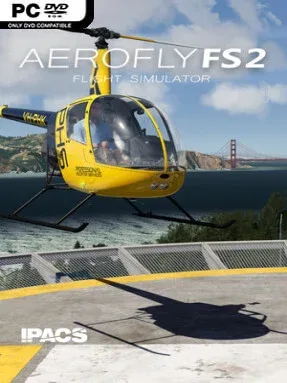
Game Overview
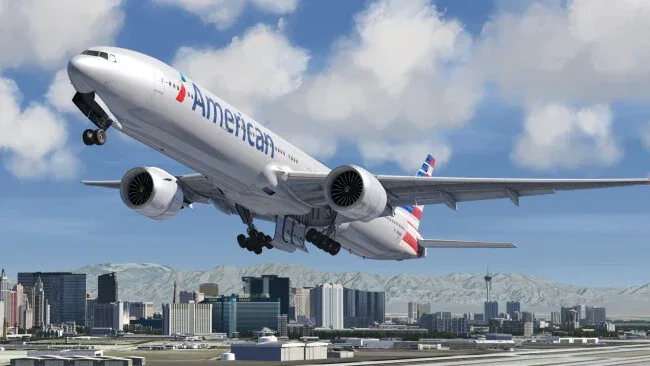
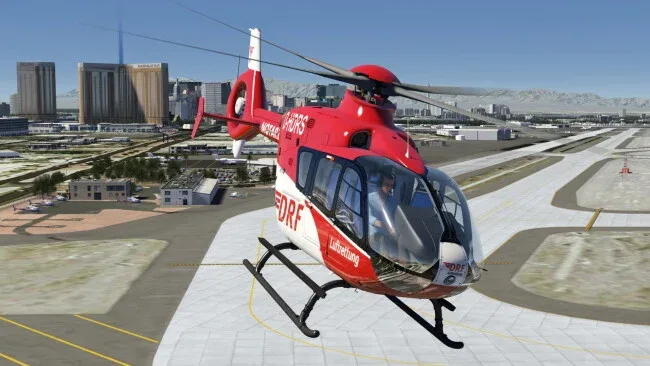
Aerofly FS 2 Flight Simulator focuses on the pure satisfaction of handling an aircraft, pairing approachable controls with a convincing sense of speed, weight, and altitude. Its skies range from gentle training flights over sunlit American landscapes to demanding airliner approaches at major airports, with helicopters, warbirds, aerobatic planes, gliders, and modern jets all sharing the hangar. The mood is calm and technical rather than mission-driven, making it ideal for players who enjoy setting their own routes and mastering an aircraft at their own pace. Detailed cockpits, changing light, and crisp aerial scenery give even a short sightseeing flight a strong sense of place.
Flying begins with selecting an aircraft, choosing weather and time of day, then planning a route or simply taking off from one of the included airports. The simulation supports everything from basic joystick setups to dedicated throttle quadrants, pedals, TrackIR, and Saitek panels, while its interactive flight school teaches fundamental handling without burying newcomers in procedures. Aircraft behavior aims for believable physics, so a Cessna, an F-18, and a Boeing 747 each demand different approaches to speed management, trim, landing, and navigation. Pilots can adjust wind, turbulence, visibility, cloud cover, and thermal activity, use several camera perspectives, and replay flights to review a tricky landing or scenic pass.
What distinguishes Aerofly FS 2 is its balance between visual immediacy and low-friction usability. The Southwestern United States receives especially detailed treatment, including recognizable San Francisco landmarks and more than 200 airports, while global terrain data supports casual visual navigation beyond that region. Full VR support for Oculus and Vive is a major draw, since the interactive cockpit layout and clear scenery translate particularly well to headset flying. Fans of Microsoft Flight Simulator or X-Plane who want a more streamlined, performance-friendly simulator will appreciate it, while experienced sim pilots should note that its strength lies in enjoyable hands-on flying rather than exhaustive airline operations or worldwide airport detail.
Screenshots
Installation
- Click the green button below to be redirected to UploadHaven.
- Wait 15 seconds, then hit “Free Download.” (Free downloads may be slower — upgrade to UploadHaven Pro for faster speeds.)
- Once downloaded, right-click the .zip file and choose “Extract to Aerofly FS 2 Flight Simulator.” (You’ll need 7-Zip for this.)
- Open the extracted folder and run the game as administrator.
- Enjoy! 🎮 If you see missing DLL errors, check the <strong>_Redist</strong> folder inside and install what’s needed.
System Requirements
- Requires a 64-bit processor and operating system
- OS *: 64bit Versions of Windows 7, Windows 8, Windows 10
- Processor: Intel Dual core CPU 2.4 GHz
- Memory: 4 GB RAM
- Graphics: OpenGL 3.0 compatible 3D graphic card with at least 1 GB of RAM
- Storage: 35 GB available space
- Sound Card: DirectX Compatible soundcard
- VR Support: SteamVR or Oculus PC
Setup Guide & Troubleshooting
How do I fix missing DLL errors for Aerofly FS 2 Flight Simulator (Incl. ALL DLCs)?
After extracting Aerofly FS 2 Flight Simulator (Incl. ALL DLCs), navigate to the _Redist or _CommonRedist folder inside the game directory and install DirectX, Vcredist, and any other dependencies included.
What should I do if the downloaded file is corrupted?
The full archive is 153.44 GB — make sure your download completed fully before extracting. Use 7-Zip to extract the files. If you still see a "file corrupted" error, re-download and try again.
Why should I run the game as administrator?
Right-click the game executable and select "Run as Administrator" to avoid save file issues and permission errors. This is especially important on the first launch.
How do I update my GPU drivers for this game?
Aerofly FS 2 Flight Simulator (Incl. ALL DLCs) requires a OpenGL 3.0 compatible 3D graphic card with at least 1 GB of RAM or equivalent. Update your NVIDIA or AMD drivers to the latest version for the best performance.
The game won't launch — what should I try?
Try running in compatibility mode, install the latest DirectX runtime, or install the All-in-One VC Redist Package.
My antivirus is blocking the game — is it safe?
Antivirus false positives are common with pre-installed games. Temporarily pause your antivirus during extraction to prevent it from quarantining game files. You can re-enable it after the extraction completes.