
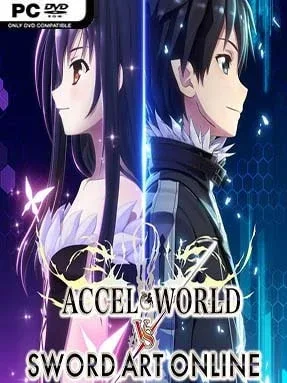
Game Overview
A collision between Svart Alfheim and the Accelerated World turns a familiar anime crossover into a fast, airborne action RPG. Kirito’s search for the missing Yui sends him after the powerful color-coded rulers of the merged realm, while heroes from Sword Art Online and Accel World gather into one enormous playable cast. The tone is energetic rather than grim, with flashy sword techniques, spell effects, and constant fan-service encounters built around seeing favorite characters fight side by side. Its Deluxe Edition also includes the Castaway From Another World expansion, adding more story content to the package.
Combat revolves around real-time attacks in broad 3D environments, where melee strings, magic, ranged options, and character-specific skills keep encounters moving at a brisk pace. Flight is the defining feature: characters can soar over fields and ruins, chase airborne enemies, gain altitude for attacks, and use rapid jumps to close distances that would be awkward in a conventional RPG. Building a party from the wide roster lets players experiment with different weapons and roles, while quests, equipment, and skill development provide the usual progression loop. Online multiplayer supports up to four players across several modes, making boss hunts and chaotic aerial battles more entertaining with a coordinated group.
Its willingness to make vertical movement central sets it apart from many licensed anime RPGs, since arenas feel like open skies instead of flat combat stages. The presentation favors quantity and recognizable personalities over deep tactical complexity, so some fights can become repetitive and the camera occasionally struggles when everyone takes off at once. Still, the roster, crossover premise, and freedom to fly make it a strong pick for fans of both series. Players who enjoy the party combat of Sword Art Online: Hollow Realization or accessible action JRPGs will find plenty to enjoy, while newcomers should expect a story that assumes some familiarity with its two universes.
Installation
- Click the green button below to be redirected to UploadHaven.
- Wait 15 seconds, then hit “Free Download.” (Free downloads may be slower — upgrade to UploadHaven Pro for faster speeds.)
- Once downloaded, right-click the .zip file and choose “Extract to Accel World Vs. Sword Art Online Deluxe Edition.” (You’ll need 7-Zip for this.)
- Open the extracted folder and run the game as administrator.
- Enjoy! 🎮 If you see missing DLL errors, check the <strong>_Redist</strong> folder inside and install what’s needed.
System Requirements
- Requires a 64-bit processor and operating system
- OS: Windows 10 64 Bit, Windows 8.1 64 Bit, Windows 8 64 Bit, Windows 7 64 Bit Service Pack 1
- Processor: Core i5-4460 3.2GHz
- Memory: 8 GB RAM
- Graphics: GeForce GTX970 4G
- DirectX: Version 11
- Storage: 30 GB available space
- Sound Card: DirectX 11 sound device
Setup Guide & Troubleshooting
How do I fix missing DLL errors for Accel World Vs. Sword Art Online Deluxe Edition?
After extracting Accel World Vs. Sword Art Online Deluxe Edition, navigate to the _Redist or _CommonRedist folder inside the game directory and install DirectX, Vcredist, and any other dependencies included.
What should I do if the downloaded file is corrupted?
The full archive is 10.02 GB — make sure your download completed fully before extracting. Use 7-Zip to extract the files. If you still see a "file corrupted" error, re-download and try again.
Why should I run the game as administrator?
Right-click the game executable and select "Run as Administrator" to avoid save file issues and permission errors. This is especially important on the first launch.
How do I update my GPU drivers for this game?
Accel World Vs. Sword Art Online Deluxe Edition requires a GeForce GTX970 4G or equivalent. Update your NVIDIA or AMD drivers to the latest version for the best performance.
The game won't launch — what should I try?
This game requires Version 11. Try running in compatibility mode, install the latest DirectX runtime, or install the All-in-One VC Redist Package.
My antivirus is blocking the game — is it safe?
Antivirus false positives are common with pre-installed games. Temporarily pause your antivirus during extraction to prevent it from quarantining game files. You can re-enable it after the extraction completes.